Ks corporation 2026

Get Form
ks corporation Preview on Page 1

Here's how it works

01. Edit your form online
Type text, add images, blackout confidential details, add comments, highlights and more.
02. Sign it in a few clicks
Draw your signature, type it, upload its image, or use your mobile device as a signature pad.
03. Share your form with others
Send it via email, link, or fax. You can also download it, export it or print it out.

How to use or fill out ks corporation with our platform

Form edit decoration
9.5
Ease of Setup
DocHub User Ratings on G2
9.0
Ease of Use
DocHub User Ratings on G2
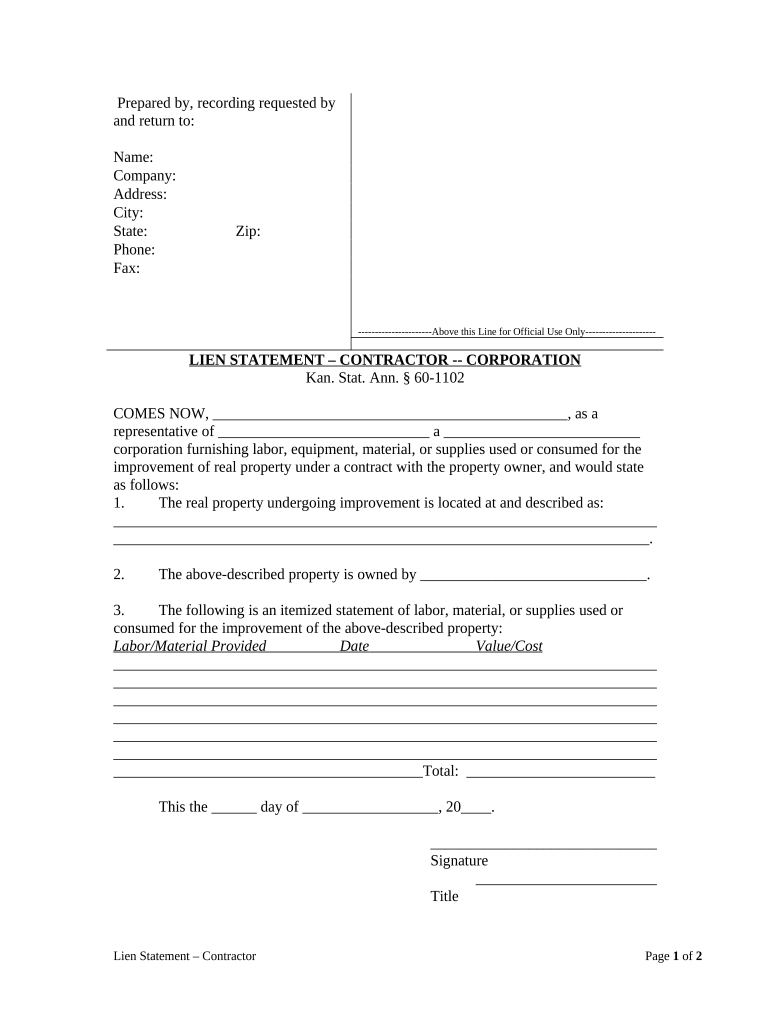
  1. Click ‘Get Form’ to open the ks corporation document in the editor.
  2. Begin by filling in the 'Prepared by, recording requested by and return to' section. Enter your name, company, address, city, state, phone, fax, and zip code accurately.
  3. In the 'COMES NOW' section, provide the representative's name and the corporation's name along with its type (e.g., LLC, Inc.).
  4. Describe the real property undergoing improvement in detail under the specified section. Ensure you include a complete address and any relevant descriptions.
  5. Identify the property owner in the designated field. This is crucial for legal clarity.
  6. Complete the itemized statement of labor, material, or supplies used for improvement. Fill in each row with details such as labor/material provided, date, and value/cost.
  7. Sign and date at the bottom of the form where indicated. Include your title for verification purposes.
  8. For notarization, ensure that a notarial officer signs and dates where required. This adds legal validity to your document.

Start using our platform today to streamline your document editing and signing process for free!

be ready to get more

Complete this form in 5 minutes or less

Get form

Got questions?

We have answers to the most popular questions from our customers. If you can't find an answer to your question, please contact us.
Contact us
The document shows the name of the business as it appears on record with the Kansas Secretary of State, the business as being in good standing, the date the business filed the formation document, and contains a certification from the Kansas Secretary of State indicating the date the certificate was issued.
The governor presides over the executive branch, commands the militia of the state, and makes sure that the laws of the state are enforced and that the peace is preserved.
Starting an LLC in Kansas in 7 steps Decide on a name for your business. Assign a resident agent. File the articles of organization. Create an operating agreement. Get an employer identification number (EIN) from the IRS. Open a business bank account. Register for state taxes and business licenses.
Kansas LLC Approval Times Mail filings: In total, mail filing approvals for Kansas LLCs take about 1 week. This accounts for the 2-3 business day processing time, plus the time your documents are in the mail. Online filings: Online filings for Kansas LLCs are approved immediately.
A Kansas LLC is a business entity that offers limited liability protection and a flexible management structure.

Security and compliance

At DocHub, your data security is our priority. We follow HIPAA, SOC2, GDPR, and other standards, so you can work on your documents with confidence.

Learn more
ccpa2
pci-dss
gdpr-compliance
hipaa
soc-compliance

People also ask

Kansas LLC Costs Summary Fee/CostAmount Articles of Organization (LLC filing fee) $160 $165 Business Name Reservation (optional) $30 $35 Trade Name (DBA, optional) $0 Sales Tax Permit (sellers permit) $04 more rows 4 days ago
LLC taxed as a Corporation: Yes. Your LLC must file tax returns with the IRS and the Kansas Department of Revenue to pay your Kansas income tax. Check with your accountant to make sure you file all the correct documents.
Kansas (approved especially for use with zip code).

Related links