Power attorney form 2026

Get Form
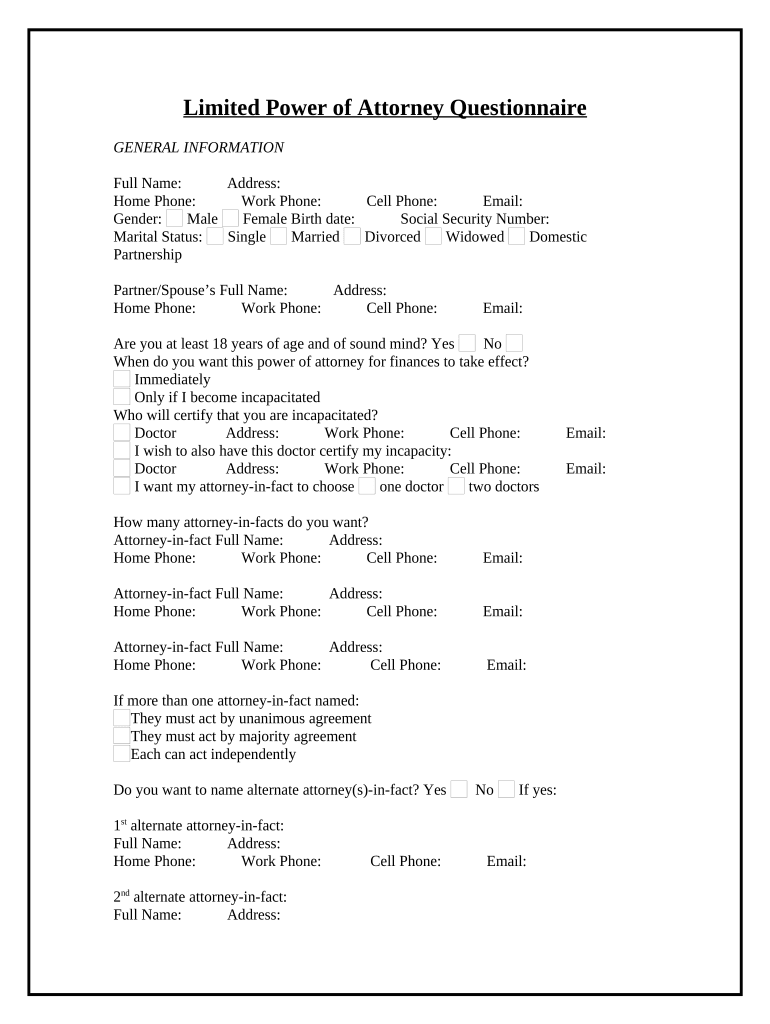
power attorney form Preview on Page 1

Here's how it works

01. Edit your form online
Type text, add images, blackout confidential details, add comments, highlights and more.
02. Sign it in a few clicks
Draw your signature, type it, upload its image, or use your mobile device as a signature pad.
03. Share your form with others
Send it via email, link, or fax. You can also download it, export it or print it out.

How to use or fill out power attorney form with our platform

Form edit decoration
9.5
Ease of Setup
DocHub User Ratings on G2
9.0
Ease of Use
DocHub User Ratings on G2
  1. Click ‘Get Form’ to open the power attorney form in the editor.
  2. Begin by filling out the General Information section. Enter your full name, address, and contact details including home, work, and cell phone numbers. Don’t forget to include your email and select your gender and marital status.
  3. Indicate if you are at least 18 years of age and of sound mind. Specify when you want the power of attorney to take effect—immediately or only if you become incapacitated.
  4. Provide details about the doctor who will certify your incapacity, including their contact information.
  5. List your attorney-in-fact(s) by entering their full names and contact information. Decide how many attorneys-in-fact you wish to appoint and whether they should act independently or by agreement.
  6. In the Powers section, specify what matters you want your attorney(s)-in-fact to handle. Check all applicable options such as real estate transactions, banking matters, or personal maintenance.
  7. Decide if you want your attorney(s)-in-fact to make reports on their activities and provide any necessary details regarding frequency and recipients.
  8. Finally, review all entries for accuracy before saving or signing the document using our platform’s features.

Start using our platform today for free to complete your power attorney form effortlessly!

be ready to get more

Complete this form in 5 minutes or less

Get form

Got questions?

We have answers to the most popular questions from our customers. If you can't find an answer to your question, please contact us.
Contact us

Sure, and it’s really straightforward! DocHub is a web-based PDF editor with advanced document processing features that allow you rapidly edit your paperwork, complete blank fields and add new ones for others to fill out, and create electronic signatures in several ways. Upload your power attorney form, provide information as required, and decide how you want to eSign your document - by typing your name, drawing your signature, uploading its image, or utilizing a QR code.

If you store your files in Google Drive, there is no need to download your power attorney form on your computer and upload it back to our editor. A much easier way is to set up a browser extension developed by DocHub to streamline this flow. The extension allows editing PDFs right in your web browser. Alternatively, you can integrate your DocHub and Gmail accounts for more efficient modifying.

Security and compliance

At DocHub, your data security is our priority. We follow HIPAA, SOC2, GDPR, and other standards, so you can work on your documents with confidence.

Learn more
ccpa2
pci-dss
gdpr-compliance
hipaa
soc-compliance