




Here's how it works



How to use or fill out letter landlord tenant with our platform

- Click ‘Get Form’ to open the letter landlord tenant in the editor.
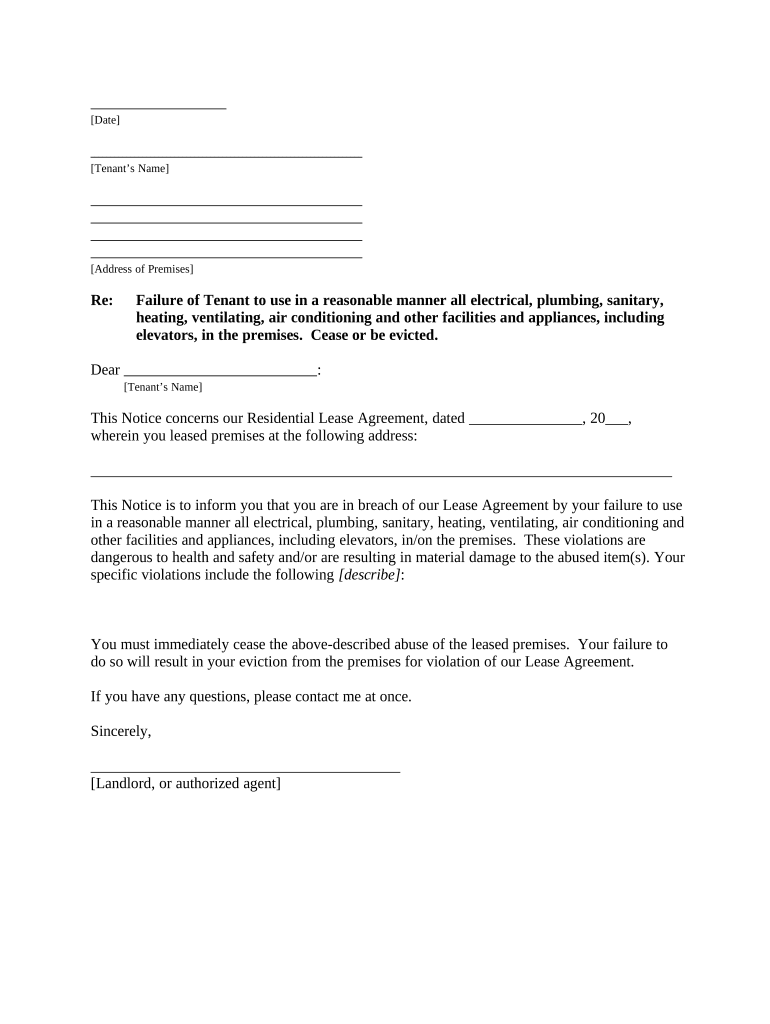
- Begin by entering the date at the top of the document. This sets the context for your notice.
- Fill in the tenant’s name and address of the premises where they reside. Ensure accuracy to avoid confusion.
- In the section regarding breach of lease, clearly describe the specific violations committed by the tenant. Be detailed to ensure clarity.
- Indicate your name or that of an authorized agent at the bottom, along with a signature line for formal acknowledgment.
- Select how you will deliver this notice by checking one of the options provided under 'Proof of Delivery'.
Start using our platform today to easily complete and manage your landlord-tenant documents for free!
It's free
Got questions?
How can I eSign my letter landlord tenant from Gmail?
With DocHub, it’s pretty simple. The service offers users an add-on called DocHub for Gmail, which you can find in the Google Workspace Marketplace free of charge. Install it and give it access to your Google account. Open your email with your letter landlord tenant attached and click on the add-on button in the right-side panel. Sign in to your DocHub account, and import the form to our editor, where you can complete it and sign.
How do you edit letter landlord tenant on Android?
Document editing with DocHub is equally convenient on desktop and mobile devices. You just need an internet browser to edit your letter landlord tenant on Android. Open our site and sign in to access the tools you need. Add your document and introduce your intended modifications. After that, you can keep your form in your document storage or send it out instantly.
Security and compliance
At DocHub, your data security is our priority. We follow HIPAA, SOC2, GDPR, and other standards, so you can work on your documents with confidence.
Learn more




