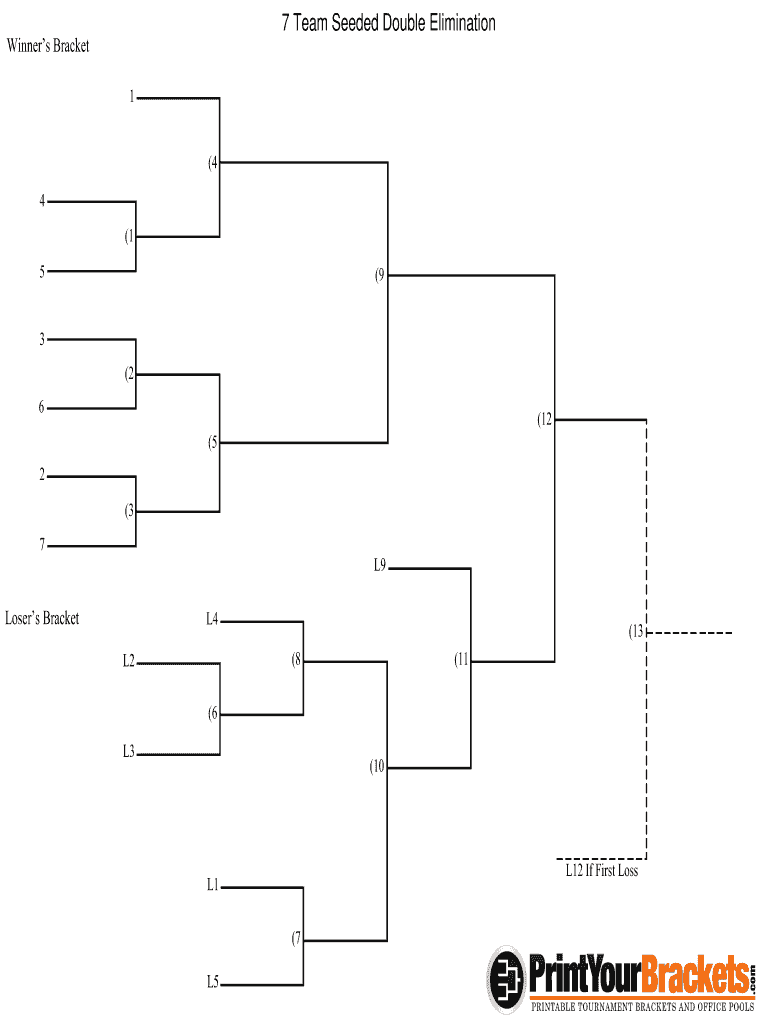
01. Edit your 7 team double elimination bracket seeded online
Type text, add images, blackout confidential details, add comments, highlights and more.
02. Sign it in a few clicks
Draw your signature, type it, upload its image, or use your mobile device as a signature pad.
03. Share your form with others
Send 7 team double elimination bracket via email, link, or fax. You can also download it, export it or print it out.
How to use or fill out 7 team seeded double elimination bracket with our platform
Ease of Setup
DocHub User Ratings on G2
Ease of Use
DocHub User Ratings on G2
Click ‘Get Form’ to open the 7 team seeded double elimination bracket in the editor.
Begin by filling in the team names in the designated fields of the Winner’s Bracket. Each slot corresponds to a seed, so ensure you place your strongest teams at the top.
As matches are played, record the winners in the Winner’s Bracket. Use our platform's editing tools to easily update scores and advance teams.
For teams that lose, move them to the Loser’s Bracket. This section allows for tracking of eliminated teams and their potential for a comeback.
Continue updating both brackets as matches progress, ensuring all results are accurately reflected for easy reference.
Once completed, utilize our platform's export feature to save or share your finalized bracket with participants or stakeholders.
Start using our platform today for free and streamline your tournament management!
Fill out 7 team seeded double elimination bracket online It's free
1. Double elimination is planned. Event Director reserves the right to modify format based on number of entries. 2. Matches in the winners bracketRead more
Cookie consent notice
This site uses cookies to enhance site navigation and personalize your experience.
By using this site you agree to our use of cookies as described in our Privacy Notice.
You can modify your selections by visiting our Cookie and Advertising Notice.