Type text, add images, blackout confidential details, add comments, highlights and more.
02. Sign it in a few clicks
Draw your signature, type it, upload its image, or use your mobile device as a signature pad.
03. Share your form with others
Send it via email, link, or fax. You can also download it, export it or print it out.
How to use or fill out services agreement with our platform
Ease of Setup
DocHub User Ratings on G2
Ease of Use
DocHub User Ratings on G2
Click ‘Get Form’ to open the services agreement in the editor.
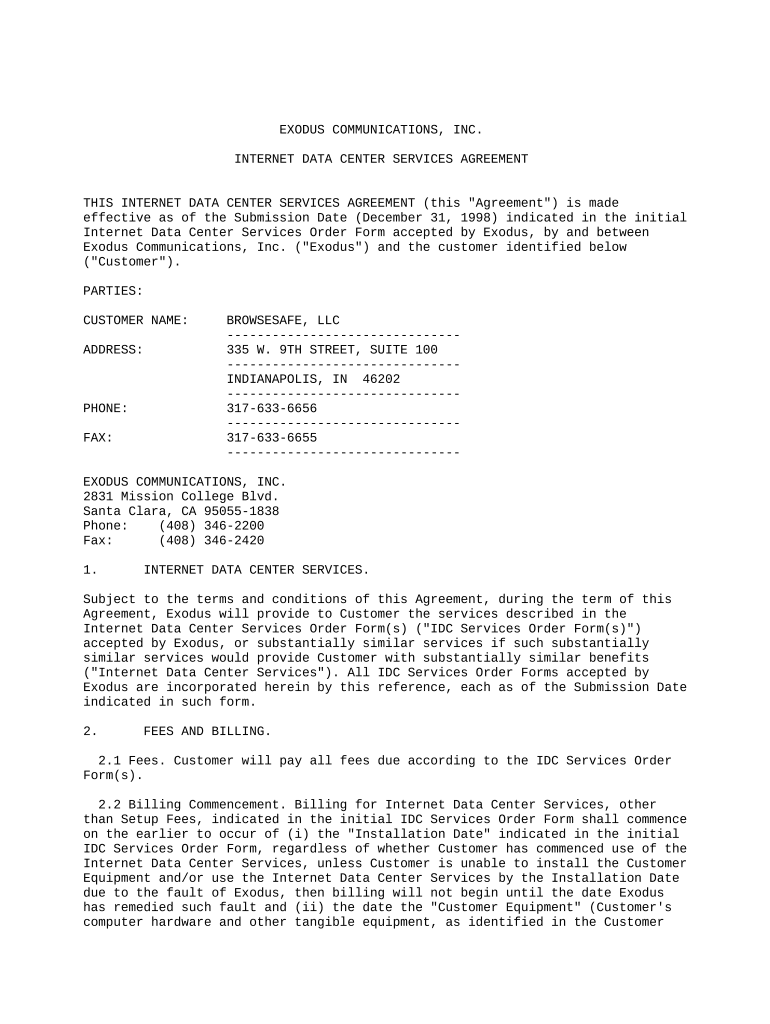
Begin by filling in the 'Customer Name' and 'Address' fields. Ensure that all information is accurate to avoid any issues later.
Next, review the 'Internet Data Center Services' section. This outlines the services you will receive. Make sure you understand what is included.
Proceed to the 'Fees and Billing' section. Enter your payment details as specified in the IDC Services Order Form. Pay attention to billing commencement dates.
In the 'Customer's Obligations' section, confirm your compliance with laws and regulations. You may need to check specific requirements based on your business operations.
Finally, review all sections for accuracy before signing. Use our platform’s signature feature to sign electronically, ensuring a smooth completion of your agreement.
Start using our platform today for free and streamline your document editing process!
Your continued use of the Services after the Subscription fee change comes into effect constitutes your agreement to pay the modified Subscription fee amount.Read more
General Purpose. The general purpose of this Agreement is to engage the services of Consultant to perform the services and provide the deliverablesRead more
Cookie consent notice
This site uses cookies to enhance site navigation and personalize your experience.
By using this site you agree to our use of cookies as described in our Privacy Notice.
You can modify your selections by visiting our Cookie and Advertising Notice.