Employment agreement form 2026

Get Form
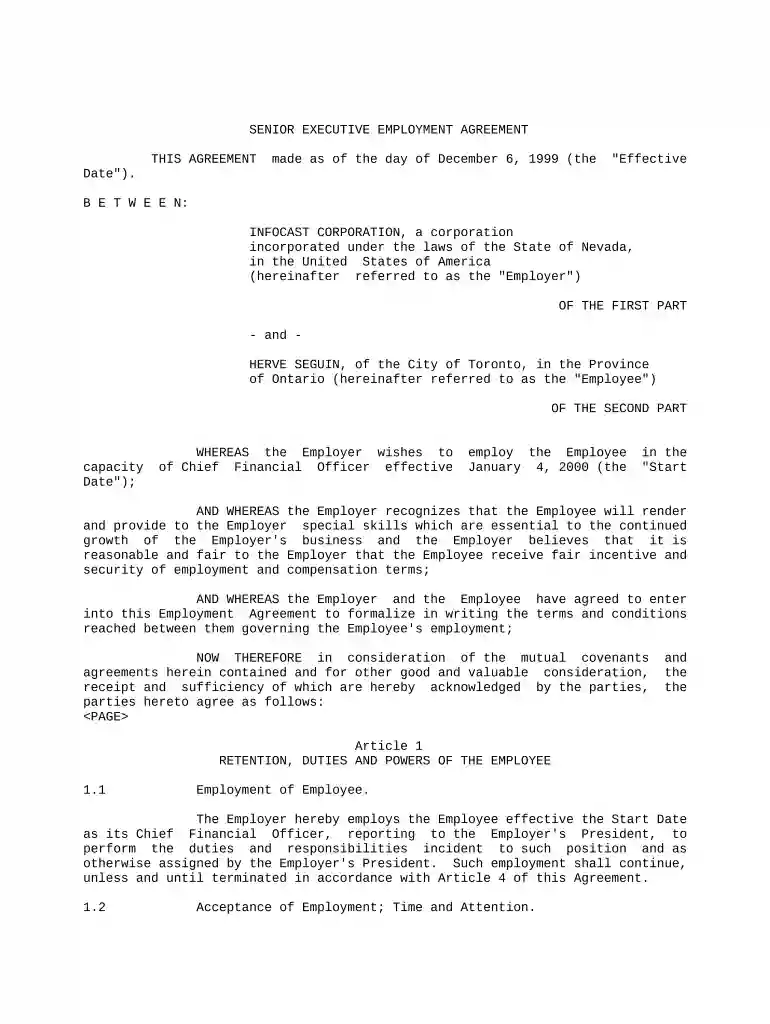
employment agreement form Preview on Page 1

Here's how it works

01. Edit your form online
Type text, add images, blackout confidential details, add comments, highlights and more.

02. Sign it in a few clicks
Draw your signature, type it, upload its image, or use your mobile device as a signature pad.

03. Share your form with others
Send it via email, link, or fax. You can also download it, export it or print it out.

How to use or fill out employment agreement form with our platform

Form edit decoration
9.5
Ease of Setup
DocHub User Ratings on G2
9.0
Ease of Use
DocHub User Ratings on G2
  1. Click ‘Get Form’ to open the employment agreement form in the editor.
  2. Begin by entering the 'Effective Date' at the top of the form. This is crucial as it marks the start of the agreement.
  3. Fill in the Employer's details, including the name and incorporation information, followed by the Employee's name and address.
  4. In Article 1, specify the Employee's position and responsibilities. Ensure that you accurately describe duties related to their role as Chief Financial Officer.
  5. Proceed to Article 2 to input compensation details. Enter the Base Salary and any benefits or incentive plans applicable to the Employee.
  6. Review Articles 3 and 4 for clauses on confidentiality, non-competition, and termination conditions. Make sure all terms are clear and understood.
  7. Finally, sign and date the document electronically using our platform’s signature feature for a seamless completion process.

Start filling out your employment agreement form today for free on our platform!

be ready to get more

Complete this form in 5 minutes or less

Get form

Got questions?

We have answers to the most popular questions from our customers. If you can't find an answer to your question, please contact us.
Contact us
Employment contracts are generally drawn up by the company through their legal counsel. However, in many cases individuals who are hiring the employee can also choose to write their own contracts. In some cases, independent contractors or freelancers can provide their own contracts and terms of employment.
The purpose of an employment agreement is to solidify a working relationship between employee and employer by defining the responsibilities and obligations of both parties. By using this type of contract, employers can improve the employee experience and mitigate legal risks.
An employment agreement, commonly called an employment contract or employee contract, contains all the essential terms and conditions of the employment. From an employee agreement, an employee understands their duties towards the company. It also provides employees with information about the: Company policy.
When creating an Employment Contract, you can include the following terms: The type and rate of compensation. The frequency of payment. Vacation time. Specified work hours. Specified work location. Employee responsibilities. Length of a probationary period. Confidentiality, non-solicitation, or non-competition clauses.
An employee agreement is a legally binding document that is designed to offer mutual protection to both a business and an employee.

Security and compliance

At DocHub, your data security is our priority. We follow HIPAA, SOC2, GDPR, and other standards, so you can work on your documents with confidence.
Learn more
ccpa2
pci-dss
gdpr-compliance
hipaa
soc-compliance

People also ask

Write the contract in six steps Start with a contract template. Open with the basic information. Describe in detail what you have agreed to. Include a description of how the contract will be ended. Write into the contract which laws apply and how disputes will be resolved. Include space for signatures.
7 Best Practices When Drafting Simple Agreements Start with a clear statement of purpose. Define key terms and definitions. Use clear and concise language. Include dispute resolution provisions. Consider the potential consequences of the breach. Include termination and renewal provisions. Use a standard contract template.

Related links