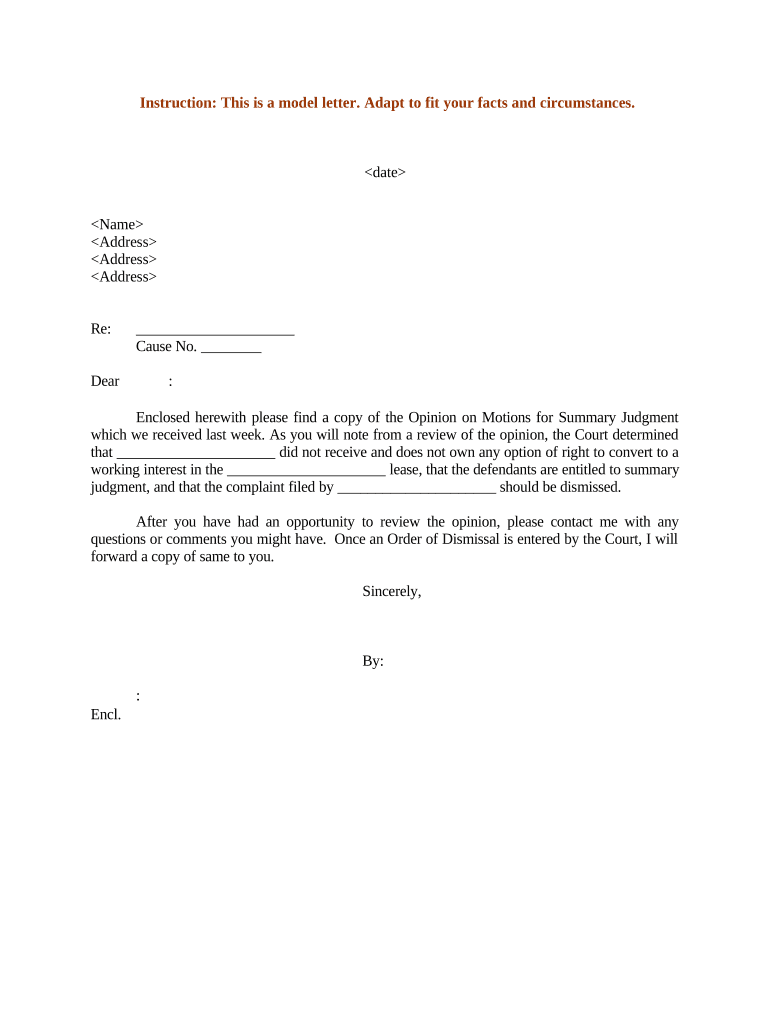
Sample summary judgment 2026

Get Form
sample summary judgment Preview on Page 1

Here's how it works

01. Edit your form online
Type text, add images, blackout confidential details, add comments, highlights and more.
02. Sign it in a few clicks
Draw your signature, type it, upload its image, or use your mobile device as a signature pad.
03. Share your form with others
Send it via email, link, or fax. You can also download it, export it or print it out.

How to use or fill out sample summary judgment with our platform

Form edit decoration
9.5
Ease of Setup
DocHub User Ratings on G2
9.0
Ease of Use
DocHub User Ratings on G2
  1. Click ‘Get Form’ to open the sample summary judgment in the editor.
  2. Begin by entering the date at the top of the document. This is crucial for record-keeping and ensures that all parties are aware of when the correspondence was made.
  3. Next, fill in your name and address in the designated fields. This identifies you as the sender and provides a point of contact for any follow-up.
  4. In the 'Re:' section, specify the subject matter related to your case, including any relevant cause number. This helps clarify the purpose of your letter.
  5. Review and complete any placeholders within the body of the letter, ensuring that all necessary details about the court's opinion and motions for summary judgment are accurately reflected.
  6. Finally, sign off with your name and title at the bottom of the document before saving or sharing it directly from our platform.

Start using our platform today to streamline your document editing process for free!

be ready to get more

Complete this form in 5 minutes or less

Get form

Got questions?

We have answers to the most popular questions from our customers. If you can't find an answer to your question, please contact us.
Contact us

Many software applications are available on the market for document modifying and signing. DocHub is one of the most widely used online solutions that comply with all security and compliance standards and guarantees your eSigned documentation is legally enforceable. All you need to give it a try is to create an account, upload your sample summary judgment, provide the required details, and click Sign. Create your eSignature by typing, drawing it, uploading its image to your form, or scanning a unique QR code.

Having a swift editing platform like DocHub, you do not need anything but a web browser and internet connection to modify your sample summary judgment online quickly. Add your file or get the appropriate form in DocHub’s catalog, open our editor with one click, and complete it digitally. To edit your forms anytime, register a free profile with DocHub.

Deposition testimony is commonly used as summary judgment evidence. Rule 56(c)(1)(A) makes clear that both oral depositions and depositions on written questions can be used, as well as deposition testimony from another case.
Yes. Judges can deny summary judgment with a decision on the margin, but to grant summary judgment they have to issue a written decision. Therefore, to win on summary judgment you have to convince a judge that it is a good use of his or her very limited time and resources to write the decision.
Examples of summary judgement motions John says that Linda ran a red light and caused the crash. John happens to have a video of Linda running the red light and crashing into him. Johns attorney files a motion for summary judgment claiming that: There are no material facts that can be reasonably disputed.

Security and compliance

At DocHub, your data security is our priority. We follow HIPAA, SOC2, GDPR, and other standards, so you can work on your documents with confidence.

Learn more
ccpa2
pci-dss
gdpr-compliance
hipaa
soc-compliance
be ready to get more

Complete this form in 5 minutes or less

Get form

People also ask

EXAMPLE: If you answer the complaint admitting you owe the money, the creditor can request a judgment on the pleadings. If matters outside the pleadings are presented to the court, the court will treat the motion as a motion for summary judgment. The judge may grant the motion completely or partially.
Use a clean format: Introduction, Background, Statement of Undisputed Facts, Legal Argument, and Conclusion. What is the role of the statement of undisputed facts? It is the core of your motion. Use citations and documents to prove that no factual issue exists.
Before a court will grant summary judgment, you must be able to submit factual evidence in admissible form. This means that you must submit relevant and admissible documents, sworn statements, and/or deposition transcript excerpts to support your motion.
Rule 56 of the Federal Rules of Civil Procedure states that a motion for summary judgment must be supported or opposed by citing to particular parts of materials in the record, to include depositions, documents, electronically stored information, affidavits or declarations, stipulations * * *, admissions,
The statement must state in numerical sequence the undisputed material facts in the first column followed by the evidence that establishes those undisputed facts in that same column. Citation to the evidence in support of each material fact must include reference to the exhibit, title, page, and line numbers.

Related links