Type text, add images, blackout confidential details, add comments, highlights and more.
02. Sign it in a few clicks
Draw your signature, type it, upload its image, or use your mobile device as a signature pad.
03. Share your form with others
Send barter agreement sample via email, link, or fax. You can also download it, export it or print it out.
How to use or fill out barter agreement with our platform
Ease of Setup
DocHub User Ratings on G2
Ease of Use
DocHub User Ratings on G2
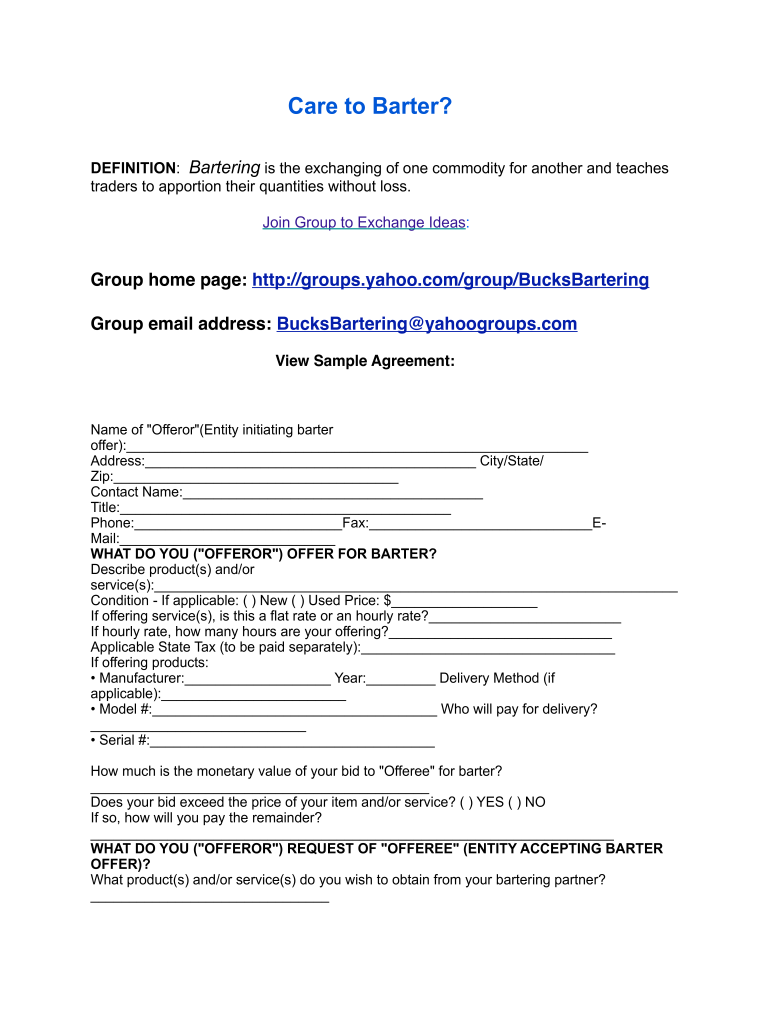
Click ‘Get Form’ to open the barter agreement in the editor.
Begin by filling in the 'Offeror' section. Enter your name, address, contact details, and title. This identifies you as the entity initiating the barter offer.
In the 'What do you offer for barter?' section, describe the products or services you are offering. Specify their condition (new or used) and provide a price if applicable.
If you're offering services, indicate whether it's a flat rate or hourly rate and specify how many hours you are offering.
Next, detail what you request from the 'Offeree'. Clearly outline the products or services you wish to obtain in exchange.
Review the terms and conditions carefully. Ensure both parties understand their obligations regarding delivery, payment methods, and legal compliance.
Finally, both parties should sign and date the agreement to formalize it. Make sure all information is accurate before submission.
Start using our platform today to streamline your barter agreements for free!
Definition: barter agreement from 50 USC 4606(h)(3)
(3)For purposes of this subsection, the term barter agreement means any agreement which is made for the exchange, without monetary consideration, of any goodsRead more
Aug 2, 2023 It is a stalactite gingerly dropped onto a plaza in the middle of Brunnenberg; a chthonic Power that imposes its own rules upon the landscape.Read more
Cookie consent notice
This site uses cookies to enhance site navigation and personalize your experience.
By using this site you agree to our use of cookies as described in our Privacy Notice.
You can modify your selections by visiting our Cookie and Advertising Notice.