




Here's how it works

01. Edit your california will form 2022 online
Type text, add images, blackout confidential details, add comments, highlights and more.

02. Sign it in a few clicks
Draw your signature, type it, upload its image, or use your mobile device as a signature pad.

03. Share your form with others
Send california statutory will form via email, link, or fax. You can also download it, export it or print it out.
How to use or fill out California Statutory Will form with our platform

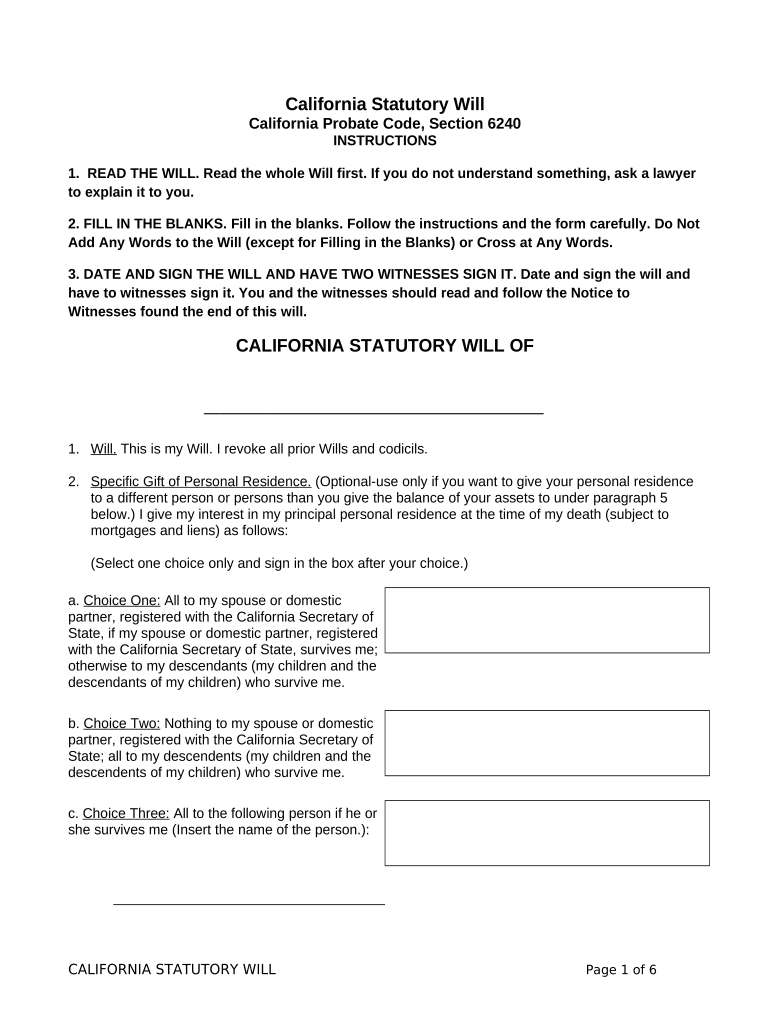
- Click ‘Get Form’ to open the California Statutory Will in the editor.
- Begin by reading the entire will carefully. If you have any questions, consult a lawyer for clarification.
- Fill in the blanks as instructed. Ensure you do not add any extra words or cross out any text.
- Complete the section for specific gifts, including your personal residence and automobiles. Choose one option from each category and sign in the designated box.
- For cash gifts, list the recipient's name and amount for each gift, signing in the box after each entry.
- Designate guardians for any children under 18 and specify custodians for assets if applicable.
- Nominate an executor for your estate and indicate whether a bond is required by signing in the appropriate box.
- Finally, date and sign your will in front of two witnesses who must also sign it.
Start using our platform today to easily complete your California Statutory Will online for free!
Fill out california statutory will form online
It's free
It's free
Security and compliance
At DocHub, your data security is our priority. We follow HIPAA, SOC2, GDPR, and other standards, so you can work on your documents with confidence.
Learn more




