




Here's how it works

01. Edit your continuance synonym online
Type text, add images, blackout confidential details, add comments, highlights and more.

02. Sign it in a few clicks
Draw your signature, type it, upload its image, or use your mobile device as a signature pad.

03. Share your form with others
Send motion for continuance example via email, link, or fax. You can also download it, export it or print it out.
How to use or fill out continuance with our platform

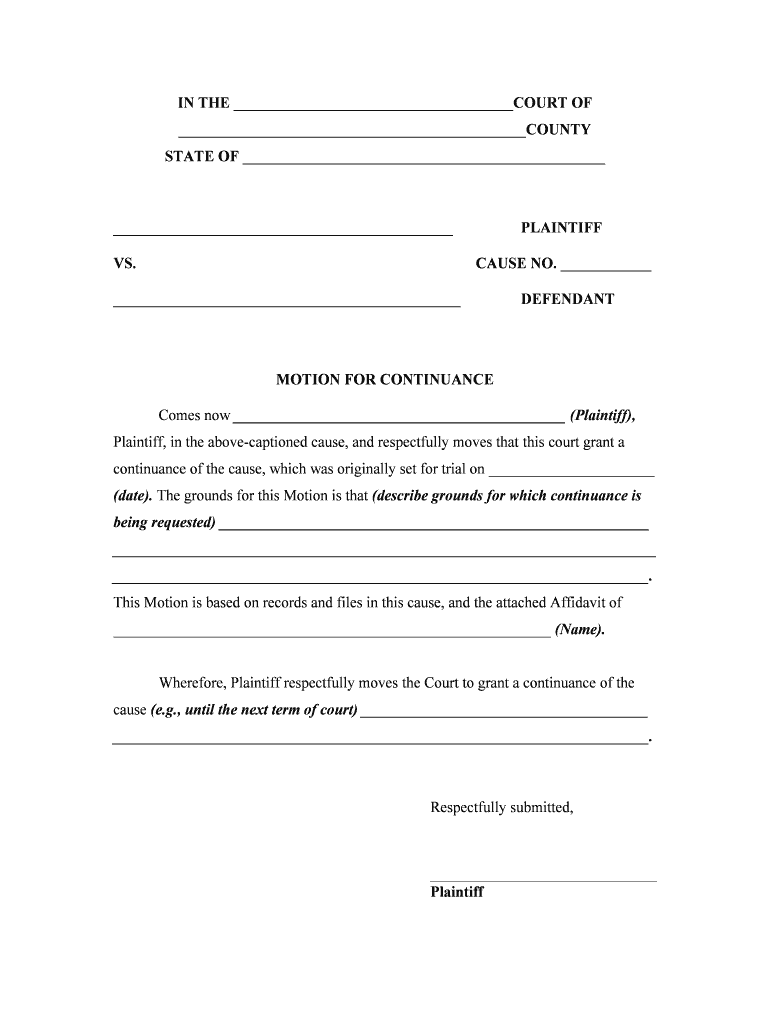
- Click ‘Get Form’ to open the continuance document in the editor.
- Begin by filling in the court name and county at the top of the form. This ensures that your motion is directed to the correct jurisdiction.
- In the section for 'Plaintiff' and 'Defendant', enter the names of both parties involved in the case. Make sure these are accurate as they will be referenced throughout the document.
- Specify the original trial date where indicated. This is crucial for establishing context for your request for a continuance.
- In the grounds section, clearly describe why you are requesting a continuance. Be concise but thorough, providing any necessary details that support your request.
- Indicate how long you wish to postpone the trial by filling in your desired new date or term of court at the end of the motion.
- Complete all attorney information sections, including names, bar numbers, and contact details to ensure proper representation.
- Finally, review all entries for accuracy before saving or sending your completed motion using our platform’s features.
Start using our platform today to streamline your document editing and make filling out forms like this one easy and efficient!
Fill out continuance online
It's free
It's free
Security and compliance
At DocHub, your data security is our priority. We follow HIPAA, SOC2, GDPR, and other standards, so you can work on your documents with confidence.
Learn more


Related forms

Free Printable Medical Forms Colostomy Output Log
The document is a Colostomy Output Log designed for patients to record details about their colostomy output, including t ...

Pi day scavenger hunt
The document outlines an extra credit assignment for a Pi Day scavenger hunt, requiring students to research and collect ...

Mayo clinic high school internship
The document is a reservation form for the Mayo Clinic High School Health Care Boot Camp, requiring personal information ...

About Form 1125-A, Cost of Goods Sold
Form 1125-A is used by certain entities to calculate and deduct the cost of goods sold for tax purposes. It requires inf ...

PERB Decision-0409E - Tim Nolt, et al , Charging Party, v Fresno County Board of Education and Super
PERB Decision-0409E - Tim Nolt, et al , Charging Party, v Fresno County Board of Education and Super
The document is a decision by the Public Employment Relations Board (PERB) regarding a dispute between the Fresno County ...

California Interactive Broadband Map CASF Application Tool Work - cpuc ca
The document provides a step-by-step guide for non-GIS users on how to apply for the California Advanced Services Fund ( ...

And California Association of School Business Officials
The document, prepared by Dawn Vincent in January 2008, provides an overview of school debt financing mechanisms in Cali ...

Debt Line Debt Line, Vol 29, No 3, March 2010, A Source of California Debt and Investment Informatio
Debt Line Debt Line, Vol 29, No 3, March 2010, A Source of California Debt and Investment Informatio
The document titled 'DEBT LINE' from the California Debt and Investment Advisory Commission provides a review of Marks-R ...