




Here's how it works



How to use or fill out oregon end life with our platform

- Click ‘Get Form’ to open the Oregon End Life document in the editor.
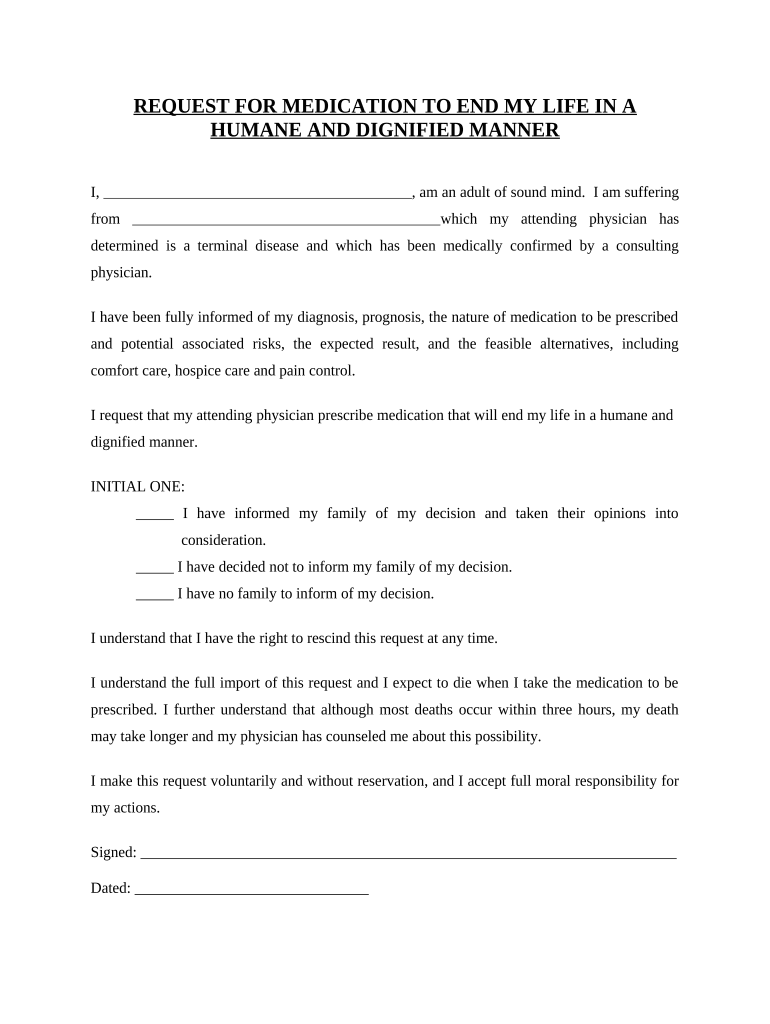
- Begin by filling in your name and confirming you are an adult of sound mind. Clearly state your terminal illness as determined by your attending physician.
- Review the information regarding your diagnosis, prognosis, and the nature of the medication. Ensure you understand the potential risks and alternatives available.
- In the 'INITIAL ONE' section, select one option regarding informing your family about your decision. This is crucial for documenting your wishes.
- Sign and date the form at the bottom to confirm that you make this request voluntarily and understand its implications.
- For the Declaration of Witnesses, have two witnesses sign and date the form, ensuring they meet all specified criteria outlined in the document.
Start using our platform today to complete your Oregon End Life request easily and for free!
It's free
Got questions?
How can I create an electronic signature in my oregon end life on Android?
Approving documents on a mobile device is quick, straightforward, and doesn’t require software installation when you have an account with DocHub. Log in from any browser, fill in your blank fields with your information, and click on Sign → Create your signature. You can draw your electronic signature just as you usually do on paper, add its image to your oregon end life, or type in your name and stylize its look. Whatever option you select, your document will be valid.
Can I edit oregon end life on my phone?
As a comprehensive document editing service, DocHub is available on smart phones. Open DocHub in your choice of mobile internet browser and use our smart mobile-friendly toolset to complete your oregon end life.
Security and compliance
At DocHub, your data security is our priority. We follow HIPAA, SOC2, GDPR, and other standards, so you can work on your documents with confidence.
Learn more




