Type text, add images, blackout confidential details, add comments, highlights and more.
02. Sign it in a few clicks
Draw your signature, type it, upload its image, or use your mobile device as a signature pad.
03. Share your form with others
Send it via email, link, or fax. You can also download it, export it or print it out.
How to use or fill out da5305 with our platform
Ease of Setup
DocHub User Ratings on G2
Ease of Use
DocHub User Ratings on G2
Click ‘Get Form’ to open the da5305 in the editor.
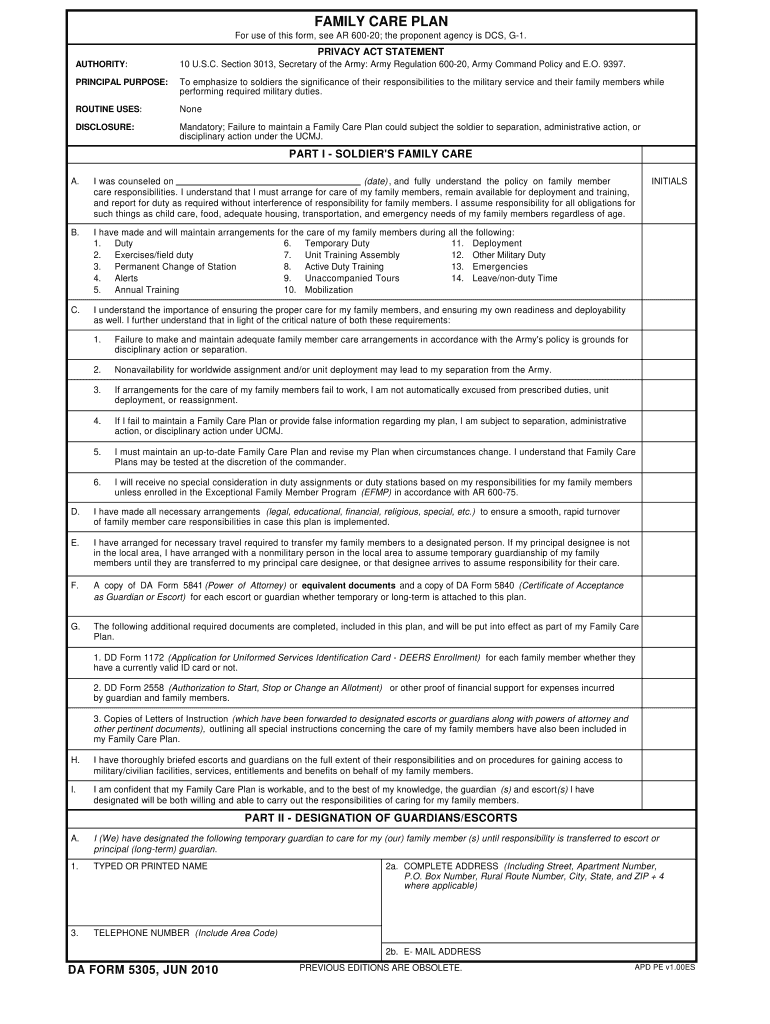
Begin with Part I, where you will provide your personal information and acknowledge your responsibilities regarding family care. Fill in the date and ensure you understand the policy on family member care.
In Section B, check all applicable circumstances for which you have made arrangements for family care, such as deployment or emergencies.
Proceed to Section C, where you will affirm your understanding of the consequences of failing to maintain a Family Care Plan. Ensure all statements are acknowledged by initialing where required.
Complete Part II by designating guardians and escorts. Provide their names, addresses, and contact information accurately.
If applicable, fill out Part III for dual military couples, ensuring both spouses sign and print their names as required.
Finally, review all sections for completeness before saving or exporting your filled form directly from our platform.
Start using our platform today to effortlessly complete your da5305 form online for free!
DA Form 5305 or its successor form. For the purpose of this paragraph, deployed for military service means assigned to active military duty with the stateRead more
Cookie consent notice
This site uses cookies to enhance site navigation and personalize your experience.
By using this site you agree to our use of cookies as described in our Privacy Notice.
You can modify your selections by visiting our Cookie and Advertising Notice.