Type text, add images, blackout confidential details, add comments, highlights and more.
02. Sign it in a few clicks
Draw your signature, type it, upload its image, or use your mobile device as a signature pad.
03. Share your form with others
Send it via email, link, or fax. You can also download it, export it or print it out.
How to use or fill out estate questionnaire with our platform
Ease of Setup
DocHub User Ratings on G2
Ease of Use
DocHub User Ratings on G2
Click ‘Get Form’ to open the estate questionnaire in the editor.
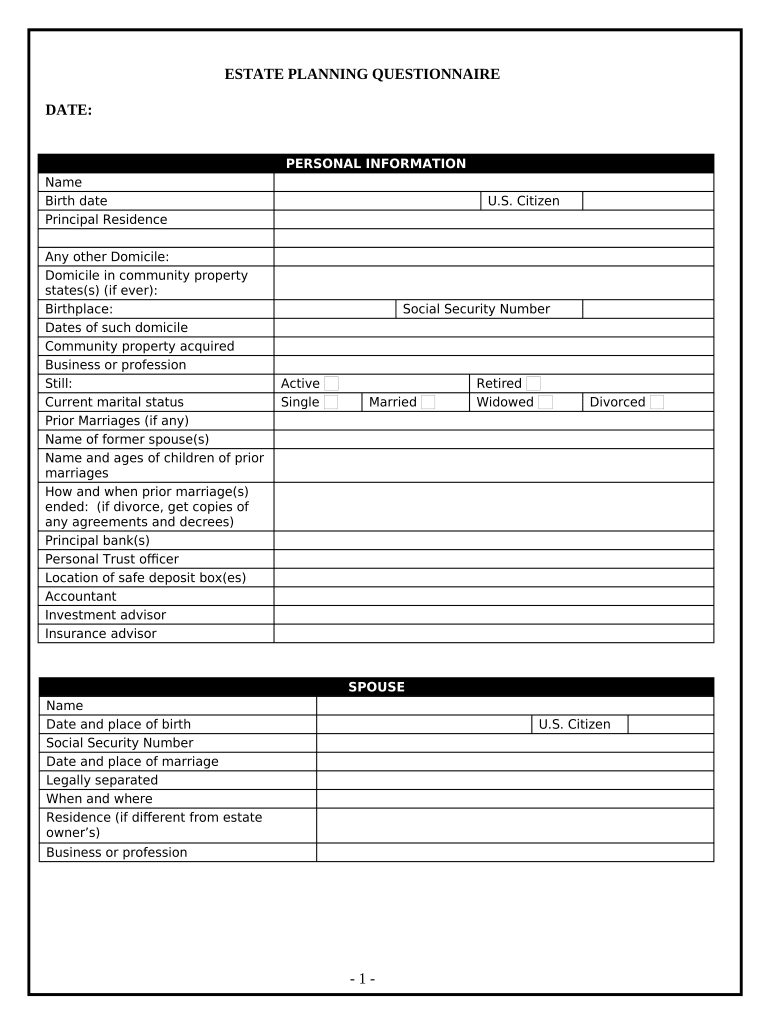
Begin by filling out the 'Personal Information' section. Enter your name, birth date, and principal residence. If applicable, include details about prior marriages and children from those unions.
Proceed to the 'Spouse' section. Provide your spouse's name, birth date, and other relevant information such as social security number and current residence.
In the 'Children and Grandchildren' section, list each child's name, birth date, and relationship to you. Specify if any are adopted or from prior marriages.
Complete the 'Financial Information' sections by detailing your assets including real estate, stocks, bonds, cash accounts, and life insurance policies. Be thorough to ensure clarity.
Finally, review all entries for accuracy before saving or sharing your completed questionnaire using our platform’s features.
Start filling out your estate questionnaire today for free!
Take our questionnaire. Not sure where to start? Use our Program Finder to explore your options and carve a path that makes an impact. Program Finder ProgramRead more
Please complete this questionnaire to the best of your knowledge. Include a copy of the decedents death certificate. We will contact you if we have anyRead more
Cookie consent notice
This site uses cookies to enhance site navigation and personalize your experience.
By using this site you agree to our use of cookies as described in our Privacy Notice.
You can modify your selections by visiting our Cookie and Advertising Notice.