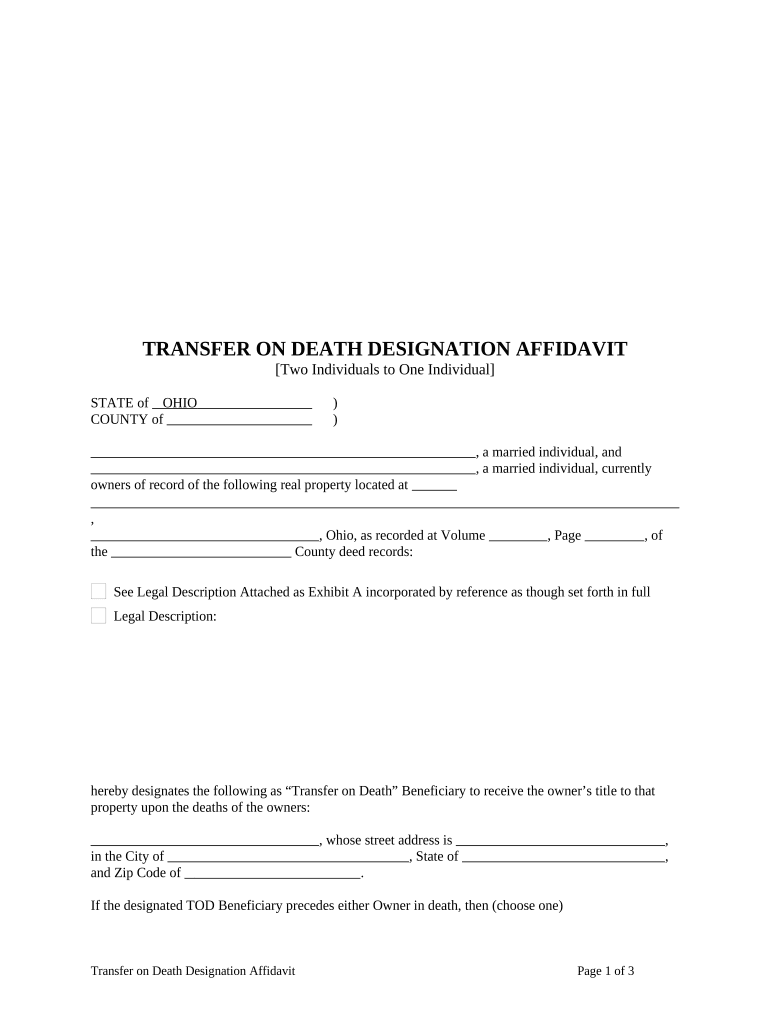
01. Edit your ohio bmv transfer on death form online
Type text, add images, blackout confidential details, add comments, highlights and more.
02. Sign it in a few clicks
Draw your signature, type it, upload its image, or use your mobile device as a signature pad.
03. Share your form with others
Send ohio bmv transfer on death form pdf via email, link, or fax. You can also download it, export it or print it out.
How to use or fill out ohio tod form with DocHub
Ease of Setup
DocHub User Ratings on G2
Ease of Use
DocHub User Ratings on G2
Click ‘Get Form’ to open the Ohio Transfer on Death Designation Affidavit in our editor.
Begin by entering the names of the current owners of the property in the designated fields. Ensure that both individuals are accurately listed as they appear on the deed.
Fill in the property details, including the street address, city, and zip code. Attach a legal description if required, referencing Exhibit A.
Designate a Transfer on Death Beneficiary by entering their name and address. If applicable, choose an alternative beneficiary in case the primary beneficiary predeceases you.
Complete the dower rights release section for both grantors, ensuring signatures are provided where necessary.
Finally, have witnesses sign and date the document. Ensure that a notary public acknowledges your signatures to validate the affidavit.
Start using our platform today to easily complete your Ohio TOD form for free!
Printable ohio tod formTransfer on Death deed Ohio PDFOhio tod form onlineFree ohio tod formBMV 3811 form pdfTransfer on death designation AffidavitAffidavit to designate a beneficiary form BMV 3811Cuyahoga County Transfer on Death Affidavit
Security and compliance
At DocHub, your data security is our priority. We follow HIPAA, SOC2, GDPR, and other standards, so you can work on your documents with confidence.
Web this form is used to add or remove a transfer on death beneficiary for a vehicle, watercraft, or other property in ohio. Find out where to DocHub, submitRead more
Smart Location Database - Enterprise Data Catalog - EPA
by K Ramsey Cited by 92 Table 7 in Appendix A lists all metropolitan regions with existing fixed-guideway transit service featured in the TOD Database. Southwest OhioRead more
What Do I Need to Bring to the Title Office? A Transfer on Death beneficiary needs to bring: Original Ohio title; Certified copy of the death certificateRead more
Cookie consent notice
This site uses cookies to enhance site navigation and personalize your experience.
By using this site you agree to our use of cookies as described in our Privacy Notice.
You can modify your selections by visiting our Cookie and Advertising Notice.