Type text, add images, blackout confidential details, add comments, highlights and more.
02. Sign it in a few clicks
Draw your signature, type it, upload its image, or use your mobile device as a signature pad.
03. Share your form with others
Send it via email, link, or fax. You can also download it, export it or print it out.
How to use or fill out warranty with our platform
Ease of Setup
DocHub User Ratings on G2
Ease of Use
DocHub User Ratings on G2
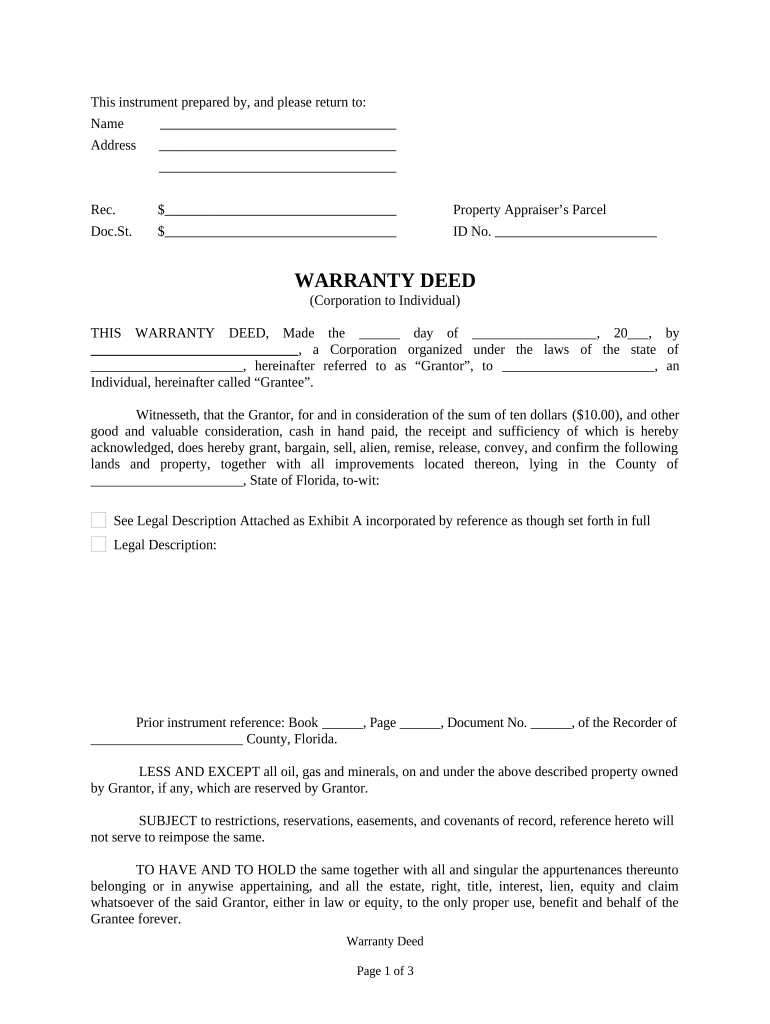
Click ‘Get Form’ to open the warranty deed in the editor.
Begin by filling in the date at the top of the form, indicating when the warranty deed is being executed.
In the 'Grantor' section, enter the name of the corporation and its state of organization. This identifies who is transferring ownership.
Next, complete the 'Grantee' section with the name of the individual receiving ownership. Ensure all names are spelled correctly for legal accuracy.
Fill in the property details, including a description of the land and any improvements. If there’s an attached legal description, reference it as instructed.
Indicate any prior instrument references if applicable, ensuring to include book and page numbers for record keeping.
Complete tax information by selecting how taxes will be prorated or paid between Grantor and Grantee.
Finally, have all necessary signatures completed in front of witnesses and a notary public to validate the document.
Start using our platform today to easily fill out your warranty deed online for free!
Cookie consent notice
This site uses cookies to enhance site navigation and personalize your experience.
By using this site you agree to our use of cookies as described in our Privacy Notice.
You can modify your selections by visiting our Cookie and Advertising Notice.