Type text, add images, blackout confidential details, add comments, highlights and more.
02. Sign it in a few clicks
Draw your signature, type it, upload its image, or use your mobile device as a signature pad.
03. Share your form with others
Send it via email, link, or fax. You can also download it, export it or print it out.
How to Use or Fill Out Photo Consent with Our Platform
Ease of Setup
DocHub User Ratings on G2
Ease of Use
DocHub User Ratings on G2
Click ‘Get Form’ to open the photo consent document in the editor.
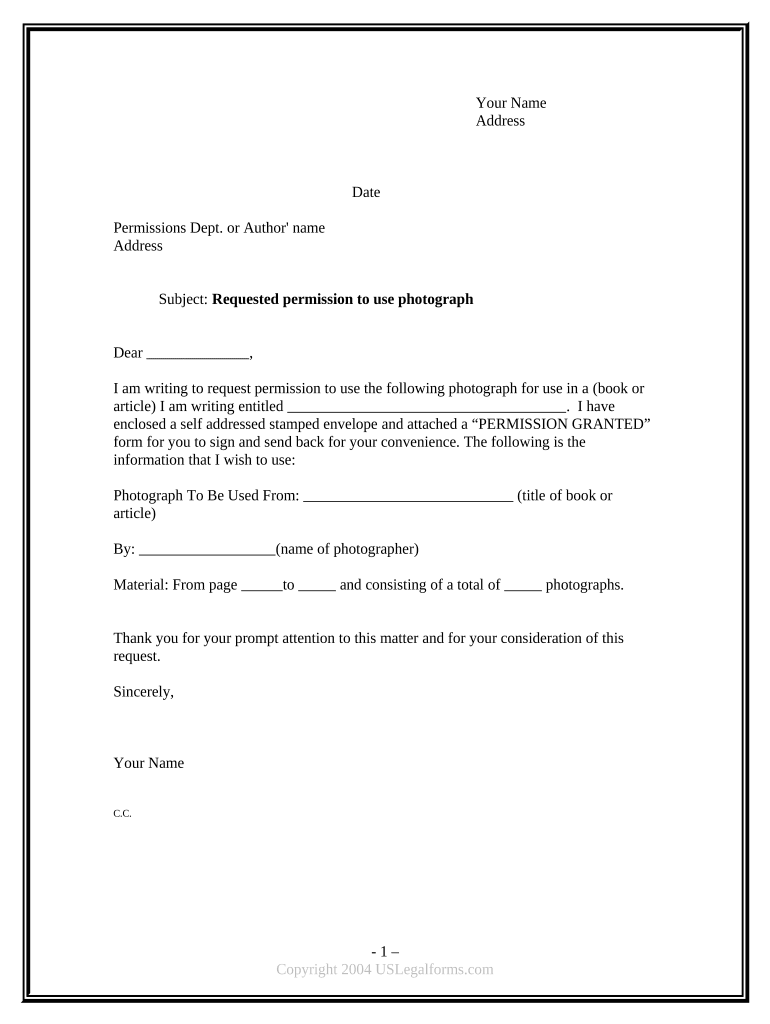
Begin by entering your name and address at the top of the form. This identifies you as the requester.
Fill in the date and the name and address of the permissions department or author from whom you are requesting permission.
In the subject line, specify that this is a request for permission to use a photograph.
Clearly state the title of your book or article where you intend to use the photograph, along with details about the specific photograph, including its source and photographer's name.
Attach a self-addressed stamped envelope for convenience and include a 'PERMISSION GRANTED' form for easy return.
Finally, sign off with your name and any additional notes in the C.C. section if necessary.
Start using our platform today to streamline your photo consent process for free!
I hereby grant permission to iGEM UofA and its representatives to photograph and video me, and otherwise capture my image, and to make recordings of myRead more
Photo/Video Consent Form | NICHD - Eunice Kennedy Shriver
NICHD requires that written permission must be obtained from an individual before using any photograph or graphical depiction of the individual. If you signRead more
A photo consent form, or model release, lays out the terms of this use and protects you and the university from claims of defamation and invasion of privacy.Read more
Cookie consent notice
This site uses cookies to enhance site navigation and personalize your experience.
By using this site you agree to our use of cookies as described in our Privacy Notice.
You can modify your selections by visiting our Cookie and Advertising Notice.