Parent guardian form for school student contact information 2026

Get Form
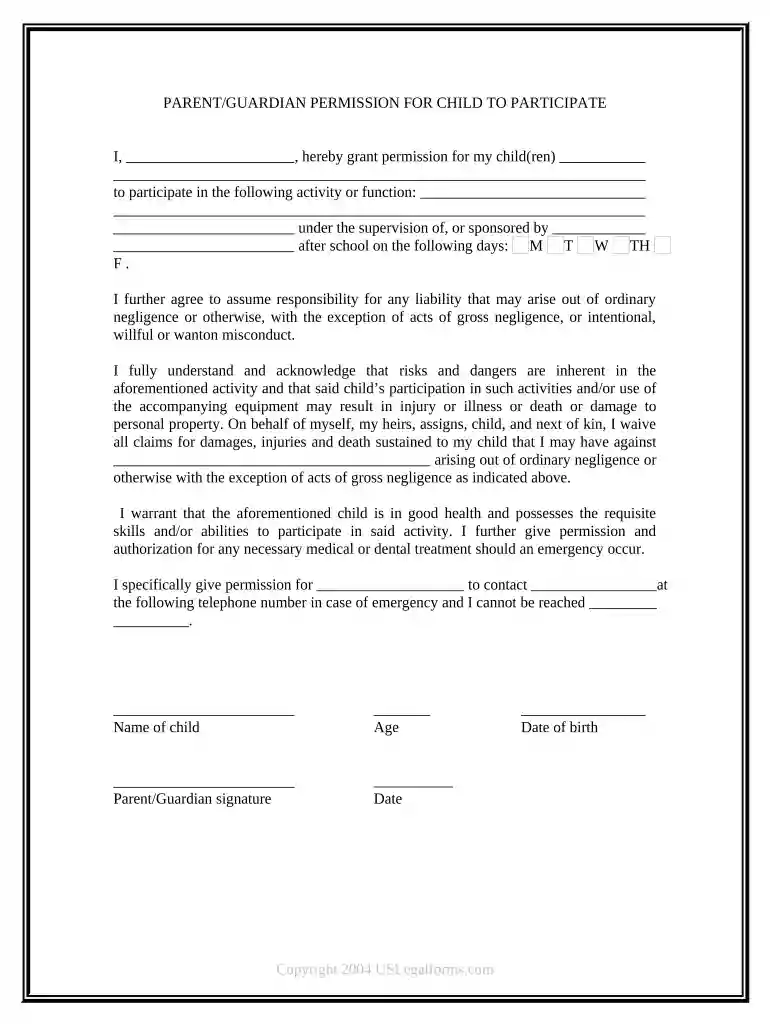
parent guardian form for school student contact information Preview on Page 1

Here's how it works

01. Edit your form online
Type text, add images, blackout confidential details, add comments, highlights and more.

02. Sign it in a few clicks
Draw your signature, type it, upload its image, or use your mobile device as a signature pad.

03. Share your form with others
Send it via email, link, or fax. You can also download it, export it or print it out.

How to use or fill out parent guardian form for school student contact information with our platform

Form edit decoration
9.5
Ease of Setup
DocHub User Ratings on G2
9.0
Ease of Use
DocHub User Ratings on G2
  1. Click ‘Get Form’ to open the parent guardian form in the editor.
  2. Begin by entering your name in the designated field at the top of the form, ensuring it is clearly legible.
  3. Next, fill in your child’s name and age in the appropriate sections. This information is crucial for identifying the participant.
  4. Indicate which activity or function your child will participate in by writing it down in the specified area.
  5. Select the days of the week (M, T, W, TH, F) that apply to your child's participation by marking them accordingly.
  6. Provide an emergency contact number where you can be reached if necessary. This ensures prompt communication during emergencies.
  7. Finally, sign and date the form at the bottom to confirm your consent and understanding of the terms outlined.

Start using our platform today to easily complete and manage your forms online for free!

be ready to get more

Complete this form in 5 minutes or less

Get form

Got questions?

We have answers to the most popular questions from our customers. If you can't find an answer to your question, please contact us.
Contact us

Yes, electronically drawing your signature is appropriate, but only if you use a tool that complies with industry regulations and policies. Consider DocHub, which ensures eSignature validity under ESIGN and UETA requirements. All you need to eSign your parent guardian form for school student contact information is an account with DocHub and an internet connection. After you open your paperwork in our editor, click Sign and choose the Draw option.

With DocHub, you have several convenient ways to edit your parent guardian form for school student contact information online. You can drag and drop the form and modify it straight at the DocHub website or use our browser extension to fill out your form right away. On top of that, you can modify your PDF on your smartphone, as DocHub is compatible with all the accessible mobile platforms.

Dear Maam, I am Sherly Thomas, mother of Jibin Thomas, a student of your class. I have been informed that the school is organising a trip to Goa from 29/12/2021 to 03/01/2022. This is to inform you that I have given my consent for my son to participate in the school trip.
Initiation: Teachers should initiate contact as soon as they know which students will be in their classroom for the school year. Contact can occur by means of an introductory phone call or a letter to the home introducing yourself to the parents and establishing expectations.
Formal Authorization Letter Format Subject: Authorization Letter. Dear [Recipients Name], I, [Your Name], am writing to formally authorize [Authorized Persons Name] to act on my behalf regarding [specific task or purpose, e.g., collecting documents, attending meetings, etc.]. Details of the Authorized Person:

Security and compliance

At DocHub, your data security is our priority. We follow HIPAA, SOC2, GDPR, and other standards, so you can work on your documents with confidence.
Learn more
ccpa2
pci-dss
gdpr-compliance
hipaa
soc-compliance

People also ask

Customize the downloaded template or new letter with your childs information, including their full name, date of birth, or any relevant identification details. Provide specific details about the consent, such as the event or activity your child is participating in and any related dates or duration.
Introduce yourself and your child. Provide your childs name, grade level, and any other relevant details. Clearly state the purpose of your letter - that you are requesting your child be enrolled or allowed to attend the school. Explain the reasons why you believe your child should be accepted.
Tips for Writing a Letter to Principal from Parent Start with a clear and respectful salutation. State your purpose in the subject line. Be brief, polite, and use simple English. Mention childs full name, class, and roll number (if needed). Proofread before sending to avoid errors.

Related links