Type text, add images, blackout confidential details, add comments, highlights and more.
02. Sign it in a few clicks
Draw your signature, type it, upload its image, or use your mobile device as a signature pad.
03. Share your form with others
Send sample letter to clean up property via email, link, or fax. You can also download it, export it or print it out.
How to use or fill out letter notice tenant with our platform
Ease of Setup
DocHub User Ratings on G2
Ease of Use
DocHub User Ratings on G2
Click ‘Get Form’ to open the letter notice tenant in the editor.
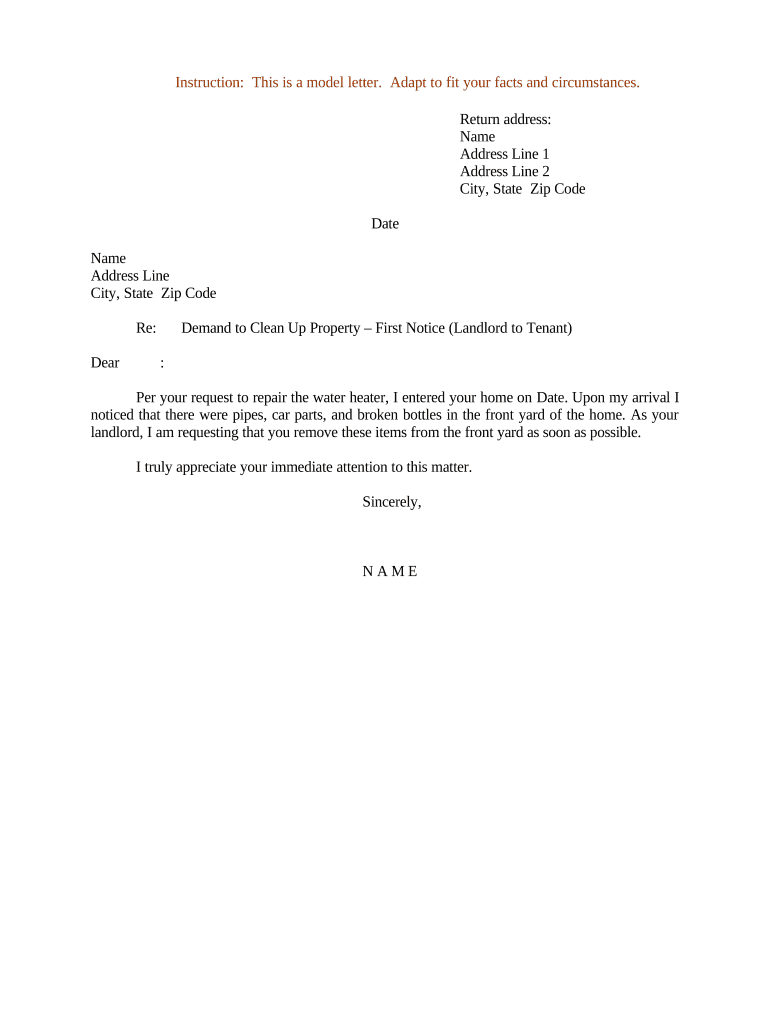
Begin by entering your return address at the top of the document. Fill in your name, address line 1, address line 2 (if applicable), city, state, and zip code.
Next, input the date of writing the notice. This is important for record-keeping and clarity.
In the recipient section, enter the tenant's name followed by their address details including city and zip code.
Proceed to customize the body of the letter. Clearly state your request regarding property cleanup, mentioning specific items that need attention.
Finally, sign off with your name at the bottom of the letter to personalize it before sending.
Start using our platform today to effortlessly create and manage your documents for free!
Sample letter notice tenantLetter from landlord to tenantLetter notice tenant templateLetter notice tenant template wordLetter notice tenant exampleSample letter from landlord to tenant notice to vacate WordLetter from landlord confirming tenancy and monthly rentLetter notice tenant pdf
Security and compliance
At DocHub, your data security is our priority. We follow HIPAA, SOC2, GDPR, and other standards, so you can work on your documents with confidence.
Dear [landlord]:. I would like to clarify the requirement for notice before entering my apartment. According to Ohio Revised Code Section. 5321.04, you,Read more
Cookie consent notice
This site uses cookies to enhance site navigation and personalize your experience.
By using this site you agree to our use of cookies as described in our Privacy Notice.
You can modify your selections by visiting our Cookie and Advertising Notice.