




Here's how it works



How to use or fill out Independent Agreement with our platform

- Click ‘Get Form’ to open the Independent Contractor Agreement in the editor.
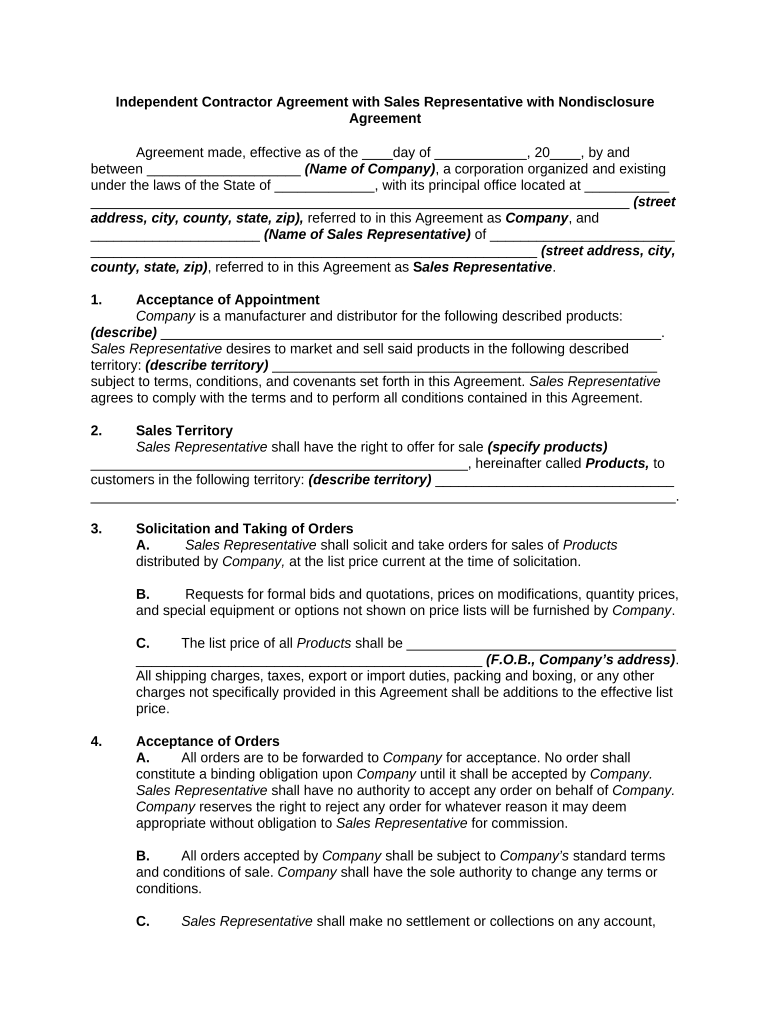
- Begin by filling in the effective date at the top of the document, specifying the day and year.
- Enter the name of your company and its address in the designated fields, ensuring accuracy for legal purposes.
- Provide the Sales Representative's name and address in the corresponding sections.
- In Section 1, describe the products that will be marketed and sold by the Sales Representative.
- Specify the sales territory in Section 2 where these products will be offered for sale.
- Complete Sections 3 through 11 by detailing order processes, compensation, responsibilities, and other terms as required.
- Review all sections carefully to ensure all information is accurate before proceeding to sign.
- Once completed, utilize our platform’s signing feature to finalize the agreement electronically.
Start using our platform today for free to streamline your document editing and signing process!
It's free
Got questions?
How can I send my independent agreement with from Google Drive for approval?
If you often work with documents kept in your Google Drive, DocHub is a superb option for you to easily and quickly complete, modify, and approve them. This editor integrates properly with Google apps, so you can export your independent agreement with from your Google Drive to the editor without the need of downloading and re-uploading it. Right-click on your document, choose Open With → DocHub PDF Sign and Edit. In our editor, add and assign Signature Fields for all parties involved, then click on the Menu button above → Send → choose how you want to share your form.
How to manage my independent agreement with from Gmail?
If your go-to email service is Gmail, you can easily integrate your DocHub editor into your work. Modify your independent agreement with with DocHub tools and attach it to your drafts in Gmail. See how straightforward it can be to exchange documents and work together with a swift PDF editing solution at hand.
Security and compliance
At DocHub, your data security is our priority. We follow HIPAA, SOC2, GDPR, and other standards, so you can work on your documents with confidence.
Learn more




