




Here's how it works



How to use or fill out contract towing with our platform

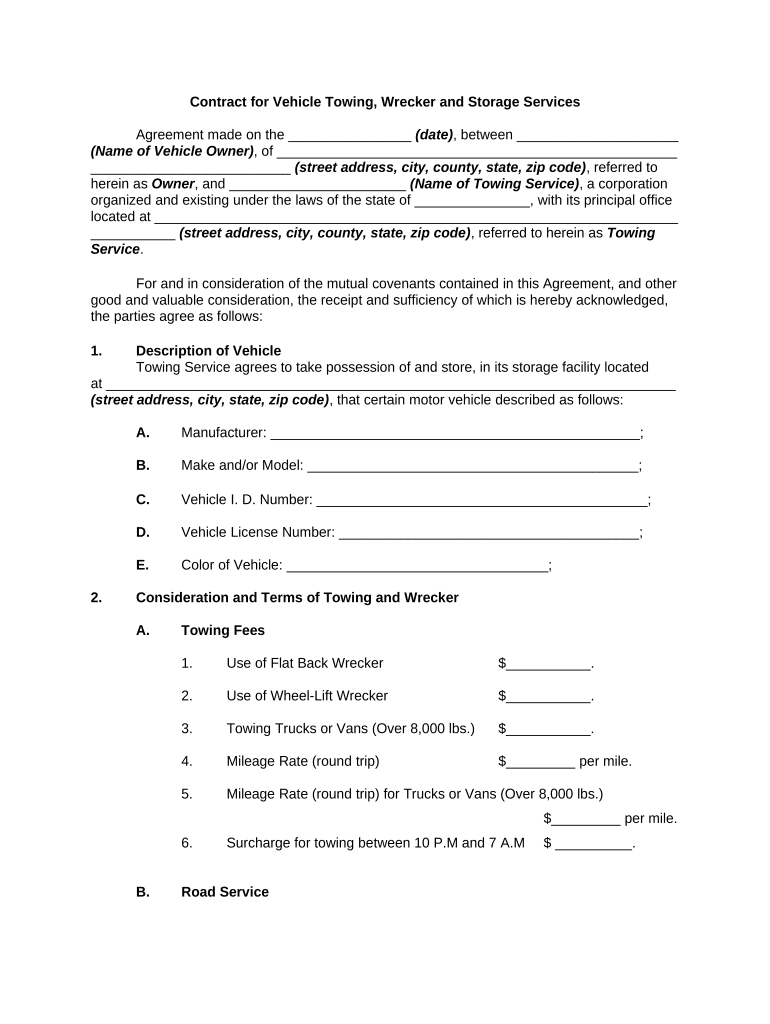
- Click ‘Get Form’ to open the contract towing document in the editor.
- Begin by entering the date of the agreement in the designated field at the top of the form.
- Fill in your name and address as the Vehicle Owner, ensuring all details are accurate for identification purposes.
- Next, provide the Towing Service's name and address. This establishes a clear understanding of both parties involved.
- In the 'Description of Vehicle' section, accurately describe your vehicle by filling in fields such as Manufacturer, Make/Model, Vehicle ID Number, License Number, and Color.
- Review and complete the Towing Fees section by entering applicable charges for services like flatbed towing or mileage rates.
- Ensure you declare the fair market value of your vehicle as required in the storage section to protect your interests.
- Finally, sign and date at the bottom of the form to finalize your agreement. Ensure that any authorized persons are also listed for retrieval purposes.
Start using our platform today to streamline your contract towing process for free!
It's free
Got questions?
How can I create an electronic signature in my contract towing on Android?
Approving paperwork on a mobile device is quick, simple, and doesn’t require software installation if you have an account with DocHub. Log in from any browser, fill in your empty fields with your information, and click on Sign → Create your signature. You can draw your eSignature the same way you usually do on paper, add its image to your contract towing, or type in your name and stylize its look. No matter what option you choose, your form will be valid.
How do you edit contract towing on iOS?
You can easily edit and complete your contract towing on any iOS device. Open an internet browser of your liking, visit the DocHub site, authorize or create a new account, upload your file for editing, and make your desired adjustments. Our service is mobile-friendly, so utilizing its features on your smartphone will be a no-brainer, even on the first try.
Security and compliance
At DocHub, your data security is our priority. We follow HIPAA, SOC2, GDPR, and other standards, so you can work on your documents with confidence.
Learn more


