




Here's how it works

01. Edit your form online
Type text, add images, blackout confidential details, add comments, highlights and more.

02. Sign it in a few clicks
Draw your signature, type it, upload its image, or use your mobile device as a signature pad.

03. Share your form with others
Send it via email, link, or fax. You can also download it, export it or print it out.
How to Use or Fill Out Accident Damages Form

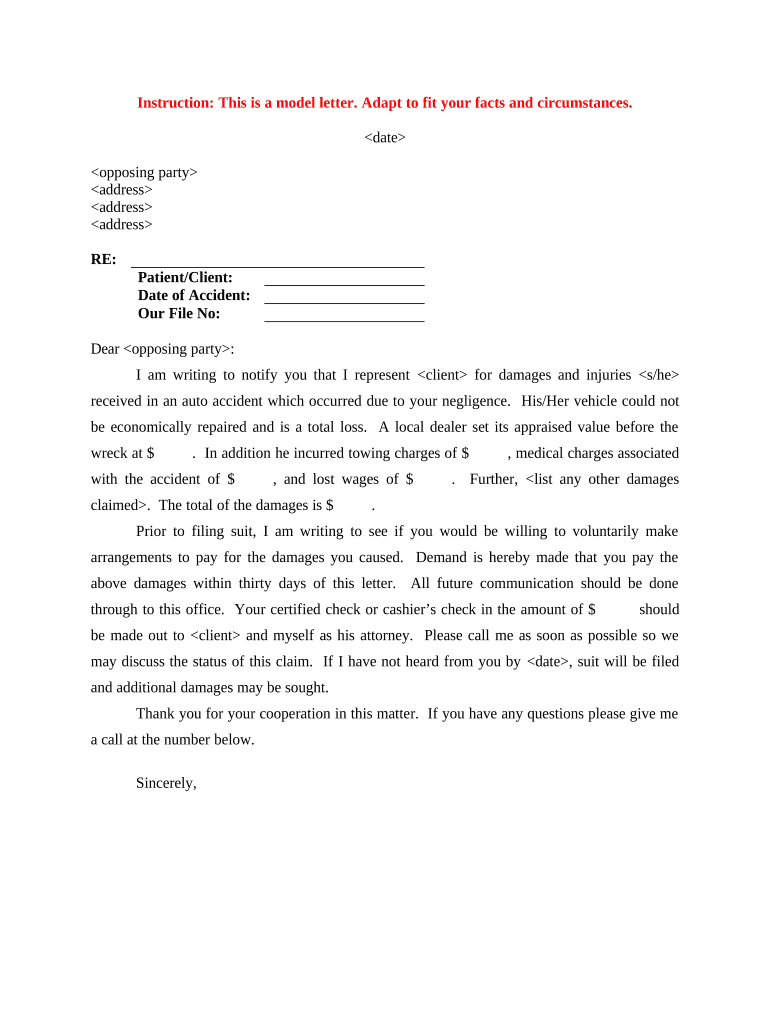
- Click ‘Get Form’ to open the accident damages form in our editor.
- Begin by entering the date of the letter at the top of the form. This is crucial for establishing a timeline.
- Fill in the opposing party's name and address details accurately to ensure proper communication.
- In the 'Patient/Client' section, input your client's name, followed by the date of the accident and your file number for reference.
- Detail the damages incurred, including vehicle appraisal value, towing charges, lost wages, and any medical expenses. Be specific with amounts to strengthen your claim.
- Conclude by stating your demand for payment within thirty days and provide instructions for payment methods clearly.
Start using our platform today to streamline your document editing and make filling out forms easier than ever!
Fill out accident damages online
It's free
It's free
Security and compliance
At DocHub, your data security is our priority. We follow HIPAA, SOC2, GDPR, and other standards, so you can work on your documents with confidence.
Learn more




