




Here's how it works

01. Edit your can a paralegal represent you in court online
Type text, add images, blackout confidential details, add comments, highlights and more.

02. Sign it in a few clicks
Draw your signature, type it, upload its image, or use your mobile device as a signature pad.

03. Share your form with others
Send can paralegal file divorce papers via email, link, or fax. You can also download it, export it or print it out.
How to use or fill out paralegal independent with our platform

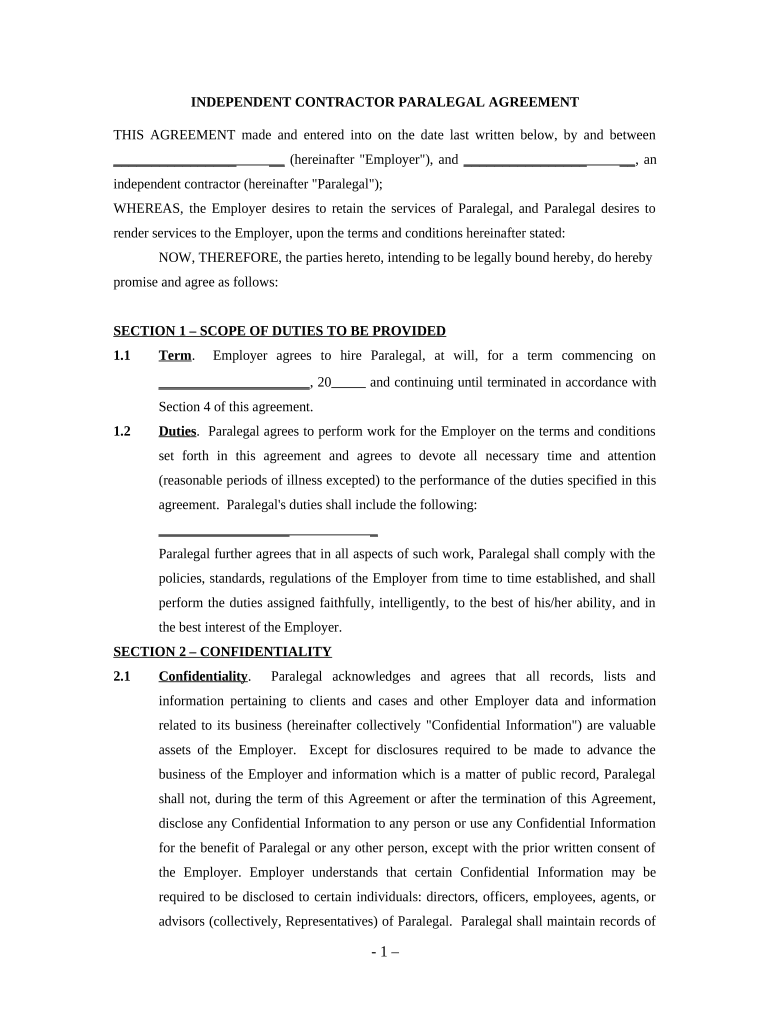
- Click ‘Get Form’ to open the paralegal independent agreement in the editor.
- Begin by filling in the Employer's name and the Paralegal's name at the top of the document. This establishes the parties involved in the agreement.
- In Section 1, specify the term of employment by entering the start date and any relevant details about duties expected from the Paralegal.
- Proceed to Section 2 to acknowledge confidentiality. Ensure you understand what constitutes Confidential Information and agree not to disclose it without permission.
- In Section 3, enter compensation details, including hourly rate and payment frequency. Make sure this aligns with your agreement with the Employer.
- Review Sections 4 through 7 for termination clauses, independent contractor status, and miscellaneous provisions. Fill in any required dates or information as needed.
- Finally, sign and date at the bottom of the document to finalize your agreement. You can easily add your signature using our platform’s signing feature.
Start using our platform today for free to streamline your paralegal agreements!
Fill out paralegal independent online
It's free
It's free
Security and compliance
At DocHub, your data security is our priority. We follow HIPAA, SOC2, GDPR, and other standards, so you can work on your documents with confidence.
Learn more




