South carolina court 2026

Get Form
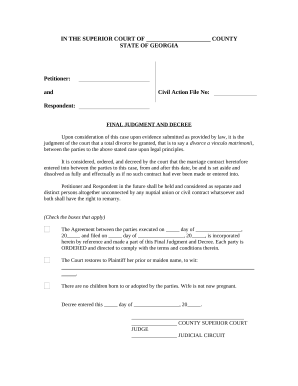
south carolina free legal forms pdf Preview on Page 1

Here's how it works

01. Edit your south carolina free legal forms pdf online
Type text, add images, blackout confidential details, add comments, highlights and more.
02. Sign it in a few clicks
Draw your signature, type it, upload its image, or use your mobile device as a signature pad.
03. Share your form with others
Send south carolina free legal forms via email, link, or fax. You can also download it, export it or print it out.

How to use or fill out South Carolina Court Coversheet with our platform

Form edit decoration
9.5
Ease of Setup
DocHub User Ratings on G2
9.0
Ease of Use
DocHub User Ratings on G2
  1. Click ‘Get Form’ to open the South Carolina Court Coversheet in the editor.
  2. Begin by entering your name as the Plaintiff and the Defendant's name in the designated fields. Ensure accuracy for proper docketing.
  3. Fill in the Docket Number and County of filing. This information is crucial for tracking your case.
  4. Complete the 'Submitted by' section with your address, SC Bar number (if applicable), telephone number, fax number, and email address.
  5. Indicate whether your case is subject to mediation by checking the appropriate box under Docketing Information.
  6. Select the Nature of Action Code that best describes your case from the provided list. This helps categorize your filing correctly.
  7. Sign and date the form at the bottom. Remember, a copy must be served on all defendants along with other required documents.

Start using our platform today to streamline your document editing and ensure a smooth filing process!

be ready to get more

Complete this form in 5 minutes or less

Get form

Got questions?

We have answers to the most popular questions from our customers. If you can't find an answer to your question, please contact us.
Contact us

Electronic document signing demands a software solution that complies with data protection and eSignature laws. DocHub is an excellent tool for that, since it meets all the aforementioned requirements. Whatever method you prefer to sign your legal forms in DocHub, your electronic signature will be legally binding and court-admissible.

You need only an internet connection and a browser to fill out your free printable court forms pdf on an iOS phone. Open the DocHub website and authenticate. Then, add your document or select it from the list in your dashboard. Then use our editing tools to fill out your form and save all your changes. You can also send it to a dedicated recipient immediately.

You can look up court cases in the State of South Carolina by contacting the Clerk of Courts in the county where the matter was heard. Note that the payment of a fee is usually required before requestors can obtain copies of court records.
List Of Best Free Background Check Services On The Market Truthfinder Overall Best Background Check Services. Intelius Top Site To Get Background Check Free. Instant Checkmate Most Recommended Criminal Record Check Services. U.S. Search Best Site To Access to Public Records.
The Supreme Court is the highest court in South Carolina. The Court is composed of a Chief Justice and four Associate Justices who are elected to ten year terms by the General Assembly. The terms of the justices are staggered and a justice may be reelected to any number of terms.

Security and compliance

At DocHub, your data security is our priority. We follow HIPAA, SOC2, GDPR, and other standards, so you can work on your documents with confidence.

Learn more
ccpa2
pci-dss
gdpr-compliance
hipaa
soc-compliance

People also ask

Overview: The South Carolina Appellate Court Public Index is a public access site for the South Carolina Appellate Court Case Management System. This site provides access to information regarding cases filed with the Supreme Court of South Carolina and the South Carolina Court of Appeals.
The public is allowed to look at court records for most cases. However, there are some court records the public is not allowed to see. This happens when a law or court order makes a record confidential.
Unlike the Circuit Court where most records are available for public inspection, many Family Court records are considered confidential and may be inspected only with special permission.
You may request a transcript by completing this form and emailing it to South Carolina Court Administration at transcripts@sccourts.org and to the Court Reporter. If you are requesting a transcript from court proceedings in Municipal, Magistrate, Master-In-Equity, or Probate court, you must contact that court directly.
South Carolina Public Records Its mission is to provide South Carolinians with the right to examine and obtain public records. This is in accordance with the South Carolina Freedom of Information Act, which ensures government information and records are available to the public.

sc court forms