California service 2026

Get Form
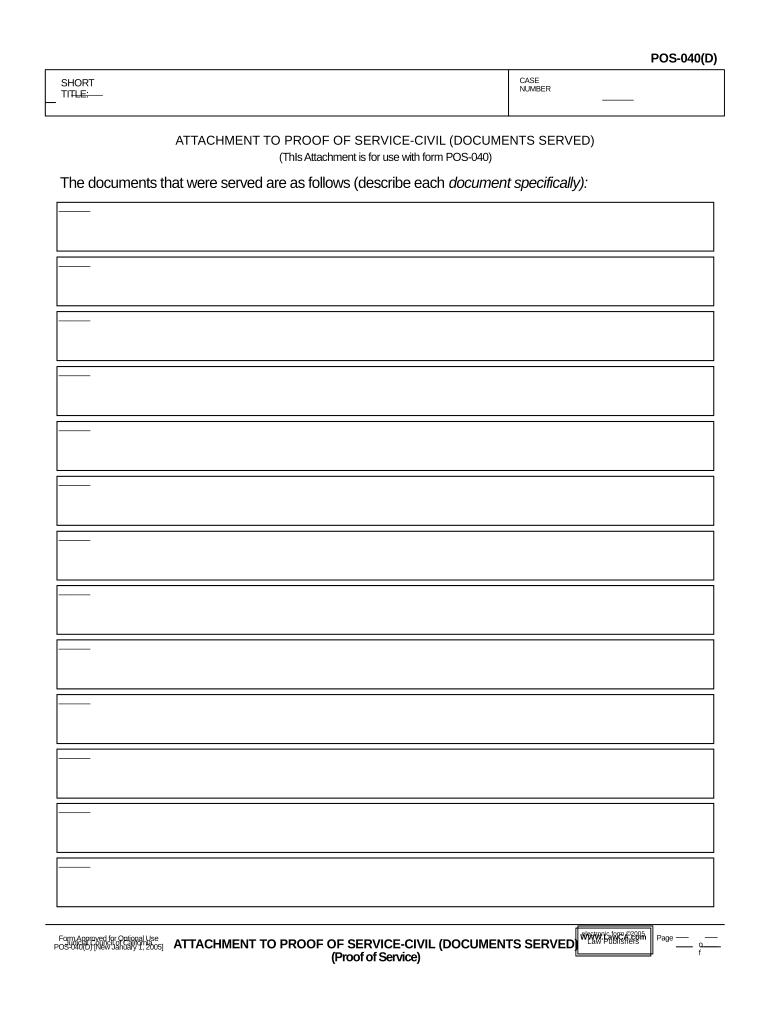
california service Preview on Page 1

Here's how it works

01. Edit your form online
Type text, add images, blackout confidential details, add comments, highlights and more.
02. Sign it in a few clicks
Draw your signature, type it, upload its image, or use your mobile device as a signature pad.
03. Share your form with others
Send it via email, link, or fax. You can also download it, export it or print it out.

How to use or fill out California Service with Our Platform

Form edit decoration
9.5
Ease of Setup
DocHub User Ratings on G2
9.0
Ease of Use
DocHub User Ratings on G2
  1. Click ‘Get Form’ to open the California Service form in the editor.
  2. Begin by entering the case number at the top of the form. This is crucial for identifying your specific case.
  3. In the 'Short Title' section, provide a brief description of the case. This helps clarify the nature of the documents served.
  4. Next, move to the section labeled 'The documents that were served are as follows.' Here, list each document specifically. Be thorough and precise to ensure clarity.
  5. After detailing all served documents, review your entries for accuracy. Ensure that all information is complete before finalizing.

Start using our platform today to streamline your document editing and signing process for free!

be ready to get more

Complete this form in 5 minutes or less

Get form

Got questions?

We have answers to the most popular questions from our customers. If you can't find an answer to your question, please contact us.
Contact us
Topics Assistance and social programs. Get help covering food and medical costs, and access other discounted benefits. Businesses. Grow your business through licensing, permitting, and other resources. Disaster recovery. DMV/Auto. Education. Health and wellness. Housing and real estate. Jobs and unemployment.
Administers dental, vision, life, legal, and long-term disability insurance; the Employee Assistance Program; workers compensation and other benefits to state employees; and partners with the California Public Employees Retirement System (CalPERS) to administer health benefits.
The California State Service Ribbon is officially hallmarked by the U.S. Institute of Heraldry. This service ribbon is awarded for performance of active duty service with the state, after July 1st, 1963, during a period of emergency declared by the governor, or while the U.S. is engaged in war.
Before property is transferred to the state, the State Controllers Office sends a notice to all property owners with property valued at $50 or more informing them that they have property that will be transferred to the state unless they notify the business by a certain date.
You should be eligible for the Golden State Stimulus, if you are a California resident and: You received the California Earned Income Tax Credit (CalEITC) on your your 2020 tax return. You have an Individual Taxpayer Identification Numbers (ITINs) and have an adjusted gross income less than $75,000.

Security and compliance

At DocHub, your data security is our priority. We follow HIPAA, SOC2, GDPR, and other standards, so you can work on your documents with confidence.

Learn more
ccpa2
pci-dss
gdpr-compliance
hipaa
soc-compliance
be ready to get more

Complete this form in 5 minutes or less

Get form