Type text, add images, blackout confidential details, add comments, highlights and more.
02. Sign it in a few clicks
Draw your signature, type it, upload its image, or use your mobile device as a signature pad.
03. Share your form with others
Send it via email, link, or fax. You can also download it, export it or print it out.
How to use or fill out co district with our platform
Ease of Setup
DocHub User Ratings on G2
Ease of Use
DocHub User Ratings on G2
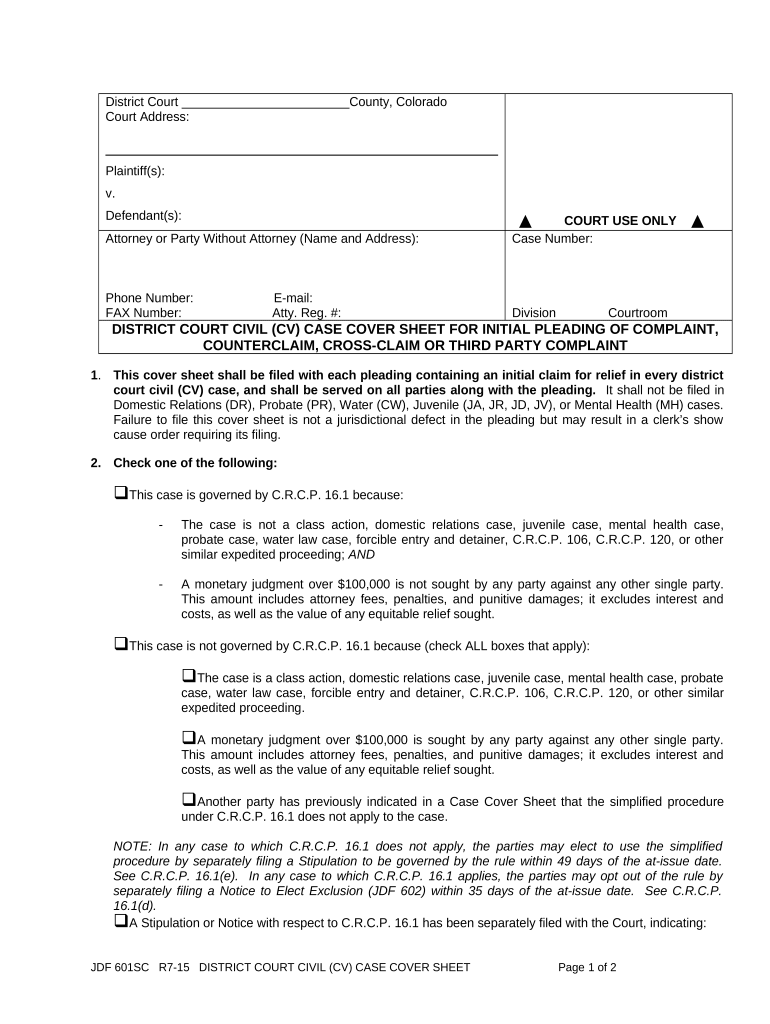
Click ‘Get Form’ to open the co district cover sheet in the editor.
Begin by entering the court address at the top of the form. Ensure that all details are accurate for proper processing.
Fill in the plaintiff(s) and defendant(s) sections, clearly identifying all parties involved in the case.
Provide your contact information, including phone number, fax number, and email address, ensuring you include your attorney registration number if applicable.
In section 2, check the appropriate box regarding C.R.C.P. 16.1 applicability based on your case specifics. Be thorough in reviewing each option before making a selection.
If applicable, indicate whether a jury demand is being made by checking the corresponding box and signing at the bottom of the form.
Start filling out your co district cover sheet today for free using our platform!
Co district 4Co district court judgesCO 1 districtDenver District Court case searchColorado State legislative districts mapCo PACER DistrictCo district 8 mapWhat District am i in Denver
Security and compliance
At DocHub, your data security is our priority. We follow HIPAA, SOC2, GDPR, and other standards, so you can work on your documents with confidence.
The College district covers 7,500 square miles, eight counties (and nine school districts), 15 wilderness areas, 24 14,000-ft peaks, and 18 ski resorts.Read more
Cookie consent notice
This site uses cookies to enhance site navigation and personalize your experience.
By using this site you agree to our use of cookies as described in our Privacy Notice.
You can modify your selections by visiting our Cookie and Advertising Notice.