




01. Edit your form online
Type text, add images, blackout confidential details, add comments, highlights and more.

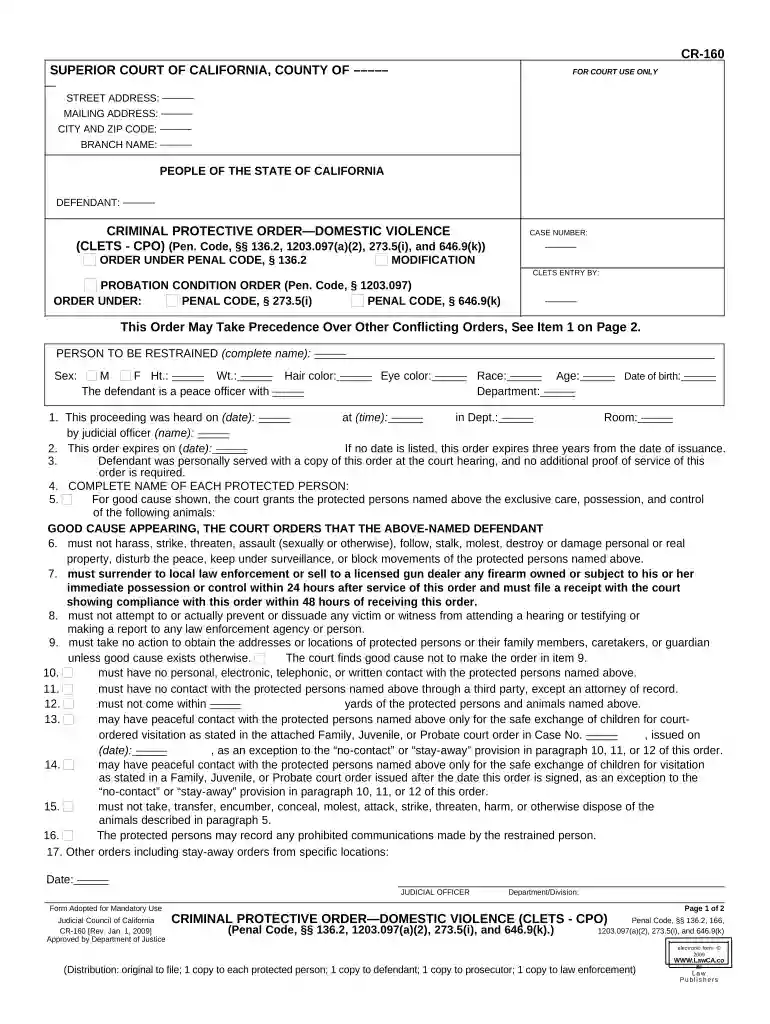
Type text, add images, blackout confidential details, add comments, highlights and more.

Draw your signature, type it, upload its image, or use your mobile device as a signature pad.

Send it via email, link, or fax. You can also download it, export it or print it out.

Start using our platform today to fill out your California Criminal Protective Order easily and for free!
At DocHub, your data security is our priority. We follow HIPAA, SOC2, GDPR, and other standards, so you can work on your documents with confidence.
For information about your arrests and convictions regarding any of the following topics: Reviewing your criminal record; Applying for employment, licensing,Read more
Since 2020, California has passed four bills to repeal 46 criminal fees and discharge over $6.9 billion in debt. While, in practice, criminal fee debt isRead more
Discussion Penal Code section 296 requires certain criminal offenders to provide. DNA samples upon arrest or conviction for specified offenses. BeginningRead more


