




Here's how it works

01. Edit your washington state ucc filing online online
Type text, add images, blackout confidential details, add comments, highlights and more.

02. Sign it in a few clicks
Draw your signature, type it, upload its image, or use your mobile device as a signature pad.

03. Share your form with others
Send washington ucc filing via email, link, or fax. You can also download it, export it or print it out.
How to use or fill out washington ucc3 with our platform

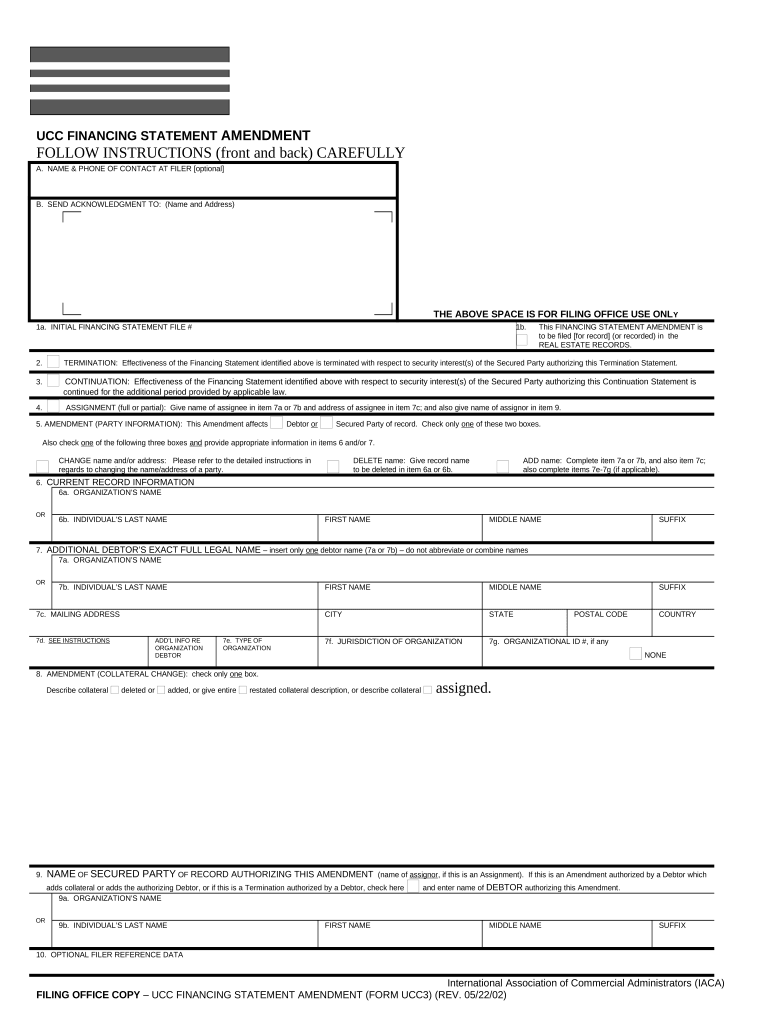
- Click ‘Get Form’ to open the UCC Financing Statement Amendment in the editor.
- Begin by filling in item A with the optional contact name and phone number for the filer. This can help filing offices reach you if needed.
- In item B, provide the name and address where you want the acknowledgment sent. This ensures you receive confirmation of your filing.
- Enter the initial financing statement file number in item 1a. Ensure this is accurate as it is crucial for processing your amendment.
- Select whether this amendment is a termination, continuation, assignment, or amendment of party information by checking the appropriate boxes in items 2 through 5.
- Complete items 6 and 7 based on whether you are changing, deleting, or adding a debtor or secured party. Be sure to follow the specific instructions for each action.
- If applicable, describe any changes to collateral in item 8. Clearly indicate what collateral is being added or deleted.
- Finally, review all entries for accuracy before submitting your form to ensure compliance with legal requirements.
Start using our platform today to streamline your document editing and filing process for free!
Fill out washington ucc3 online
It's free
It's free
Security and compliance
At DocHub, your data security is our priority. We follow HIPAA, SOC2, GDPR, and other standards, so you can work on your documents with confidence.
Learn more




