




Here's how it works



How to use or fill out oklahoma support child with our platform

- Click ‘Get Form’ to open the oklahoma support child document in the editor.
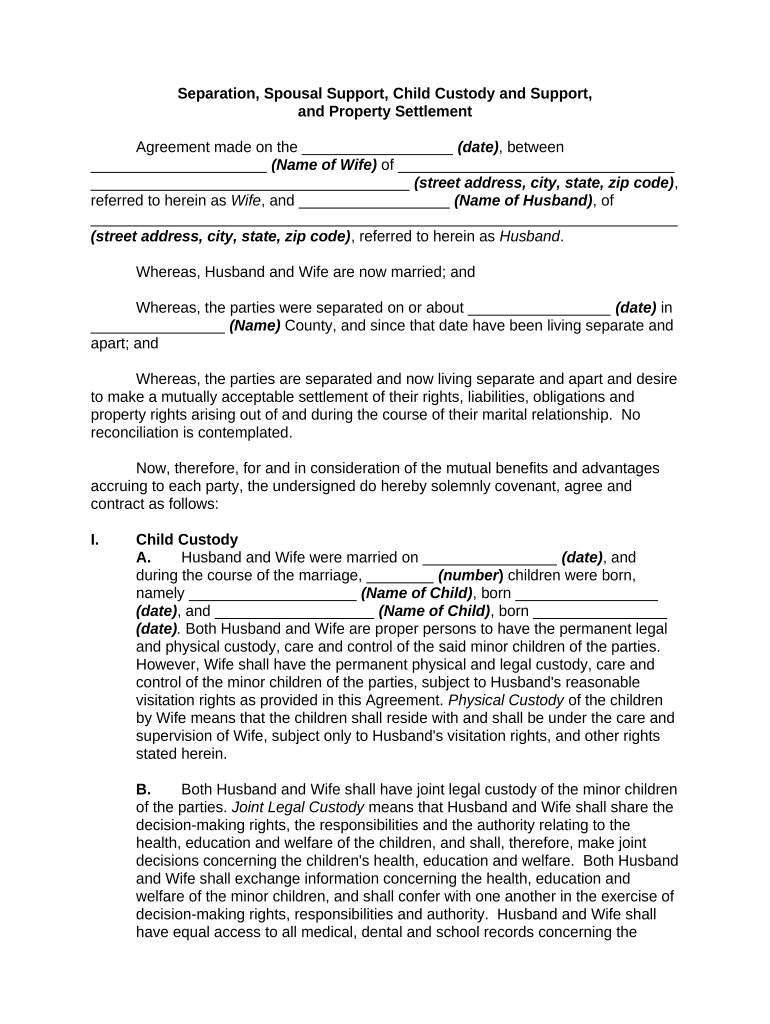
- Begin by entering the date of the agreement at the top of the form, followed by the names and addresses of both parties involved.
- In the Child Custody section, specify the number of children and their names along with their birth dates. Indicate custody arrangements clearly, noting who will have physical and legal custody.
- Fill in visitation rights for Husband, detailing specific days and times for visitation as well as holiday arrangements.
- Complete the Child Support section by entering the monthly amount that Husband will pay per child, along with any additional obligations like life insurance.
- Review all sections carefully to ensure accuracy before signing. Utilize our platform's features to save your progress or share it for review.
Start using our platform today to easily fill out your oklahoma support child form for free!
It's free
Got questions?
What is the simplest way to electronically sign my child support login oklahoma?
Many software applications are available on the market for document modifying and signing. DocHub is one of the most in-demand online solutions that comply with all security and compliance requirements and ensures your eSigned documentation is legally enforceable. All you need to give it a try is to create an account, upload your child support login oklahoma, provide the required information, and click Sign. Generate your electronic signature by typing, drawing it, uploading its picture to your form, or scanning a unique QR code.
How do you create an e-signature for the child support oklahoma login on iOS?
In addition to a comprehensive toolset for editing PDFs on mobile devices, DocHub enables you to sign your child support oklahoma login along the way. Open our editor in your browser, make modifications using DocHub’s toolset, and finish your editing by eSigning the completed form.
Security and compliance
At DocHub, your data security is our priority. We follow HIPAA, SOC2, GDPR, and other standards, so you can work on your documents with confidence.
Learn more




