Type text, add images, blackout confidential details, add comments, highlights and more.
02. Sign it in a few clicks
Draw your signature, type it, upload its image, or use your mobile device as a signature pad.
03. Share your form with others
Send remistart login via email, link, or fax. You can also download it, export it or print it out.
How to use or fill out remistart with our platform
Ease of Setup
DocHub User Ratings on G2
Ease of Use
DocHub User Ratings on G2
Click 'Get Form' to open the remistart enrollment form in the editor.
Begin by filling in your personal information, including your name, address, email, and phone number. Ensure that all details are accurate for effective communication.
Select whether you are enrolling for the first time or updating your information. This is crucial for processing your application correctly.
Provide your date of birth and confirm your insurance coverage status. Indicate if you have private or commercial insurance that covers REMICADE® costs.
Obtain your physician's signature on the form. This step is essential as it validates your enrollment request.
Review all entered information for accuracy before submitting the form through our platform. You can easily save and edit any sections if needed.
Start using our platform today to streamline your remistart enrollment process!
Remistart loginREMICADE patient assistance Program Johnson and JohnsonJanssen CarePathJanssen CarePath Savings ProgramJJ withMe Card loginJJ withMe Savings ProgramJanssen CarePath Savings Program cardJnj With Me card
Security and compliance
At DocHub, your data security is our priority. We follow HIPAA, SOC2, GDPR, and other standards, so you can work on your documents with confidence.
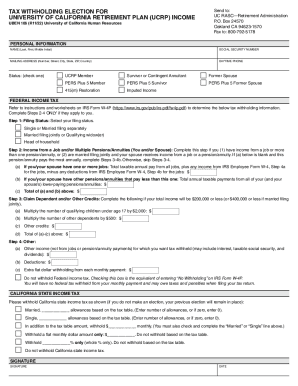
University of California Retirement Plan (UCRP)UCnetUniversity of California Retirement Plan (UCRP)UCnetUniversity of California Retirement Plan (UCRP)UCnetUniversity of California Retirement PlanHuman Resources
University of California Retirement Plan (UCRP)UCnetUniversity of California Retirement Plan (UCRP)UCnetUniversity of California Retirement Plan (UCRP)UCnetUniversity of California Retirement PlanHuman Resources
The document outlines the procedures for tax withholding elections for income from the University of California Retireme ...
Drug Companies Patient-Assistance Programs Helping
Jul 10, 2014 RemiStart Patient Rebate Program. BioOncology Co-pay Card. $8,000. $50 per infusion. $24,000. 20%, up to a maximum of. $100, per treatment.Read more
Remistart: offers assistance with Remicade. Fee-based programs: Among other services, these sites may actually help patients fill out the applicationRead more
Cookie consent notice
This site uses cookies to enhance site navigation and personalize your experience.
By using this site you agree to our use of cookies as described in our Privacy Notice.
You can modify your selections by visiting our Cookie and Advertising Notice.