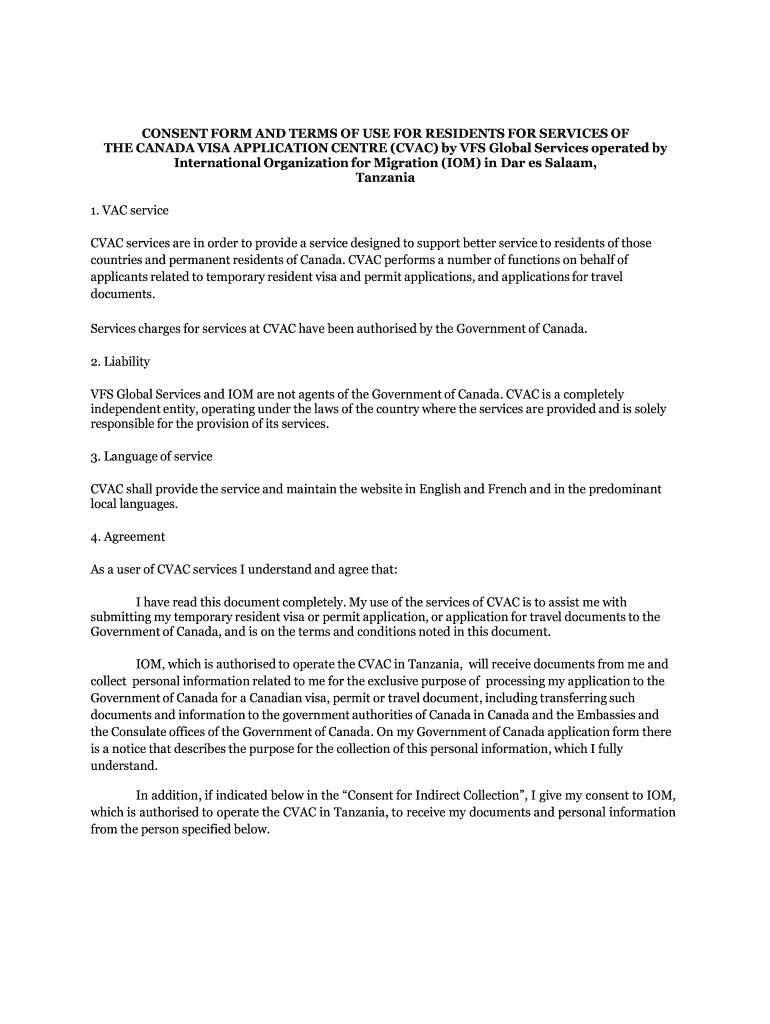
01. Edit your cvac consent form how to fill online
Type text, add images, blackout confidential details, add comments, highlights and more.
02. Sign it in a few clicks
Draw your signature, type it, upload its image, or use your mobile device as a signature pad.
03. Share your form with others
Send cvac form via email, link, or fax. You can also download it, export it or print it out.
How to use or fill out cvac consent form tanzania with our platform
Ease of Setup
DocHub User Ratings on G2
Ease of Use
DocHub User Ratings on G2
Click ‘Get Form’ to open the cvac consent form in the editor.
Begin by filling in your personal details in the 'NAME' and 'ADDRESS' fields. Ensure that all information is accurate and clearly printed.
Review the liability section carefully, acknowledging that VFS Global Services and IOM are independent entities. This understanding is crucial for your application process.
In the 'Consent for Indirect Collection' section, if applicable, provide the name of your travel agent or representative along with their relationship to you.
Sign and date the form at the designated areas. Make sure your signature matches any identification documents you may have.
If you received assistance from CVAC staff, complete the declaration section by confirming that all information provided is true and accurate.
Start using our platform today to fill out your cvac consent form easily and for free!
Fill out cvac consent form tanzania online It's free
VFS consent form pdf downloadVFS consent form for biometricsVFS consent form for passport collectionVFS consent form filled sampleTT Services consent formVFS Global TT Services Consent formHow to fill VFS Consent form for passport submissionTt services consent form biometrics
Security and compliance
At DocHub, your data security is our priority. We follow HIPAA, SOC2, GDPR, and other standards, so you can work on your documents with confidence.
Recent perspectives in clinical development of malaria
by J Feehan 2025 Cited by 19 Malaria vaccine research has progressed DocHubly, with RTS,S/AS01 and R21/Matrix-M receiving WHO endorsement in 2021 / 2023.Read more
by D Coulibaly 2022 Cited by 36 Healthy, malaria-exposed adult men and non-pregnant women aged 18-45 years old were eligible if they provided informed consent and planned to reside in theRead more
Cookie consent notice
This site uses cookies to enhance site navigation and personalize your experience.
By using this site you agree to our use of cookies as described in our Privacy Notice.
You can modify your selections by visiting our Cookie and Advertising Notice.