Type text, add images, blackout confidential details, add comments, highlights and more.
02. Sign it in a few clicks
Draw your signature, type it, upload its image, or use your mobile device as a signature pad.
03. Share your form with others
Send epic application form via email, link, or fax. You can also download it, export it or print it out.
How to use or fill out epic application with our platform
Ease of Setup
DocHub User Ratings on G2
Ease of Use
DocHub User Ratings on G2
Click ‘Get Form’ to open the epic application in the editor.
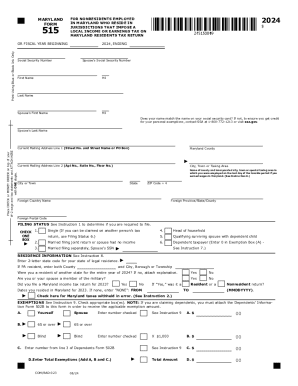
Begin by filling out your personal information. Indicate whether you are applying for yourself only or for yourself and your spouse. Enter your last name, first name, middle initial, social security number, sex, and date of birth.
Provide your current address where you live (not a P.O. Box), including city, state, and ZIP code. If your mailing address is different, fill that in as well.
Next, enter your telephone number and marital status. If married, include your spouse’s details such as their name, social security number, and date of birth.
Report your total income for the previous calendar year. If married and living together, report combined income; otherwise report individually. Fill in the income sources as specified.
Read the certification statement carefully and sign at the bottom along with your spouse if applicable. Ensure all information is accurate before submission.
Start filling out your epic application today using our platform for free!
Epic Online Services | Unreal Engine Community Wiki
First of all you will have to download Epic Online Services SDK, type is programming language C, version preferably the latest. Subsequently extract the Zip
The application for summer 2026 is now closed. The application for summer 2027 will be available February1, 2027. Summer 2026. Apply January 5-March 31, 2026Read more
Cookie consent notice
This site uses cookies to enhance site navigation and personalize your experience.
By using this site you agree to our use of cookies as described in our Privacy Notice.
You can modify your selections by visiting our Cookie and Advertising Notice.