Type text, add images, blackout confidential details, add comments, highlights and more.
02. Sign it in a few clicks
Draw your signature, type it, upload its image, or use your mobile device as a signature pad.
03. Share your form with others
Send 790 visa update via email, link, or fax. You can also download it, export it or print it out.
How to use or fill out 790C - Application for a Safe Haven Enterprise visa with our platform
Ease of Setup
DocHub User Ratings on G2
Ease of Use
DocHub User Ratings on G2
Click ‘Get Form’ to open the 790C application in the editor.
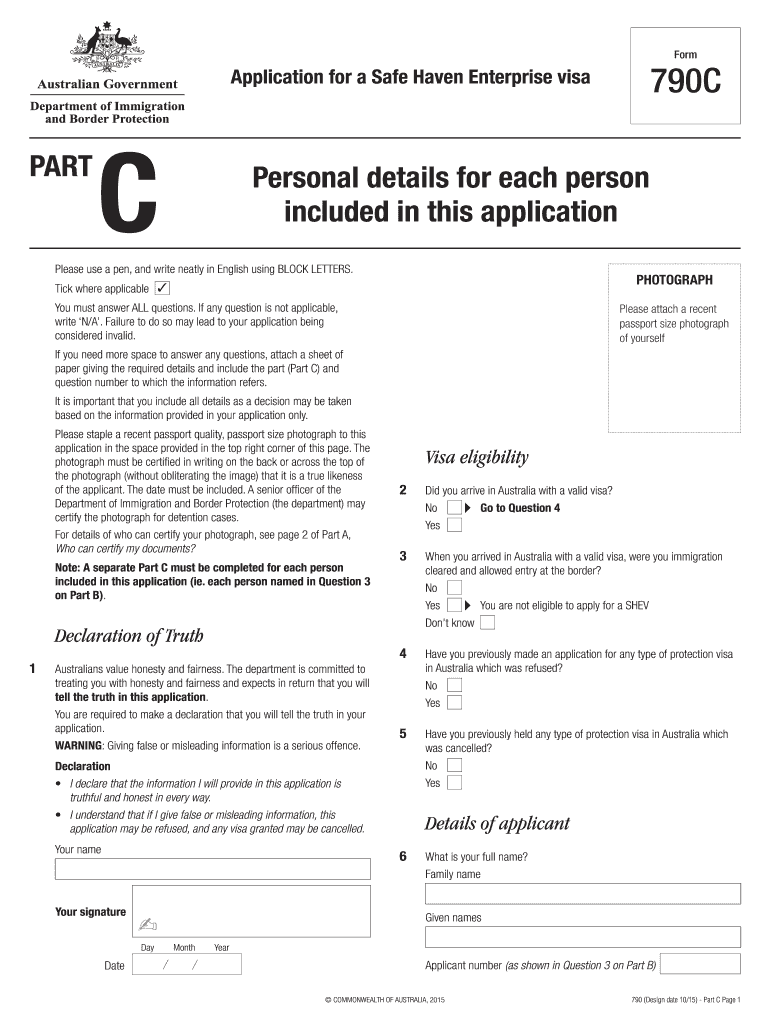
Begin with Part C, where you will provide personal details for each person included in your application. Ensure all fields are filled out using BLOCK LETTERS.
Attach a recent passport-sized photograph in the designated area. Make sure it is certified as a true likeness of the applicant.
Complete all questions thoroughly. If any question does not apply, write ‘N/A’. This is crucial to avoid invalidating your application.
For additional information, attach extra sheets if necessary, clearly indicating the part and question number they refer to.
Review your entries for accuracy before submitting. Use our platform’s features to save and edit your responses as needed.
Start filling out your application today for free using our platform!
Fill out 790C - bApplicationb for a Safe Haven Enterprise visa online It's free
Visa 789Apply for a Refugee visaTPV applicationVisa 220Ppv visaSubmit your Refugee and Humanitarian visa application onlineDepartment of visaGlobal Special Humanitarian visa
Security and compliance
At DocHub, your data security is our priority. We follow HIPAA, SOC2, GDPR, and other standards, so you can work on your documents with confidence.
This program leads to licensure as school principal (WI code 51), director of instruction (WI code 10), school business administrator (WI code 08), or directorRead more
Cookie consent notice
This site uses cookies to enhance site navigation and personalize your experience.
By using this site you agree to our use of cookies as described in our Privacy Notice.
You can modify your selections by visiting our Cookie and Advertising Notice.