Type text, add images, blackout confidential details, add comments, highlights and more.
02. Sign it in a few clicks
Draw your signature, type it, upload its image, or use your mobile device as a signature pad.
03. Share your form with others
Send receipt of property form via email, link, or fax. You can also download it, export it or print it out.
How to use or fill out PROPERTY RECEIPT MACKINAW CITY POLICE DEPARTMENT 102 S - mackinawcity with our platform
Ease of Setup
DocHub User Ratings on G2
Ease of Use
DocHub User Ratings on G2
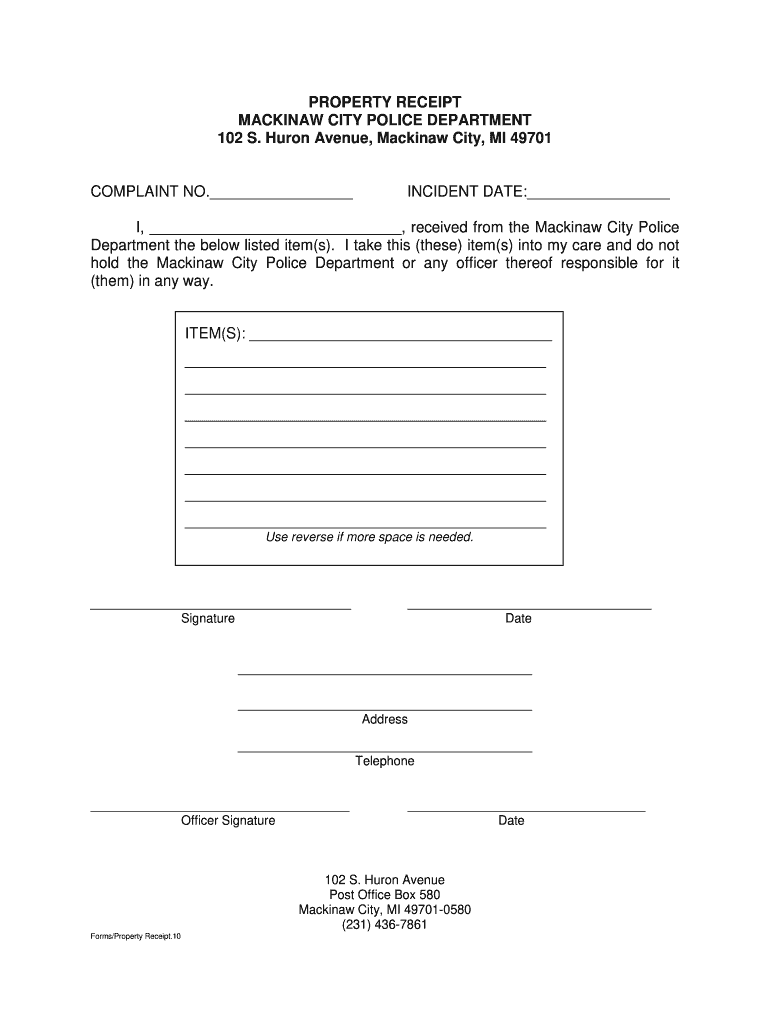
Click ‘Get Form’ to open the PROPERTY RECEIPT in the editor.
Begin by entering the COMPLAINT NO. in the designated field at the top of the form.
Next, fill in the INCIDENT DATE to specify when the incident occurred.
In the section labeled 'I, _________', write your name to acknowledge receipt of items.
List all ITEM(S) received from the Mackinaw City Police Department in the provided space. If more space is needed, utilize the reverse side of the form.
Sign and date where indicated to confirm your acceptance of responsibility for the items.
Complete your address and telephone number in their respective fields for contact purposes.
Finally, ensure that an officer's signature and date are included at the bottom of the form.
Start using our platform today to easily complete your PROPERTY RECEIPT online for free!
Fill out PROPERTY RECEIPT MACKINAW CITY POLICE DEPARTMENT 102 S - mackinawcity online It's free
What County is Mackinaw City inVillage of Mackinaw CityMackinaw city newspaperMackinaw City Fire DepartmentMackinaw Citythings to doWhat time does mackinaw city closeMackinac Island EMS
Security and compliance
At DocHub, your data security is our priority. We follow HIPAA, SOC2, GDPR, and other standards, so you can work on your documents with confidence.
COURT RULE. CIRCUIT. 85. July 13,. 4s amended. 1895. any exceptions trial a cause to are taken on of. Whenever court, exceptions party ruling taking such.Read more
by S Balganesh 2011 Cited by 113 This section considers two such elements: the requirement of direct competition that is traced back to International News, and the duty to police that recent.Read more
Cookie consent notice
This site uses cookies to enhance site navigation and personalize your experience.
By using this site you agree to our use of cookies as described in our Privacy Notice.
You can modify your selections by visiting our Cookie and Advertising Notice.