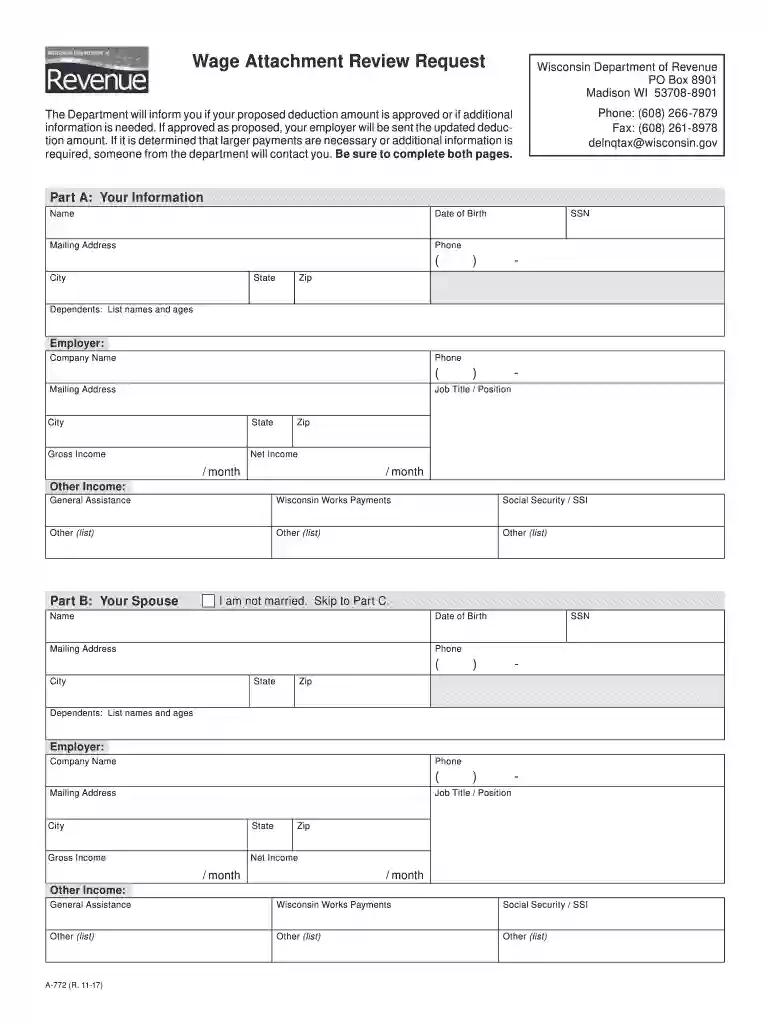
772 credit score Preview on Page 1

A 772 2026

Here's how it works

  • 01. Edit your 772 credit score online

    Type text, add images, blackout confidential details, add comments, highlights and more.

  • 02. Sign it in a few clicks

    Draw your signature, type it, upload its image, or use your mobile device as a signature pad.

  • 03. Share your form with others

    Send 772 number via email, link, or fax. You can also download it, export it or print it out.

How to use or fill out a 772 with our platform

Form edit decoration
9.5
Ease of Setup
DocHub User Ratings on G2
9.0
Ease of Use
DocHub User Ratings on G2
  1. Click ‘Get Form’ to open the A-772 in the editor.
  2. Begin with Part A: Your Information. Fill in your name, date of birth, and Social Security Number (SSN). Provide your mailing address, phone number, city, state, and zip code. Don’t forget to list your dependents' names and ages.
  3. Move to Part B: Your Spouse. If applicable, enter your spouse's information including their name, date of birth, SSN, mailing address, phone number, job title/position, and dependents.
  4. In Part C: Banks and Other Financial Institutions, list all relevant accounts along with their types and balances.
  5. Proceed to Part D: Motor Vehicles and other assets. List each vehicle along with its year, make, model, fair market value, balance owed, and lien holder if applicable.
  6. Complete Part E: Real Estate by detailing properties owned including location and fair market value.
  7. In Part F: Expenses, note any overdue payments alongside monthly payment amounts for various expenses like mortgage or rent.
  8. Finally, sign in Part G to attest that the information provided is accurate before submitting the form for processing.

Start using our platform today for free to streamline your form completion process!

be ready to get more

Complete this form in 5 minutes or less

Security and compliance

At DocHub, your data security is our priority. We follow HIPAA, SOC2, GDPR, and other standards, so you can work on your documents with confidence.

Related links

Wage Attachment Review Request

A-772 (R. 10-18). The Department will inform you if your proposed deduction amount is approved or if additional information is needed. If approved asRead more

Learn more
Whale (AC772) - Shell Oil and Gas Asset (Federal offshore

Mar 2, 2026 Whale (AC772) - Shell Oil and Gas Asset is an operating oil and gas asset in Federal offshore, United States.

Learn more
15 U.S. Code 772 - Administrators information-gathering

The Administrator shall collect, assemble, evaluate, and analyze energy information by categorical groupings, established by the Administrator.Read more

Learn more
If you believe that this page should be taken down, please follow our DMCA take down process here