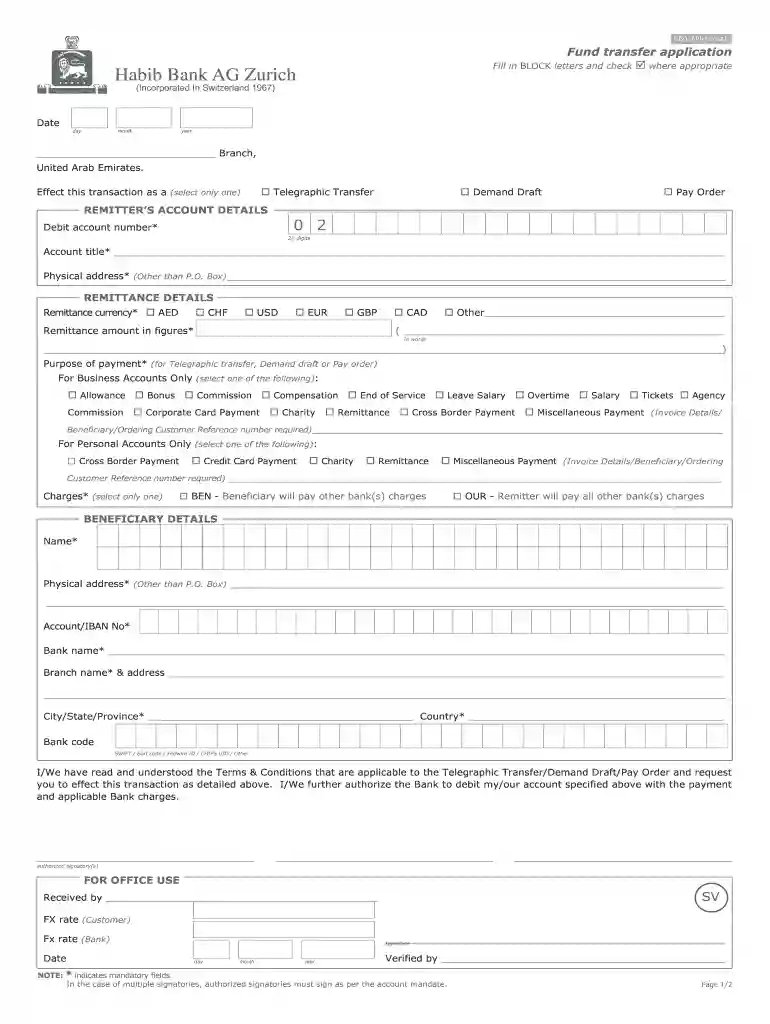
habib transfer Preview on Page 1

To fill in blank forms money transfer 2026

Here's how it works

  • 01. Edit your habib transfer online

    Type text, add images, blackout confidential details, add comments, highlights and more.

  • 02. Sign it in a few clicks

    Draw your signature, type it, upload its image, or use your mobile device as a signature pad.

  • 03. Share your form with others

    Send habib bank form download via email, link, or fax. You can also download it, export it or print it out.

How to use or fill out to fill in blank forms money transfer

Form edit decoration
9.5
Ease of Setup
DocHub User Ratings on G2
9.0
Ease of Use
DocHub User Ratings on G2
  1. Click ‘Get Form’ to open it in the editor.
  2. Begin by entering the date of the transaction in the specified format (day, month, year).
  3. Select the type of transaction you wish to effect: Telegraphic Transfer, Demand Draft, or Pay Order.
  4. Fill in your account details. Enter your debit account number (20 digits), account title, and physical address (not a P.O. Box).
  5. Specify the remittance currency and amount in figures. Also, write out the amount in words for clarity.
  6. Indicate the purpose of payment by selecting from the options provided for either business or personal accounts.
  7. Choose who will bear the charges: Beneficiary or Remitter.
  8. Complete beneficiary details including name, physical address, account/IBAN number, bank name, and branch information.
  9. Review all entries for accuracy before signing as an authorized signatory.

Start using our platform today to streamline your money transfer process for free!

be ready to get more

Complete this form in 5 minutes or less

Security and compliance

At DocHub, your data security is our priority. We follow HIPAA, SOC2, GDPR, and other standards, so you can work on your documents with confidence.

habib bank tt form

Tips for Completing the Electronic Funds Transfer (EFT) Form

Complete the EFT form--you can download it below. This is the only acceptable form for a MassHealth provider application for electronic payment.Read more

Learn more
Tutorial:Hopper

The hopper is a redstone component that can be used to manage items.

Learn more
If you believe that this page should be taken down, please follow our DMCA take down process here