3479 1-2026

Get Form
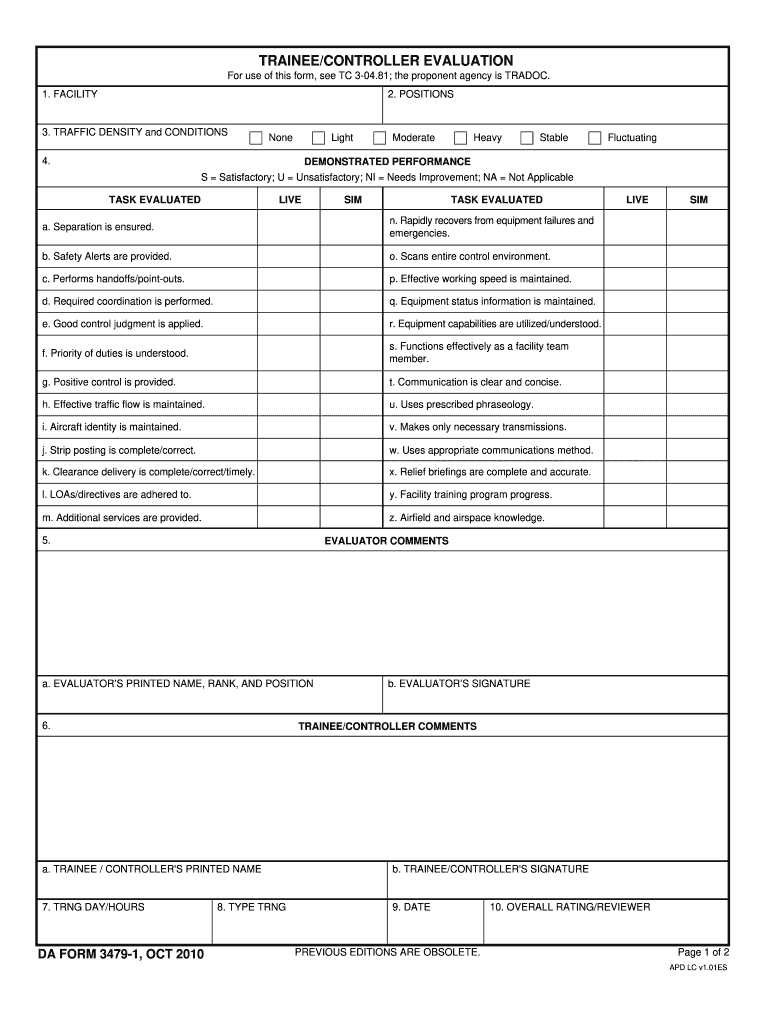
3479 1 Preview on Page 1

Here's how it works

01. Edit your 3479 1 online
Type text, add images, blackout confidential details, add comments, highlights and more.
02. Sign it in a few clicks
Draw your signature, type it, upload its image, or use your mobile device as a signature pad.
03. Share your form with others
Send da form 3479 via email, link, or fax. You can also download it, export it or print it out.

How to use or fill out 3479 1 with our platform

Form edit decoration
9.5
Ease of Setup
DocHub User Ratings on G2
9.0
Ease of Use
DocHub User Ratings on G2
  1. Click ‘Get Form’ to open the 3479 1 in the editor.
  2. Begin by filling out the 'FACILITY' section, ensuring you accurately specify the facility name where the evaluation is taking place.
  3. Next, complete the 'POSITIONS' field by listing the relevant positions being evaluated during this training session.
  4. In the 'TRAFFIC DENSITY and CONDITIONS' section, select from options such as None, Light, Moderate, Heavy, Stable, or Fluctuating to describe the operational environment.
  5. For each task evaluated under 'DEMONSTRATED PERFORMANCE', mark S for Satisfactory, U for Unsatisfactory, NI for Needs Improvement, or NA for Not Applicable based on performance observations.
  6. Fill in evaluator comments in the designated area to provide feedback on trainee/controller performance.
  7. Ensure both evaluator and trainee/controller sign and print their names in the respective sections before finalizing your document.
  8. Finally, enter the training day/hours and date to complete your form submission.

Start using our platform today to streamline your form completion process for free!

be ready to get more

Complete this form in 5 minutes or less

Get form

Got questions?

We have answers to the most popular questions from our customers. If you can't find an answer to your question, please contact us.
Contact us

Upload your 3479 to DocHub (once you’ve created an account for this). If you need to fill out fields in it, use proper tools from the upper pane. For instance, drop Signature Fields, assign each to a particular party, and click on Sign → Request signatures from others. Change your message for your recipients and click Send Request. You can also send your paperwork by fax or as a Signing link instead of using email (you’ll find these options by navigating to the Menu → Send)

With a swift editing system like DocHub, you do not require anything but a browser and internet connection to edit your da form 3479 1 online easily. Add your file or find the appropriate form in DocHub’s catalog, open our editor with a single click, and complete it digitally. To edit your forms at any time, sign up a free account with DocHub.

Security and compliance

At DocHub, your data security is our priority. We follow HIPAA, SOC2, GDPR, and other standards, so you can work on your documents with confidence.

Learn more
ccpa2
pci-dss
gdpr-compliance
hipaa
soc-compliance