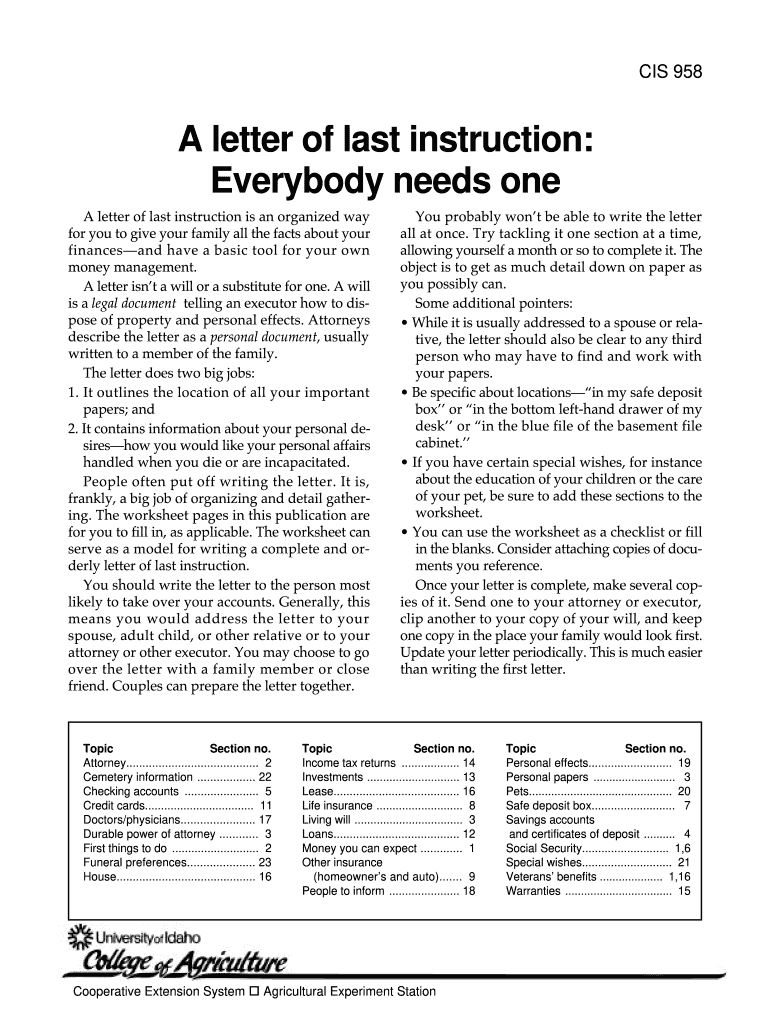
A letter of blastb instruction Everybody needs one - University of Idaho - cals uidaho 2026

Get Form
blastb Preview on Page 1

Here's how it works

01. Edit your blastb online
Type text, add images, blackout confidential details, add comments, highlights and more.
02. Sign it in a few clicks
Draw your signature, type it, upload its image, or use your mobile device as a signature pad.
03. Share your form with others
Send uidaho benefits via email, link, or fax. You can also download it, export it or print it out.

How to use or fill out A letter of last instruction Everybody needs one - University of Idaho - cals uidaho with our platform

Form edit decoration
9.5
Ease of Setup
DocHub User Ratings on G2
9.0
Ease of Use
DocHub User Ratings on G2
  1. Click ‘Get Form’ to open it in the editor.
  2. Begin by filling in your personal information at the top, including your name and contact details. This ensures that your family knows who the letter is from.
  3. Proceed to each section, starting with 'Money you can expect.' Fill in details about your employer, insurance companies, and any other sources of income.
  4. Continue through the sections methodically. For example, under 'Checking accounts,' provide the bank name, account type, and any special instructions related to those accounts.
  5. Use the worksheet pages as a guide for writing detailed instructions. Be specific about locations of important documents and personal wishes.
  6. Once completed, review your entries for accuracy. Save your document frequently to avoid losing any information.

Start using our platform today to create a comprehensive letter of last instruction for free!

be ready to get more

Complete this form in 5 minutes or less

Get form

Got questions?

We have answers to the most popular questions from our customers. If you can't find an answer to your question, please contact us.
Contact us

Yes, a typed name is accepted as a legitimate electronic signature when you create it on your paperwork using a compliant solution like DocHub. Simply import your uidaho cals to our editor, click Sign in the top tool pane → Create your signature → Type your name in the proper tab, and choose how it will appear on your document.

If you store your papers in Google Drive, there is no need to download your university of idaho cals on your computer and upload it back to our editor. A significantly easier way is to set up a browser extension developed by DocHub to simplify this flow. The extension allows editing PDFs right in your browser. Alternatively, you can integrate your DocHub and Gmail accounts for more efficient editing.

Security and compliance

At DocHub, your data security is our priority. We follow HIPAA, SOC2, GDPR, and other standards, so you can work on your documents with confidence.

Learn more
ccpa2
pci-dss
gdpr-compliance
hipaa
soc-compliance
be ready to get more

Complete this form in 5 minutes or less

Get form