




Here's how it works

01. Edit your healthscope address online
Type text, add images, blackout confidential details, add comments, highlights and more.

02. Sign it in a few clicks
Draw your signature, type it, upload its image, or use your mobile device as a signature pad.

03. Share your form with others
Send healthscope benefits claims address via email, link, or fax. You can also download it, export it or print it out.
How to use or fill out Short Term Disability Claim Form - HealthSCOPE Benefits with DocHub

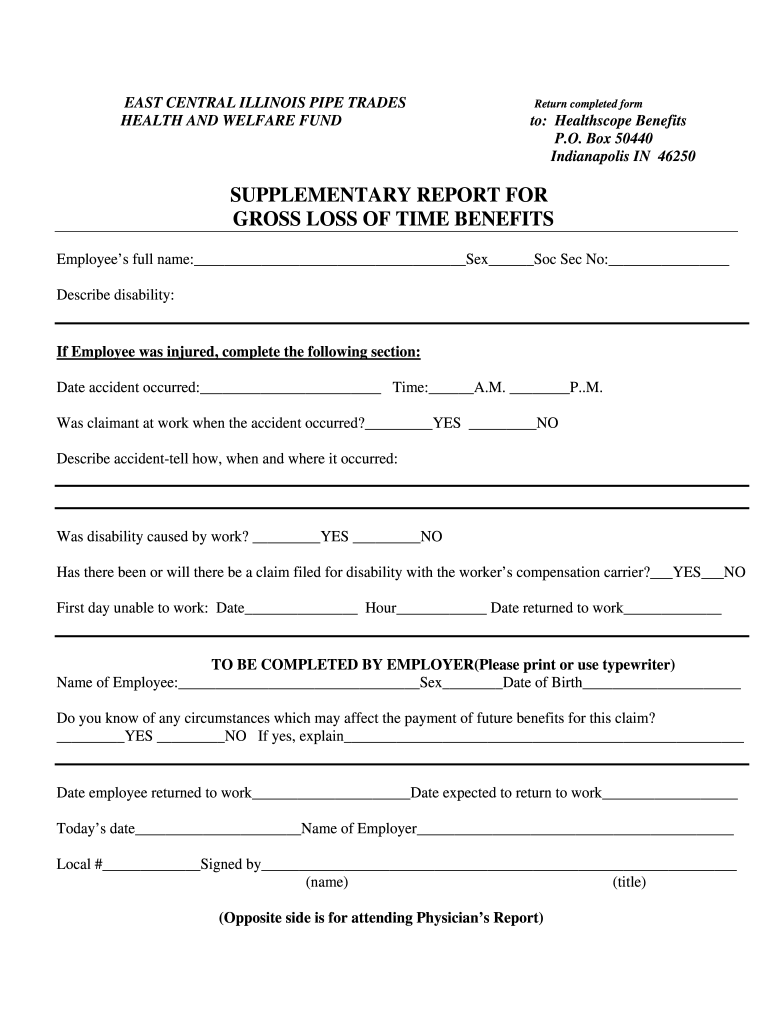
- Click ‘Get Form’ to open the Short Term Disability Claim Form in our editor.
- Begin by entering the employee’s full name, sex, and Social Security number in the designated fields at the top of the form.
- In the 'Describe disability' section, provide a detailed explanation of the condition affecting the employee.
- If applicable, fill out the accident details including date, time, and whether the claimant was at work during the incident.
- Indicate if the disability was work-related and whether a claim has been filed with workers' compensation.
- Complete employer information by printing or typing in details such as name, date of birth, and any circumstances that may affect future benefits.
- For physician's input, ensure all sections regarding treatment dates and patient status are filled accurately before submitting.
Start using our platform today to easily complete your Short Term Disability Claim Form for free!
Fill out Short Term Disability Claim Form - HealthSCOPE Benefits online
It's free
It's free
Security and compliance
At DocHub, your data security is our priority. We follow HIPAA, SOC2, GDPR, and other standards, so you can work on your documents with confidence.
Learn more


