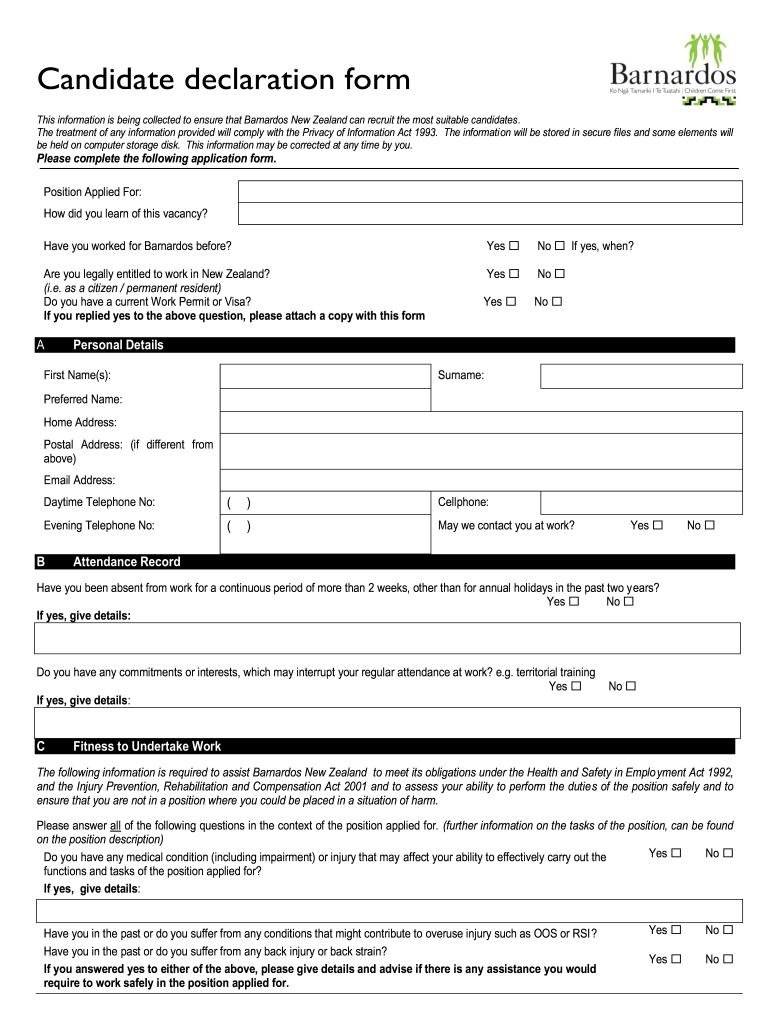
Nz candidate declaration form 2026

Get Form
candidate declaration form Preview on Page 1

Here's how it works

01. Edit your candidate declaration form online
Type text, add images, blackout confidential details, add comments, highlights and more.
02. Sign it in a few clicks
Draw your signature, type it, upload its image, or use your mobile device as a signature pad.
03. Share your form with others
Send what is candidate declaration form via email, link, or fax. You can also download it, export it or print it out.

How to use or fill out nz candidate declaration form with DocHub

Form edit decoration
9.5
Ease of Setup
DocHub User Ratings on G2
9.0
Ease of Use
DocHub User Ratings on G2
  1. Click ‘Get Form’ to open the nz candidate declaration form in our editor.
  2. Begin by filling in the 'Position Applied For' and how you learned about the vacancy. This helps Barnardos understand your application context.
  3. Complete the 'Personal Details' section, including your first name, surname, preferred name, addresses, email, and phone numbers. Ensure accuracy for effective communication.
  4. In the 'Attendance Record' section, answer questions regarding your work history and any commitments that may affect attendance. Provide details if applicable.
  5. For 'Fitness to Undertake Work', respond to health-related questions honestly. This is crucial for ensuring safety in the workplace.
  6. Fill out the 'Transport' section by indicating your driving license status and any endorsements or restrictions.
  7. Address the 'Criminal Record' inquiries carefully. If applicable, provide details of any convictions or pending charges.
  8. Add any relevant information in the 'Additional Information' section that may support your application.
  9. Finally, review all entries for accuracy before signing and dating the declaration at the end of the form.

Start using our platform today to fill out your nz candidate declaration form online for free!

be ready to get more

Complete this form in 5 minutes or less

Get form

Got questions?

We have answers to the most popular questions from our customers. If you can't find an answer to your question, please contact us.
Contact us

Sign in to your DocHub account and import your declaration of candidate to our editor using one of its upload options - from your device, cloud storage, protected URL, or your DocHub folders if you have already processed your form before. Open our editor, click the Sign button in the top toolbar, and choose your signing method. You can use a picture of your handwritten signature, draw it, enter your name, or utilize a QR code as an alternative.

You can find the latest and most relevant version of the candidate declaration in our DocHub forms library. Search it by categories or use the search field to locate the exact template that fits your situation. You can open this form for editing once you find it.

Security and compliance

At DocHub, your data security is our priority. We follow HIPAA, SOC2, GDPR, and other standards, so you can work on your documents with confidence.

Learn more
ccpa2
pci-dss
gdpr-compliance
hipaa
soc-compliance