




Here's how it works

01. Edit your hiset voucher online
Type text, add images, blackout confidential details, add comments, highlights and more.

02. Sign it in a few clicks
Draw your signature, type it, upload its image, or use your mobile device as a signature pad.

03. Share your form with others
Send hiset vouchers via email, link, or fax. You can also download it, export it or print it out.
How to use or fill out the HiSET ETS form with our platform

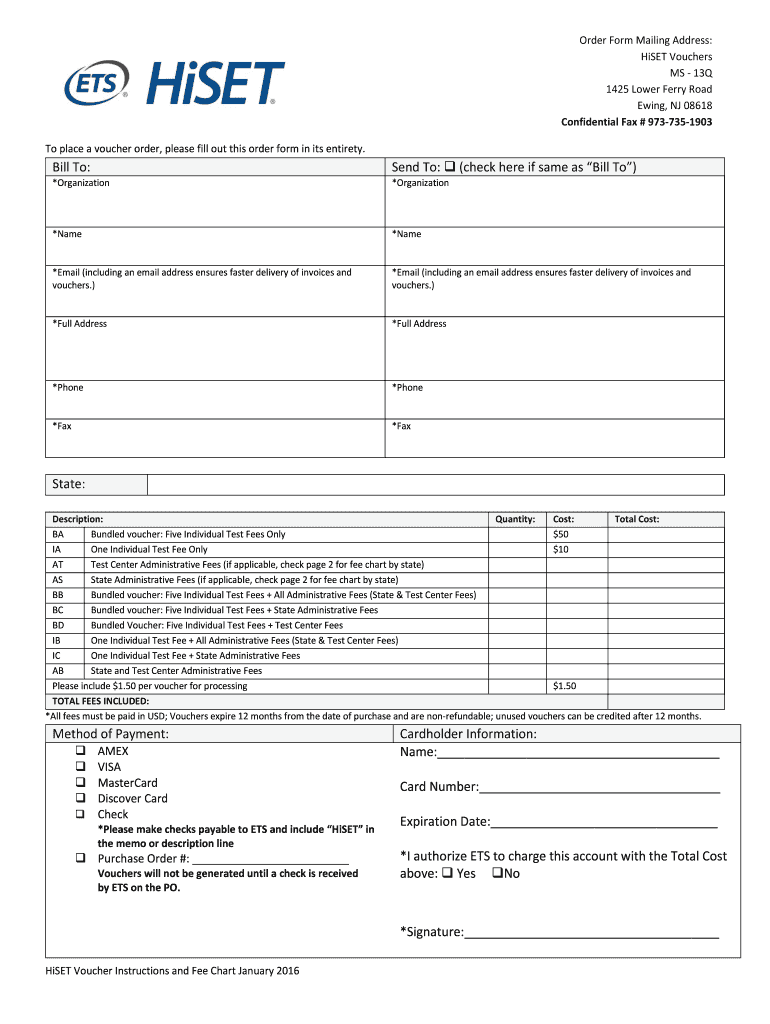
- Click ‘Get Form’ to open the HiSET ETS order form in the editor.
- Begin by filling out the 'Bill To' section. Enter your organization name, contact name, email address, full address, phone number, and fax number. Ensure accuracy for prompt processing.
- If the 'Send To' address is the same as 'Bill To', check the corresponding box. Otherwise, fill in the details for where you want the vouchers sent.
- In the 'Description' section, select the type of voucher you wish to purchase (e.g., Battery Test Fees Only) and specify the quantity needed.
- Review and calculate your total cost based on selected vouchers and any applicable fees. Include a $1.50 processing fee per voucher.
- Choose your method of payment by checking one of the options provided (credit card or check). Fill in cardholder information if paying by card.
- Finally, read through the terms and conditions at the bottom of the form. Sign and date where indicated to authorize your order.
Start using our platform today to streamline your HiSET ETS form completion for free!
Fill out hiset ets form online
It's free
It's free
Security and compliance
At DocHub, your data security is our priority. We follow HIPAA, SOC2, GDPR, and other standards, so you can work on your documents with confidence.
Learn more




