Cswppp 2026

Get Form
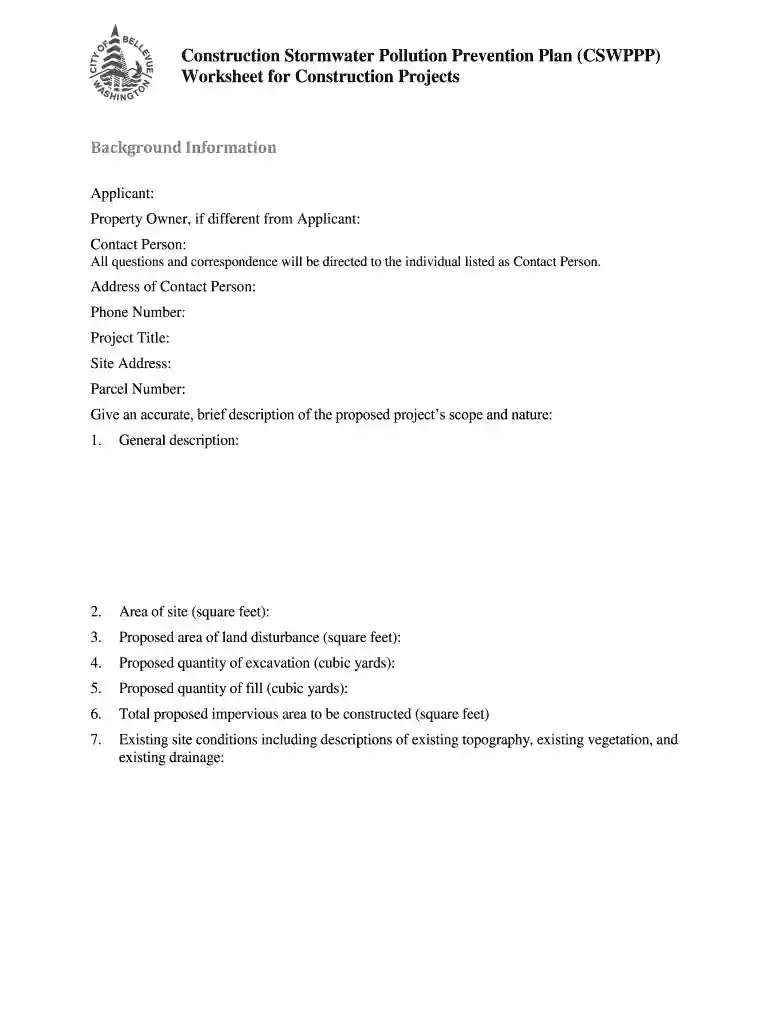
cswppp Preview on Page 1

Here's how it works

01. Edit your cswppp online
Type text, add images, blackout confidential details, add comments, highlights and more.

02. Sign it in a few clicks
Draw your signature, type it, upload its image, or use your mobile device as a signature pad.

03. Share your form with others
Send it via email, link, or fax. You can also download it, export it or print it out.

How to use or fill out cswppp with our platform

Form edit decoration
9.5
Ease of Setup
DocHub User Ratings on G2
9.0
Ease of Use
DocHub User Ratings on G2
  1. Click ‘Get Form’ to open the cswppp in the editor.
  2. Begin by filling out the background information section, including the Applicant's name, Property Owner (if different), Contact Person details, and project specifics such as Address and Project Title.
  3. In the project description section, provide a concise overview of the proposed project's scope, including area of land disturbance and quantities for excavation and fill.
  4. Proceed to Section One: CSWPPP Narrative. For each Erosion Control Element, select applicable Best Management Practices (BMPs) from the provided options and describe actions that will be taken to meet requirements.
  5. Ensure all sections are completed accurately before saving your work. Utilize our platform’s features to review and edit any entries as needed.

Start using our platform today for free to streamline your cswppp completion!

be ready to get more

Complete this form in 5 minutes or less

Get form

Got questions?

We have answers to the most popular questions from our customers. If you can't find an answer to your question, please contact us.
Contact us
There are many important factors that must be included in the development of an effective SWPPP, including site-specific potential pollutant sources, drainage scenarios, structural control devices and the identification of accountable pollution prevention team members.
As part of complying with the Construction General Permit, a Storm Water Pollution Prevention Plan (SWPPP) may be required and implemented prior to commencement of ground-disturbing activities. The property owner is considered the Legally Responsible Person (LRP) and is responsible for obtaining permit coverage.
The basic elements of a Stormwater Program include building a Stormwater Pollution Prevention Plan, obtaining permit coverage, installing and maintaining Best Management Practices (BMPs), and performing self-inspections of BMPs.
Stormwater Pollution Prevention Plans (SWPPPs) and Spill Prevention Control and Countermeasure (SPCC) plans are both authorized under the Clean Water Act to prevent water quality impacts.
The Stormwater Pollution Prevention Plan, often abbreviated as SWPPP or SW3P, is a plan created by constructors to show their plans for sediment and erosion control. Typically these plans are part of an overall design that details procedures to be followed during various phases of construction.

Security and compliance

At DocHub, your data security is our priority. We follow HIPAA, SOC2, GDPR, and other standards, so you can work on your documents with confidence.

Learn more
ccpa2
pci-dss
gdpr-compliance
hipaa
soc-compliance

People also ask

7 Steps of SWPPP Planning and Implementation Step 1: Perform a Worksite Assessment. Step 2: Develop a Site Plan. Step 3: Identify Sediment and Erosion Control BMPs. Step 4: Develop Training Procedures Proper BMPs. Step 5: Implement Good Housekeeping BMPs. Step 6: Conduct Frequent Inspections. Step 7: Stabilize the Area.
One of the most common mistakes operators make is using a generic SWPPP template without tailoring it to the specific site conditions and state requirements. Every construction site has unique topography, soil composition, and water drainage patterns that must be accounted for in the plan.

Related links