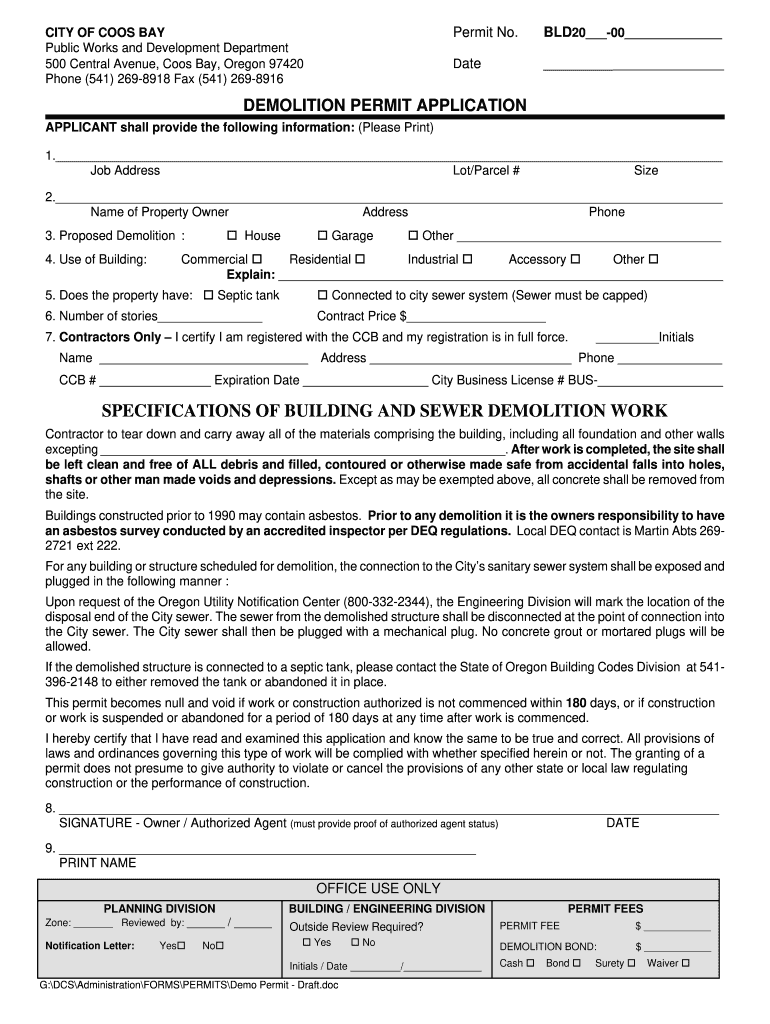
Or demolition coos bay form download 2026

Get Form
or demolition coos bay form download Preview on Page 1

Here's how it works

01. Edit your form online
Type text, add images, blackout confidential details, add comments, highlights and more.
02. Sign it in a few clicks
Draw your signature, type it, upload its image, or use your mobile device as a signature pad.
03. Share your form with others
Send it via email, link, or fax. You can also download it, export it or print it out.

How to use or fill out the or demolition coos bay form download

Form edit decoration
9.5
Ease of Setup
DocHub User Ratings on G2
9.0
Ease of Use
DocHub User Ratings on G2
  1. Click ‘Get Form’ to open it in the editor.
  2. Begin by filling in the 'Job Address', 'Lot/Parcel #', and 'Size' in the designated fields. Ensure all information is accurate for processing.
  3. Provide the 'Name of Property Owner', their 'Address', and 'Phone'. Select the type of structure being demolished (House, Garage, Other) and specify if it's Commercial, Residential, Industrial, or Accessory.
  4. Indicate whether the property has a septic tank or is connected to the city sewer system. If connected, remember that the sewer must be capped.
  5. Fill in the number of stories and contract price. Contractors must certify their registration with CCB by providing their name, initials, address, phone number, CCB #, expiration date, and city business license number.
  6. Review specifications regarding demolition work and ensure compliance with local regulations regarding asbestos surveys if applicable.
  7. Finally, sign and date the application as either the owner or authorized agent. Print your name clearly below your signature.

Start using our platform today to complete your demolition permit application easily and for free!

be ready to get more

Complete this form in 5 minutes or less

Get form

Got questions?

We have answers to the most popular questions from our customers. If you can't find an answer to your question, please contact us.
Contact us

With DocHub, you can quickly sign your or demolition coos bay form download or any other paperwork on iOS, even without setting up extra applications. You can access your DocHub account from any web-connected browser and fill out and sign your form in any way you like with just a couple of clicks.

If you are searching for a state-specific or demolition coos bay form download sample, you will find it in our DocHub Forms & Templates catalog. Use the search field, enter your form’s name, and search through the results for your state. You can also filter out irrelevant results while browsing our catalog by groups.