Type text, add images, blackout confidential details, add comments, highlights and more.
02. Sign it in a few clicks
Draw your signature, type it, upload its image, or use your mobile device as a signature pad.
03. Share your form with others
Send it via email, link, or fax. You can also download it, export it or print it out.
How to use or fill out ps4a form with our platform
Ease of Setup
DocHub User Ratings on G2
Ease of Use
DocHub User Ratings on G2
Click ‘Get Form’ to open the ps4a form in the editor.
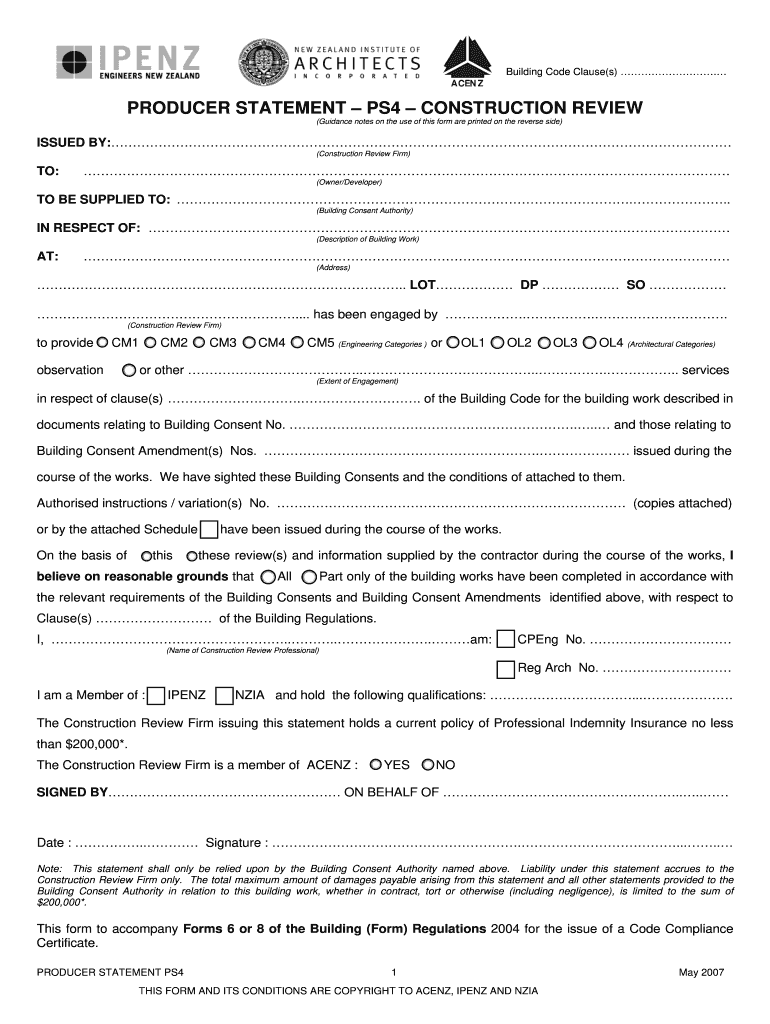
Begin by filling in the 'Issued By' section with the name of your Construction Review Firm. This identifies who is providing the statement.
Next, complete the 'To' field with the Owner/Developer's name and ensure you provide accurate details for the Building Consent Authority in the 'To Be Supplied To' section.
In the 'In Respect Of' section, describe the building work clearly, followed by entering the address where the work is being conducted.
Specify your engagement extent by selecting appropriate observation categories (CM1-CM5 or OL1-OL4) based on your services provided.
Fill in any relevant Building Consent numbers and authorized instructions or variations as required.
Finally, sign and date the form at the bottom, ensuring all fields are completed accurately before submission.
Start using our platform today to fill out your ps4a form easily and for free!
GATA-4 interacts distinctively with negative and positive
by A Murakami 2002 Cited by 13 GATA-4 binds two sites in the Fgf-3 promoter, PS4A and PS13, which function as positive and negative regulatory elements, respectively.Read more
Cookie consent notice
This site uses cookies to enhance site navigation and personalize your experience.
By using this site you agree to our use of cookies as described in our Privacy Notice.
You can modify your selections by visiting our Cookie and Advertising Notice.