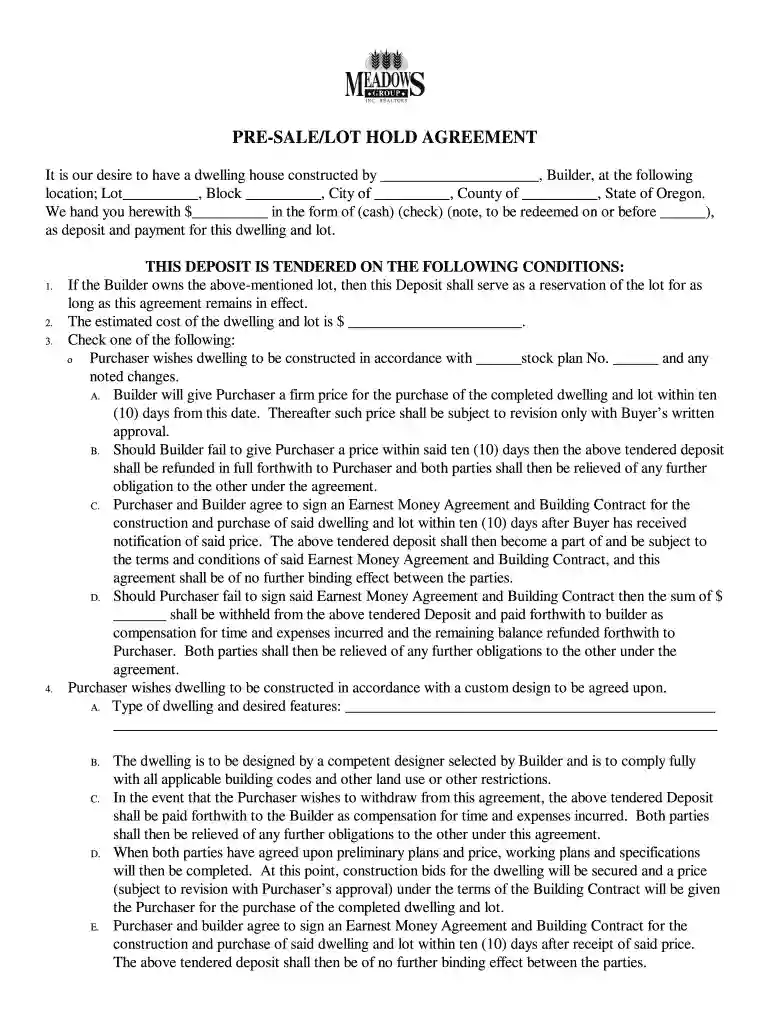
PRE-SALELOT HOLD AGREEMENT - Meadows Back Office 2026

Get Form
PRE-SALELOT HOLD AGREEMENT - Meadows Back Office Preview on Page 1

Here's how it works

01. Edit your form online
Type text, add images, blackout confidential details, add comments, highlights and more.

02. Sign it in a few clicks
Draw your signature, type it, upload its image, or use your mobile device as a signature pad.

03. Share your form with others
Send it via email, link, or fax. You can also download it, export it or print it out.

How to use or fill out PRE-SALELOT HOLD AGREEMENT - Meadows Back Office with our platform

Form edit decoration
9.5
Ease of Setup
DocHub User Ratings on G2
9.0
Ease of Use
DocHub User Ratings on G2
  1. Click ‘Get Form’ to open the PRE-SALELOT HOLD AGREEMENT in the editor.
  2. Begin by entering the Builder's name and the specific location details including Lot, Block, City, County, and State of Oregon.
  3. Input the deposit amount in the designated field and select the form of payment (cash, check, or note).
  4. Review and check the conditions regarding the deposit and ensure you understand your obligations as outlined in the agreement.
  5. Fill in your preferences for construction plans by selecting either a stock plan or custom design. Provide any additional details required for custom designs.
  6. Complete sections regarding financing methods, desired starting dates, and escrow instructions as applicable.
  7. Finally, sign and date the agreement at both Purchaser and Seller sections to confirm your acceptance of terms.

Start using our platform today to streamline your document editing experience for free!

be ready to get more

Complete this form in 5 minutes or less

Get form

Got questions?

We have answers to the most popular questions from our customers. If you can't find an answer to your question, please contact us.
Contact us

Of course, electronically drawing your signature is acceptable, but only if you use a tool that complies with industry laws and regulations. Try DocHub, which guarantees eSignature validity under ESIGN and UETA requirements. All you need to approve your PRE-SALELOT HOLD AGREEMENT - Meadows Back Office electronically is an account with DocHub and an internet connection. When you open your paperwork in our editor, click Sign and select the Draw option.

It is a no-brainer on a computer or via a mobile phone to complete a PRE-SALELOT HOLD AGREEMENT - Meadows Back Office with DocHub. All you need to do is open any installed web browser on your smartphone and go to the DocHub website. Once authenticated, add your file and open it in editing mode. Use our toolbar to make your edits and save adjustments. Optionally, keep your document in your files or send it to a recipient on the spot.

Security and compliance

At DocHub, your data security is our priority. We follow HIPAA, SOC2, GDPR, and other standards, so you can work on your documents with confidence.

Learn more
ccpa2
pci-dss
gdpr-compliance
hipaa
soc-compliance
be ready to get more

Complete this form in 5 minutes or less

Get form