Type text, add images, blackout confidential details, add comments, highlights and more.
02. Sign it in a few clicks
Draw your signature, type it, upload its image, or use your mobile device as a signature pad.
03. Share your form with others
Send it via email, link, or fax. You can also download it, export it or print it out.
How to use or fill out 1066 visa with our platform
Ease of Setup
DocHub User Ratings on G2
Ease of Use
DocHub User Ratings on G2
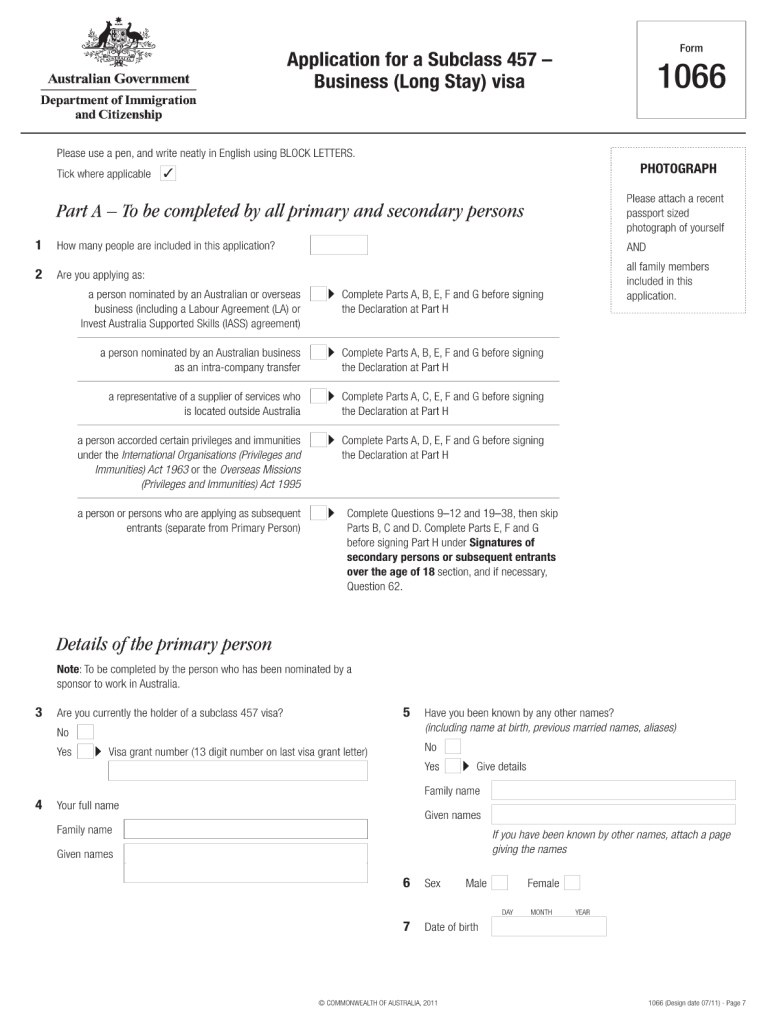
Click ‘Get Form’ to open the 1066 visa application in the editor.
Begin by completing Part A, which includes your personal details such as name, date of birth, and passport information. Ensure you write in BLOCK LETTERS for clarity.
In Part B, provide details about your sponsoring employer. Include their registered business name and postal address.
For health requirements, ensure you complete the relevant sections regarding medical history and any necessary health insurance documentation.
Review all sections carefully before signing the declaration in Part H. This confirms that all information provided is accurate and truthful.
Start filling out your 1066 visa application today for free using our platform!
This allows reading either TD1, TD2, Passport, Visa Type A, or Visa Type B without switching between these options. It automatically recognizes the travelRead more
Bureau of Consular Affairs; Visas: Documentation of Nonimmigrants Under the Immigration and Nationality Act-Amendment of Transit Without Visa (TWOV) List.
Cookie consent notice
This site uses cookies to enhance site navigation and personalize your experience.
By using this site you agree to our use of cookies as described in our Privacy Notice.
You can modify your selections by visiting our Cookie and Advertising Notice.