Type text, add images, blackout confidential details, add comments, highlights and more.
02. Sign it in a few clicks
Draw your signature, type it, upload its image, or use your mobile device as a signature pad.
03. Share your form with others
Send meal voucher request form via email, link, or fax. You can also download it, export it or print it out.
How to use or fill out financial voucher request forms with our platform
Ease of Setup
DocHub User Ratings on G2
Ease of Use
DocHub User Ratings on G2
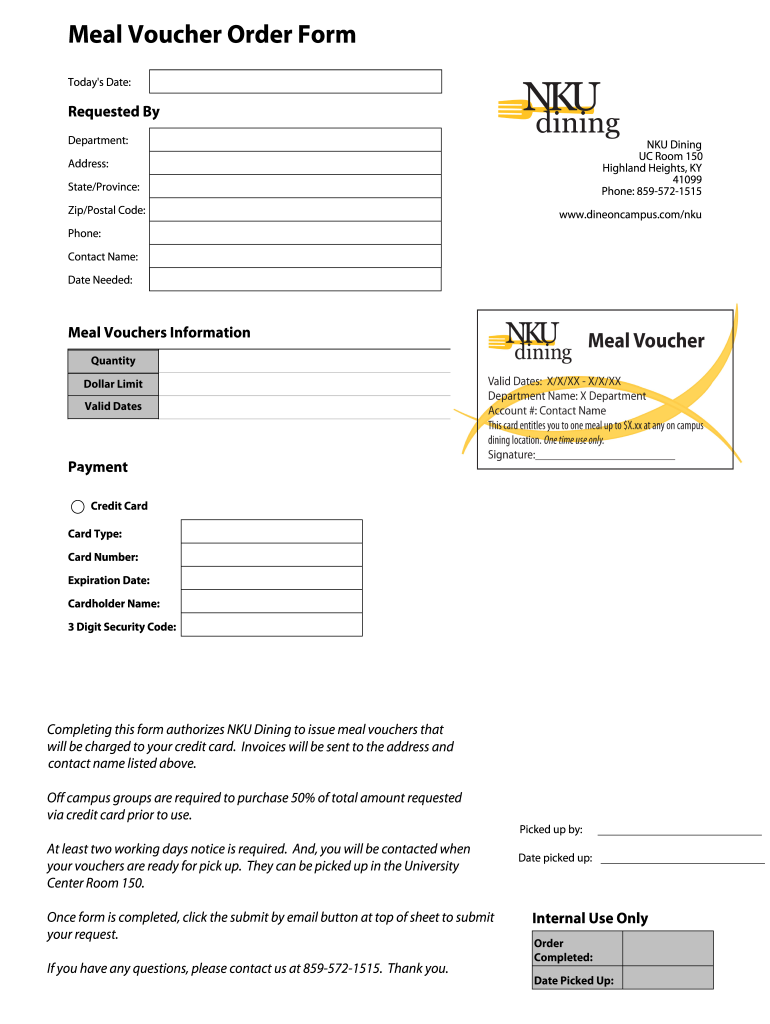
Click ‘Get Form’ to open the financial voucher request form in the editor.
Begin by entering today's date at the top of the form. This helps track your request accurately.
Fill in your name and department under 'Requested By'. This information is crucial for processing your request.
Provide your contact details, including phone number and address. Ensure these are correct for invoicing purposes.
In the 'Meal Vouchers Information' section, specify the quantity of vouchers you need, along with the dollar limit and valid dates.
For payment, select your credit card type and enter the card number, expiration date, cardholder name, and security code.
Review all entered information for accuracy before submission. Once confirmed, click the 'submit by email' button at the top of the sheet to send your request.
Start using our platform today to streamline your financial voucher requests effortlessly!
Fill out financial voucher request forms online It's free
Request Forms available through the: Online Application. Annual Cardholder Review Financial and Voucher Information Form (Basis Input) (FAACS12) [PDF]Read more
May 3, 2025 General Documentation Requirements for all FVR requests are: - Must use the current FVR form on Office of Financial Services website. - Use one-Read more
According to the Educational Freedom Institute (EFI), a think tank that advocates for vouchers, charter schools, and other forms of school choice, as of 2021Read more
Cookie consent notice
This site uses cookies to enhance site navigation and personalize your experience.
By using this site you agree to our use of cookies as described in our Privacy Notice.
You can modify your selections by visiting our Cookie and Advertising Notice.