decoration

Send PDF Documents via fax in Google Drive for Real Estate via DocHub

Accelerate your Real Estate-related document workflows in Google Drive with the DocHub Integration. Send PDF Documents via fax, eSign, import and export completed documents, and streamline your document workflows in a few clicks.
Try for free

Effortlessly Send PDF Documents via fax in Google Drive for Real Estate with DocHub Integration

Form edit decoration

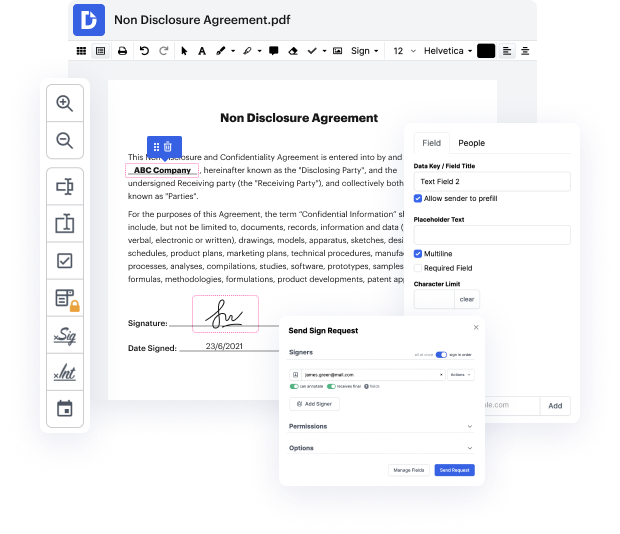
A fast-paced business environment requires innovative solutions to optimize everyday document workflows. DocHub offers various cloud service Integration options, like Google Drive for Real Estate, to improve your productivity and efficiency without the need of limiting your file quality. Send PDF Documents via fax, eSign, and safely export and transfer your documents with no missing data along the way.

How to rapidly Send PDF Documents via fax in Google Drive for Real Estate on the web by using DocHub

  1. Sign in or register a free DocHub profile.
  2. Access your Dashboard and include your file by clicking the New Document option.
  3. Select Google Drive and log in to your profile.
  4. When the file opens in our editor, simply Send PDF Documents via fax and manage your document.
  5. Enjoy lossless editing and go to transfer or store your document inside your profile.
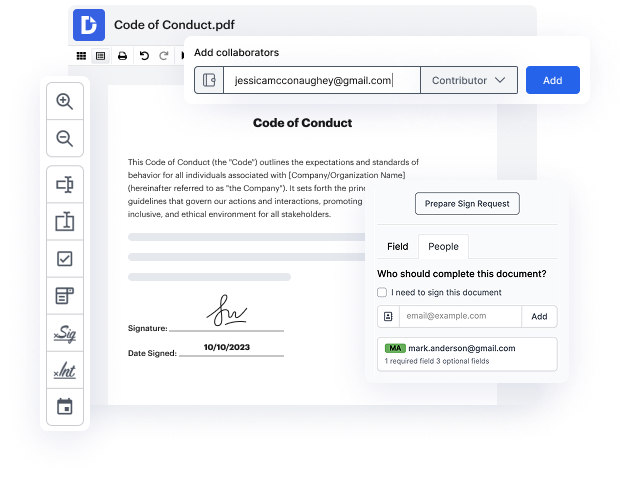
  6. Share your file with other contributors and help seamless cooperation.

Bring in seamless data sharing and streamline your daily document managing. Build a Template for frequently used documents, collaborate with your team, and keep your documents organized and Send PDF Documents via fax in Google Drive for Real Estate with DocHub Integration. Join DocHub now and check out the available integrations.

integration spotlight

Get work done in Google Drive

With DocHub's PDF editing and eSignature capabilities integrated in Google Drive, you can effortlessly edit, sign, and share any Google Drive document, from anywhere. Once finalized, export the document back to your Drive with a click.


Award-winning solution, recognized for ease of use and excellence

Grid leader 2025 Momentum leader 2025 Grid leader small business 2025 High performer 2025

Maximize your productivity in Google Drive with DocHub

Improve teamwork

Collaborate on Google Drive documents by allowing others to edit or view them while staying in the loop with real-time notifications.

card decoration

Streamline routine document workflows

Easily customize documents stored in Google Drive or turn them into reusable templates for quick distribution and data collection.
card decoration

Do business faster from anywhere

Storing contracts in Google Drive? DocHub’s legally-binding eSignatures take them from stored to signed in minutes.

card decoration

Ensure document security

Use DocHub password protection, end-to-end encryption, and two-factor authentication to securely work with documents stored in Google Drive.
card decoration

DocHub users are making their document workflows a breeze right from Google Drive

Very handy to have an easy app to use which includes a signature and allows you to edit PDFs from Google Drive
Handy
It's easy to upload a document from my PC/laptop or even from Google Drive.
Stuart B., Project Manager
Super user friendly! I'm using this app vs others because of privacy-- with this app I can choose which files to share vs my entire Google Drive.
Bere
Very easy to use as an esignature platform. It's also great that I am able to connect seamlessly with my Google drive.
Clare Alvarez

Industry-leading security and compliance

DocHub complies with industry-leading standards, regulations, and certifications to ensure the most effective and secure workflows.

GDPR compliance
Regulates the collection, use, and holding of personal data for EU residents.
PCI DSS certification
Ensures the security of credit and debit card transactions made by a customer.
CPRA compliance
Enhances the privacy rights of California residents while protecting their personal data.
SOC 2 certification
Ensures the security of your data and the privacy of your clients.
HIPAA compliance
Protects privacy, security, and integrity of sensitive healthcare information.

Why choose DocHub?

icon

Powerful features in the free version

DocHub offers free access to premium tools without any time limits or hidden costs. Test out DocHub's advanced functionality with a free 30-day trial.

icon

Google integrations

DocHub is deeply integrated with the Google ecosystem, making it super easy to edit, sign, and manage documents without leaving your favorite Google Apps.

icon

Security

DocHub ensures the security of your data with 256-bit SSL encryption, OAuth 2.0 authentication, and encrypted storage.

Get started for free
decoration image

Got questions?

Here are some common questions from our customers that may provide you with the answer you're looking for. If you can't find an answer to your question, please don't hesitate to reach out to us.
Contact us
DocHub stands out among other web-based editors owing to its rich functionality, intuitiveness, and robust integrations with Google services. For instance, you can easily Send PDF Documents via fax right in your Google Drive without switching between tabs. This kind of integration facilitates Real Estate document management while providing quick and safe data transfers between services with minimal investment in time and resources.
First, you need an account with our platform. Regardless of your subscription, you can rapidly modify your paperwork online. To integrate the tool with Google Drive and Send PDF Documents via fax without switching between tabs, set up the DocHub - PDF Sign and Edit add-on from Google Workspace Marketplace. It will link the editor with your file storage for faster and more practical work.
DocHub is a go-to solution for Real Estate needs. It allows users to immediately start handling their forms directly from their storage. Go to the Google Workspace Marketplace and set up our valuable DocHub - PDF Sign and Edit add-on. Right-click on the file you need to update → Open with and select the appropriate option in the dropdown. Now you can Send PDF Documents via fax, make other necessary modifications, and save them in the Drive folder of your choice.
Definitely. DocHub takes data protection seriously, making it an excellent solution for Real Estate professionals to Send PDF Documents via fax and handle their professional paperwork. All files processed within our platform are stored on Amazon Web Services, and PCI DSS compliance guarantees your payment details protection. Your electronic signatures remain safe and valid under ESIGN and UETA laws.
We don’t charge you for this option. Regardless of your account subscription (Free or Pro), you can utilize the DocHub integration with Google Drive and Send PDF Documents via fax with minimal investment in time and resources. That’s why it’s an excellent solution for Real Estate to make their paperwork-related tasks simpler and more effective.