Easily integrate DocHub with Google Classroom to Convert Word to PDF online
Discover how to integrate DocHub with Google Classroom to Convert Word to PDF online with high efficiency

Instructors and learners can now simplify and accelerate document editing and sharing without leaving their virtual study space. Using the DocHub integration with Google Classroom, you can Convert Word to PDF and make other adjustments to your learning materials in effective collaboration with your group in minutes.
Check the guidelines on how to Convert Word to PDF in DocHub with its Google Classroom integration:
- Go to your Google Classroom environment. Upload a PDF file from your device or Drive storage and open the preview.
- Click on Open with at the top → DocHub PDF Sign and Edit. If you don’t have this add-on, set it up from the Google Workspace Marketplace via the +Connect more apps option.
- Complete the essential adjustments to your document content using the tool panel at the top.
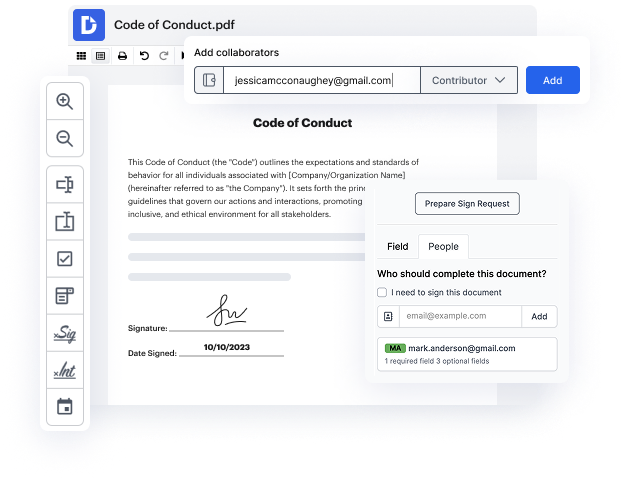
- Add fillable fields, make them required or optional, and assign them to particular participants.
- Leave comments to tell your trainer or learners about the most important updates.
- Click the Download / Export button at the top and click on Classroom to import and share the PDF with your learning community.
Enjoy the power of this valuable DocHub integration and get all the essential tools to handle and collaborate on your training materials. Convert Word to PDF and do anything you need with your documents without leaving your virtual learning space. Get started now!
integration spotlight
Elevate learning experiences with DocHub for Google Classroom
Transform your classroom into a dynamic and interactive learning space for both students and teachers. With DocHub, you can effortlessly edit, complete and collaborate on assignments, and sign and send documents, all from the comfort of Google Classroom.
Award-winning solution, recognized for ease of use and excellence




Enrich learning and teaching experiences with DocHub for Google Classroom
Complete assignments with an array of digital tools
Use one solution instead of many to edit, annotate, and share assignments, lesson plans, and worksheets directly from Google Classroom.

Create a collaborative learning environment
DocHub enables students and teachers to interact with each other using reusable templates and role-based document access permissions.
Collect signatures faster
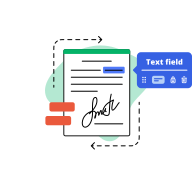
Collect teacher and student signatures faster than ever. Set signing orders, add roles, and keep track of every signature in real time.
Capture data online
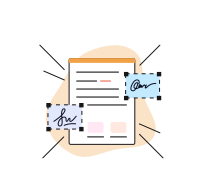
DocHub fillable forms allow you to simplify course enrollment, track student attendance, or gather feedback in Google Classroom.
DocHub users are making their document workflows a breeze right from Google Classroom
Industry-leading security and compliance
DocHub complies with industry-leading standards, regulations, and certifications to ensure the most effective and secure workflows.


Why choose DocHub?

Powerful features in the free version
DocHub offers free access to premium tools without any time limits or hidden costs. Test out DocHub's advanced functionality with a free 30-day trial.

Google integrations
DocHub is deeply integrated with the Google ecosystem, making it super easy to edit, sign, and manage documents without leaving your favorite Google Apps.

Security
DocHub ensures the security of your data with 256-bit SSL encryption, OAuth 2.0 authentication, and encrypted storage.