Annotate Solicitiation online using Gmail integration with DocHub
Easy way to Annotate Solicitiation in Gmail with DocHub Integration

If you are managing numerous documents in your mailbox, having all the tools for easy editing in the same place would probably be a big help. Integrate DocHub with Gmail to Annotate Solicitiation online and enjoy having the go-to functionalities you need in one place. Setting up the integration only takes a few easy steps.
Follow these steps to Annotate Solicitiation in Gmail via DocHub
- Visit the DocHub site and sign in to your account, or create a fresh one if you are a new user. Once you do, you can begin a free 30-day trial.
- Open your Gmail account and locate the + button on the left to jump to the Google Workplace Marketplace.
- Explore the catalog or use the search bar to find the DocHub for Gmail add-on.
- Install the add-on and authenticate utilizing your Google account.
- Once you get an email with the document you need edited, find the D image in the sidebar and click on it to transfer the document into the DocHub editor.
- Make any adjustments you need using DocHub instruments.
- If you need to approve the document, click Sign and put your electronic signature.
- When done with editing, click Menu and choose from Share or Send, Convert, or Download/Export.
Streamline your document processing and get all the instruments you need to Annotate Solicitiation in Gmail via DocHub. Begin your trial today and discover new levels of convenience.
integration spotlight
Keep your work running smoothly from Gmail
Powerup your Gmail account with DocHub’s advanced eSignature features and robust PDF tools. Modify, sign, fill out email attachments, and create reply emails or drafts with one or multiple signed and edited DocHub documents attached — all without leaving your Gmail inbox.
Award-winning solution, recognized for ease of use and excellence




Keep your documents and emails connected for maximum productivity
Do more in less time
No need to switch between apps to print or scan documents. Edit, annotate, share and fill them out directly from your Gmail inbox.

Simplify collaboration
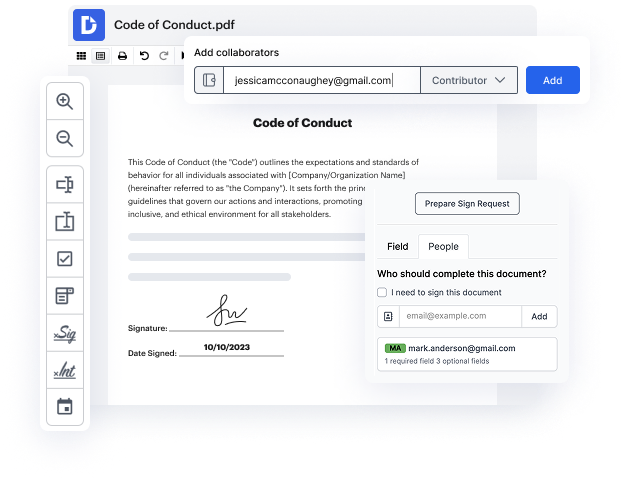
Collaborate on documents within Gmail. Set access permissions so shared documents can be viewed, edited, or signed by the right people.
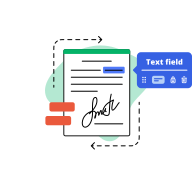
Sign documents online directly from Gmail
No more waiting for signatures. Sign a Gmail attachment or get it signed by others while email notifications keep you in the loop.

Ensure a secure workflow
Keep your documents from Gmail attachments secure with two-factor authentication, password protection, and encrypted folders.
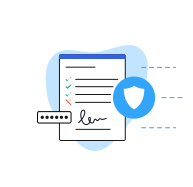
Industry-leading security and compliance
DocHub complies with industry-leading standards, regulations, and certifications to ensure the most effective and secure workflows.


Why choose DocHub?

Powerful features in the free version
DocHub offers free access to premium tools without any time limits or hidden costs. Test out DocHub's advanced functionality with a free 30-day trial.

Google integrations
DocHub is deeply integrated with the Google ecosystem, making it super easy to edit, sign, and manage documents without leaving your favorite Google Apps.

Security
DocHub ensures the security of your data with 256-bit SSL encryption, OAuth 2.0 authentication, and encrypted storage.