Create a PDF Form in Dropbox for Realtors via DocHub
Easily Create a PDF Form in Dropbox for Realtors with DocHub Integration

A fast-paced business environment requires smart solutions to enhance daily document workflows. DocHub offers various cloud service Integration options, such as Dropbox for Realtors, to improve your output and effectiveness with no compromising your document quality. Create a PDF Form, sign, and safely export and transfer your files without missing data in the process.
How to rapidly Create a PDF Form in Dropbox for Realtors on the web via DocHub
- Log in or register a free DocHub account.
- Gain access to your Dashboard and include your file by clicking the New Document option.
- Choose Dropbox and sign in to your account.
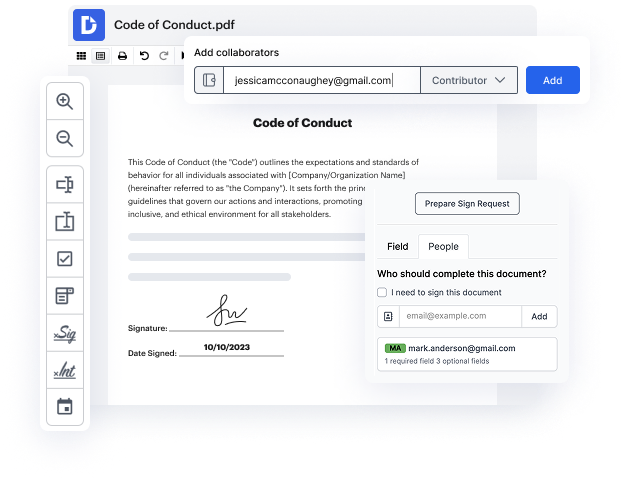
- When the file opens in the editor, effortlessly Create a PDF Form and manage your document.
- Enjoy lossless modifying and go to transfer or store your document inside your account.
- Share your file with other contributors and facilitate easy collaboration.
Present easy data sharing and streamline your everyday document managing. Create a Template for frequently used documents, collaborate with your team, and keep your data arranged and Create a PDF Form in Dropbox for Realtors with DocHub Integration. Join DocHub today and explore the available integrations.
integration spotlight
Easily tackle document work with DocHub for Dropbox
Connect DocHub to Dropbox to easily make edits and annotations, sign, and send any Dropbox file or turn it into a fillable form or reusable template and sync it back to Dropbox – all with advanced security and process visibility.
Award-winning solution, recognized for ease of use and excellence




Work smarter with DocHub for Dropbox
Simplify document management
DocHub brings PDF editing, eSigning, and form creation capabilities to Dropbox so you can work productively in one place.

Improve teamwork
Keep collaboration going from anywhere. Leave comments in Dropbox documents and set permissions to let others view or make edits.
Ensure document security
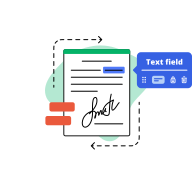
Use DocHub to securely work on documents stored in Dropbox. Protect your documents with a password or two-factor user authentication.

Run your business from anywhere
Say goodbye to printing and scanning. Get your documents signed in minutes and keep track of every change with a detailed audit trail.
Industry-leading security and compliance
DocHub complies with industry-leading standards, regulations, and certifications to ensure the most effective and secure workflows.


Why choose DocHub?

Powerful features in the free version
DocHub offers free access to premium tools without any time limits or hidden costs. Test out DocHub's advanced functionality with a free 30-day trial.

Google integrations
DocHub is deeply integrated with the Google ecosystem, making it super easy to edit, sign, and manage documents without leaving your favorite Google Apps.

Security
DocHub ensures the security of your data with 256-bit SSL encryption, OAuth 2.0 authentication, and encrypted storage.